
You attach a document to the order, the customer or the bank transaction it belongs to.
In the DMS, the document management system, a document is attached to an order, a customer, a purchase invoice, a bank transaction or a maintenance contract. So on the job you see which papers belong to it and don’t have to look for them in folders.
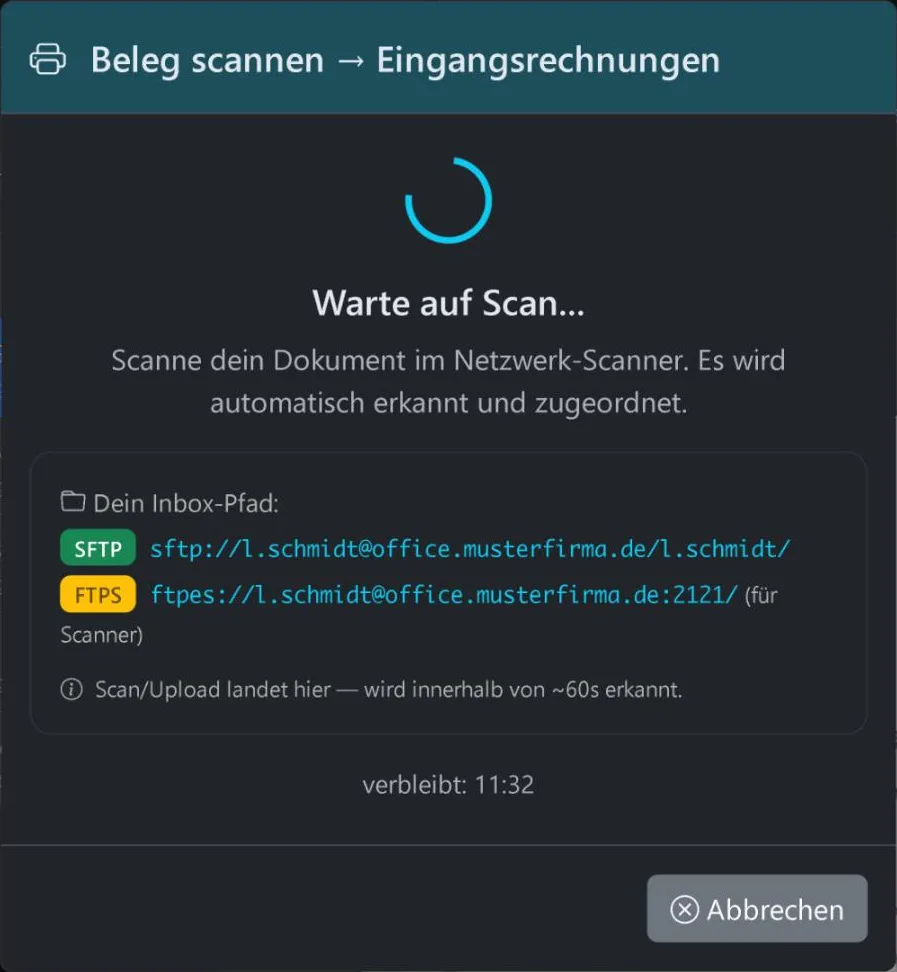
You scan straight into the right folder
You pick the folder in the DMS, click “Scan” and put the paper in the scanner. The document is then in that folder, and there is nothing to sort afterwards.
The dialog shows at the top where the scan is going. Text recognition then runs as it does for any other document.
What a document can be attached to
- OrderDocuments for the visit are kept on the job in order management.
- CustomerQuotes, orders, invoices and documents in the DMS belong to the same customer record. There you see what is going on with that customer.
- Purchase invoiceThe scanned document stays linked to the posted purchase invoice.
- Bank transactionDuring reconciliation in Banking, the document is linked to the transaction.
- Maintenance contractThe contract papers are kept on the contract.
What reaches the DMS by itself
- Signed quote
- Your customer signs the quote in the customer portal with the mouse or on a touchscreen. The PDF goes into the DMS at once, is linked to the right order and is archived in line with GoBD, the German rules for digital bookkeeping.
- Shop order
- An order in the online shop creates a contract, an invoice and an entry in the DMS.
- E-invoice
- Incoming e-invoices reach the DMS by themselves as well.
Related
See how documents and jobs hang together
In the free demo you see the WorkOrderAgent with a sample company that is already set up. If you prefer, we can show you how a document is attached to an order, a customer and a bank transaction. The demo is in German.
0173 644 22 17