
Fleet map: where your vehicles are and which way they went.
One look at the map and you know which vehicle is near a customer. Choose a vehicle and a period, and the map shows the route driven, neatly on the road network. Your drivers get their own access with their vehicle and a route planner.
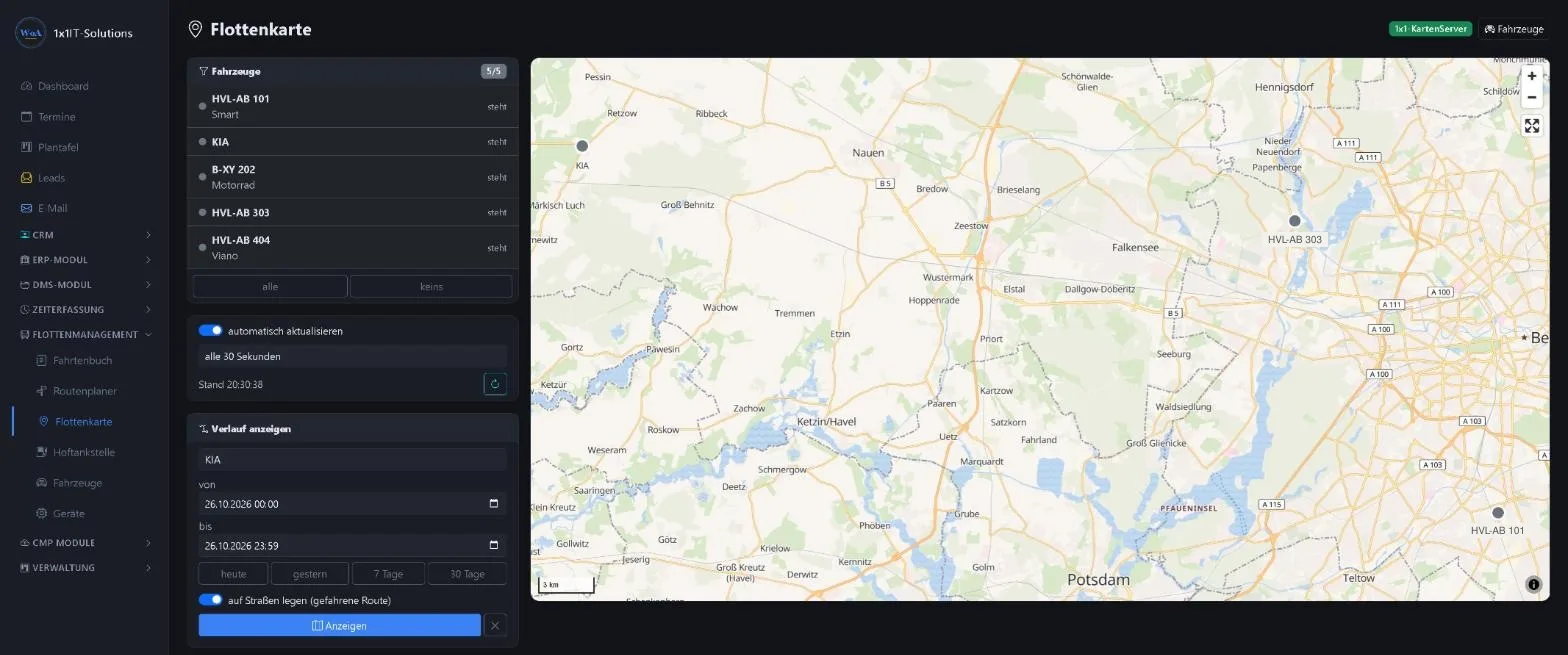
When a customer asks when someone will arrive
A customer reports urgent damage. Instead of phoning around, you open the fleet map and see who is nearby. And if the question comes up later of when the vehicle was at the customer’s and which way it took, the trip history answers it in seconds.
Everything runs on our own map server. No third-party map provider learns where your vehicles travel.
The trip history
Choose a vehicle, choose a period, show.
- Readable at a glance
- The route appears in segments: start green, end red, stops of more than five minutes yellow. You also see kilometres, driving time and number of positions.
- On the road, not as the crow flies
- With “match to roads” the map server matches the positions to the road network, so you see the route actually driven. Road data covers Germany; abroad the measured GPS line remains.
- Dead spots closed
- If positions are missing, for example in a tunnel or dead spot, the map server calculates the likely route in between, provided the result is plausible. These sections are dashed and their kilometres are shown separately.
- Any period
- Today, yesterday, the last seven or thirty days, or a custom period of up to 93 days.
Own access for your drivers
Your drivers see what they need for their work, and nothing more.
- Only their own vehicle
- Drivers only see vehicles they are assigned to as driver, with live position and history. Colleagues’ vehicles stay blocked on the server side too.
- My logbook
- Their own trips are collected in a personal logbook.
- Route planner
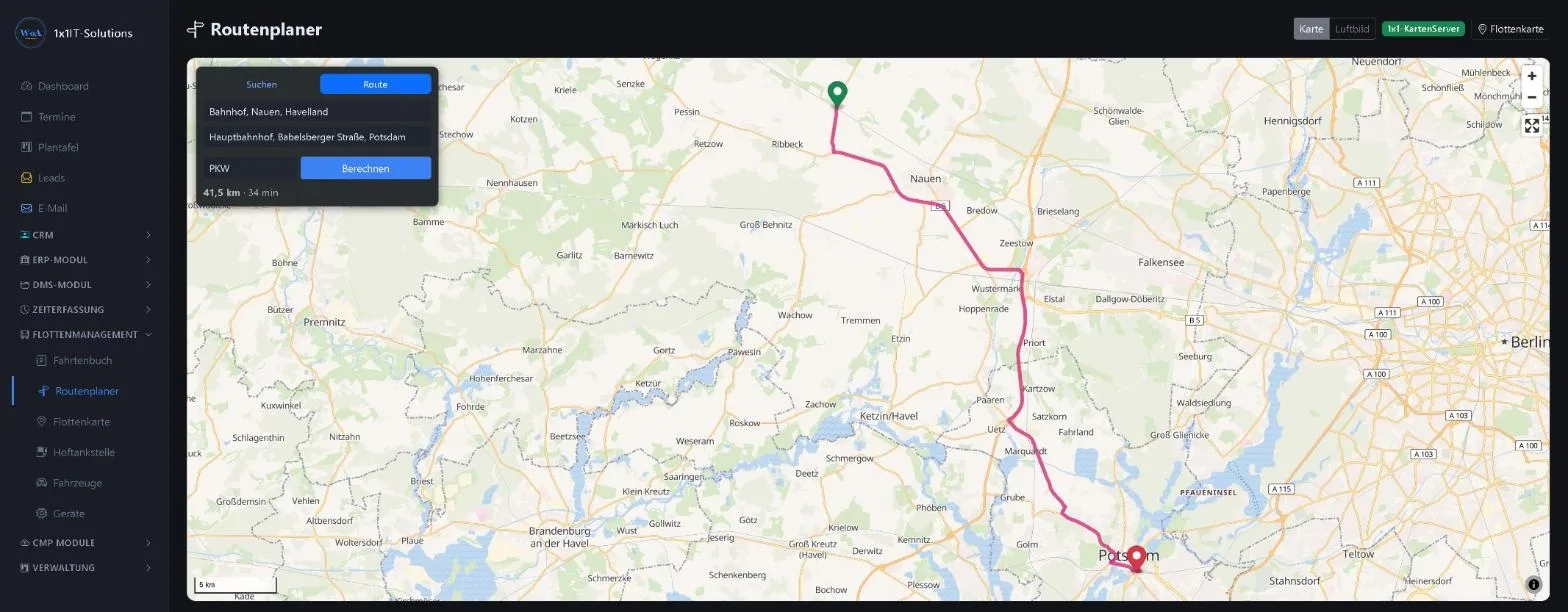
- Enter an address, calculate a route, see distance and driving time. Without Google, via our own map server.
- Clarity for everyone
- People who know what they can and cannot see work more relaxed. The rules are clear and built into the system.
The route planner
Enter start and destination, choose the vehicle type, calculate. Map, address search and routing run on our own OpenStreetMap server; your destinations do not end up with a third-party service.
Only the modules you need
- Enabled individually
- Fleet management, planning board and fuel station are separate modules. We enable them individually for your business, so you do not pay for features you do not use.
- Add later
- If a vehicle or your own fuel station comes along, we add the module. Just talk to us.
Frequently asked questions
Can a driver see colleagues’ vehicles?
No. Drivers only see vehicles they are assigned to as driver. The server rejects requests for other vehicles.
How are GPS gaps filled?
If two sections are more than 300 metres apart, the map server calculates the route between the last and next position, provided the result is plausible. Filled sections are dashed and their kilometres are shown separately.
How far back can I look?
Up to 93 days at a time. For longer evaluations there is the logbook.
Does it work abroad?
The map does. Matching to the road network uses road data for Germany; abroad the measured GPS line remains.
Does map data go through Google?
No. Map, address search and routing run on our own map server with OpenStreetMap data.
Related
Your fleet on a map of its own?
Request a free demo and see the fleet map, history and route planner with sample data.
0173 644 22 17