
Email that knows your customers.
No more emails that disappear in one person’s inbox: every message ends up with the right customer in the CRM automatically, visible to the whole team, without copying or retyping. The webmail is built right into the WorkOrderAgent, in the same program as customers, orders and invoices.
What the link to the CRM gives you
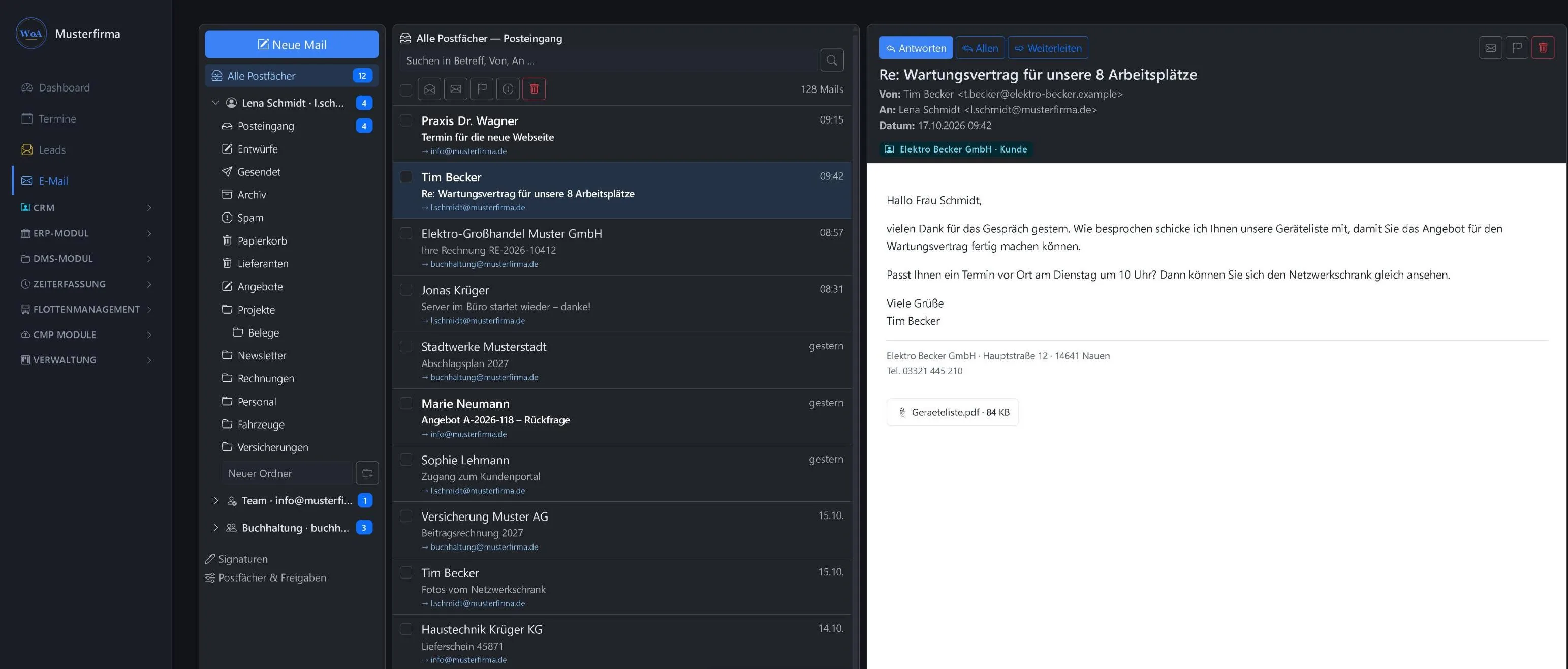
The webmail knows who you are writing to. That saves searching, retyping and asking around in the team.
- Every email knows who it belongs toThe reading pane shows right away which contact, customer or company is behind it. One click opens the record.
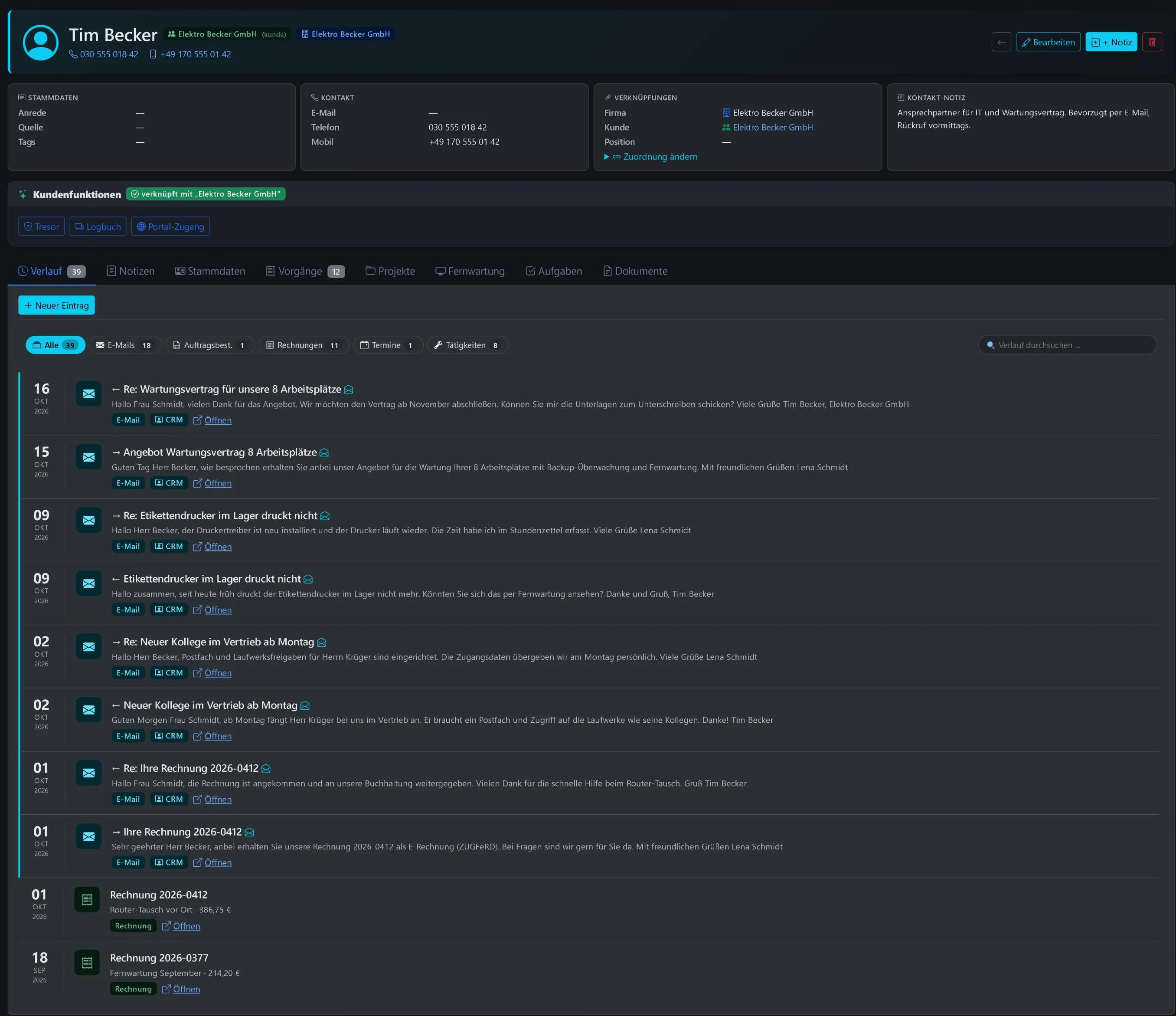
- A complete customer historySent and received emails with known contacts land automatically in the history of contact and company, together with notes, calls, quotes and tasks. Including colleagues’ emails from team mailboxes such as info@.
- The whole email from the CRMIn the history, one click is enough to read the complete email and reply directly.
- Write from the CRMClicking a contact’s email address opens a new email. As you type, the webmail suggests recipients from contacts, customers and companies.
- Assign sendersUnknown senders are assigned to a company or customer with one click. If the email domain matches, the WorkOrderAgent makes a suggestion itself.
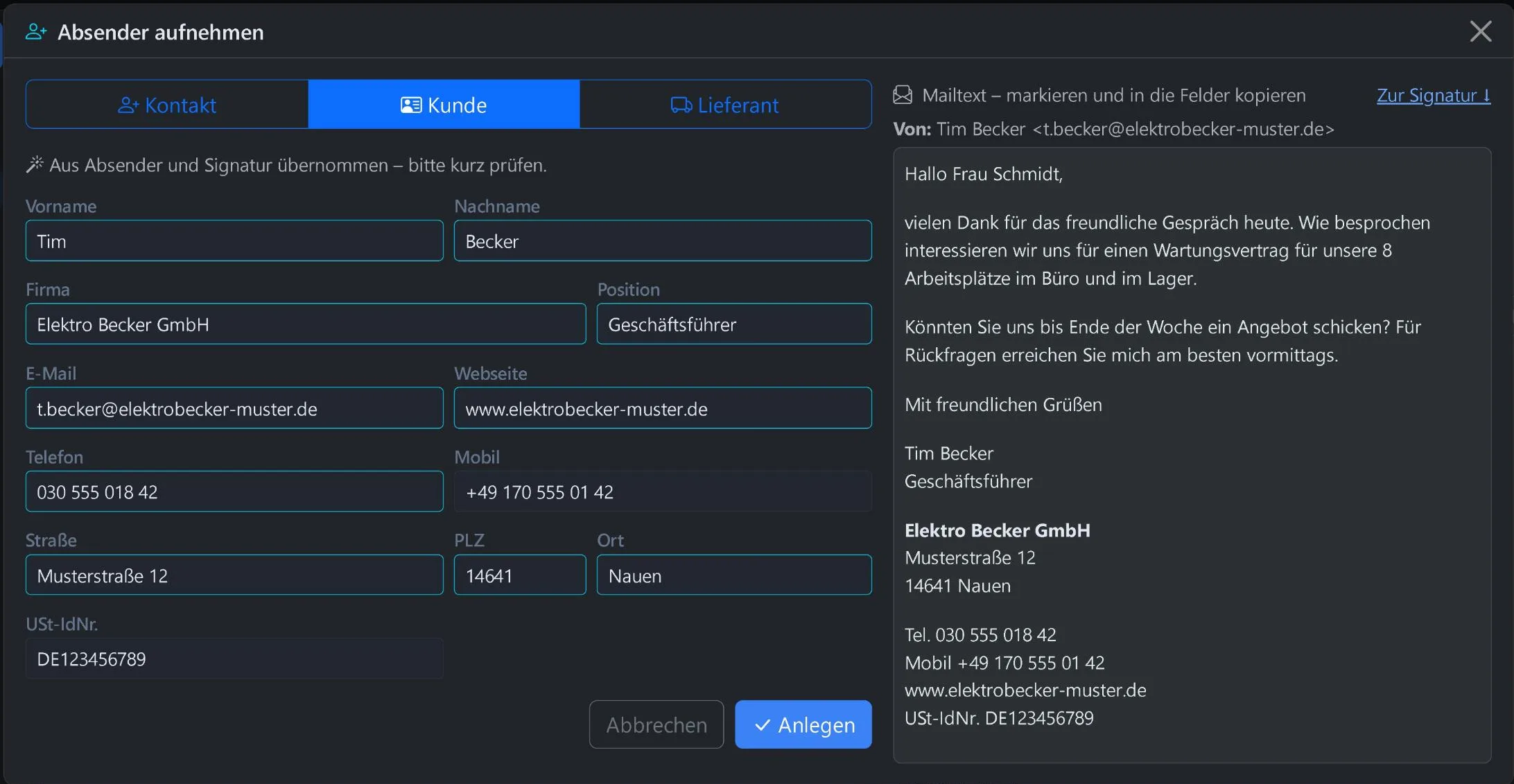
- New sender, one clickWhen someone writes to you for the first time, add them as a contact, customer or supplier with one click. The WorkOrderAgent pre-fills name, company, position, phone, address, website and VAT ID from the signature.
- Cover without gapsDuring holidays or illness, the stand-in sees where things stand with the customer and replies from the right mailbox.
- Privacy built inPrivate mailboxes stay private. In the CRM history, too, only owners, shares and holiday cover see these emails.
New sender? One click and they are in the CRM.
Choose contact, customer or supplier. Name, company, position, phone, address, website and VAT ID are already filled in from the signature. You check briefly and save.
Every email in the customer history
Incoming and outgoing emails appear in the customer record by themselves, between invoices, jobs and appointments. Whoever opens the customer sees where things stand.
And of course everything a webmail has to do
- Mailboxes like in Outlook
- Own, team and shared mailboxes one below the other, with folders and unread counters. Change the order by dragging, and it applies on all devices.
- All mailboxes in one list
- All inboxes together, mixed by date, showing which mailbox each email is in.
- Clear reading
- Three columns with folders, list and reading pane. Emails are displayed safely: images are not loaded from outside, scripts are removed. Attachments download with one click.
- Search and organise
- Search in subject, sender and recipients, across all mailboxes too. Read, flag, move by dragging, your own folders. Marking “spam” trains the spam filter.
- Writing
- Reply, reply all, forward with the original attachments if you like, drafts. Formatting and links, attachments up to 25 MB and a warning when an attachment is mentioned but missing.
- Senders and signatures
- Send as yourself, from team mailboxes such as info@ with your name, or as holiday cover. Signatures per mailbox with logo and images, and you can take over your previous signature from a saved email. The signature changes with the sender and always stays easy to read for the recipient.
- Permissions like Exchange
- The administrator assigns mailboxes, sets up team mailboxes, shares mailboxes with colleagues to read or to read and send, and sets up holiday cover.
In the WorkOrderAgent at the office, on the phone on the road
The webmail is meant for everyday office work right in the WorkOrderAgent. Outlook and smartphone keep working in parallel with the same mailboxes.
- Sent emails are in the “Sent” folder, in Outlook and on the iPhone too
- Sending via your own mail server, with DKIM signature
- Rules, calendar and contact sync keep running via the WorkOrderAgent features and your mail program
- Found in the WorkOrderAgent under “E-Mail”, for all mailboxes the administrator has enabled
Related
Emails that reach the customer record?
Request a free demo. In the demo account you try the webmail with sample mailboxes, without a single email leaving the system.
0173 644 22 17