
Email on your own server: sorted, filtered, checked.
Your mailboxes run on our mail server in Germany. Rules sort the mail on the server, the spam filter learns from every move into the junk folder, and mails carrying viruses never arrive. The same applies on the PC, the phone and in webmail.
Mail rules that work on the server
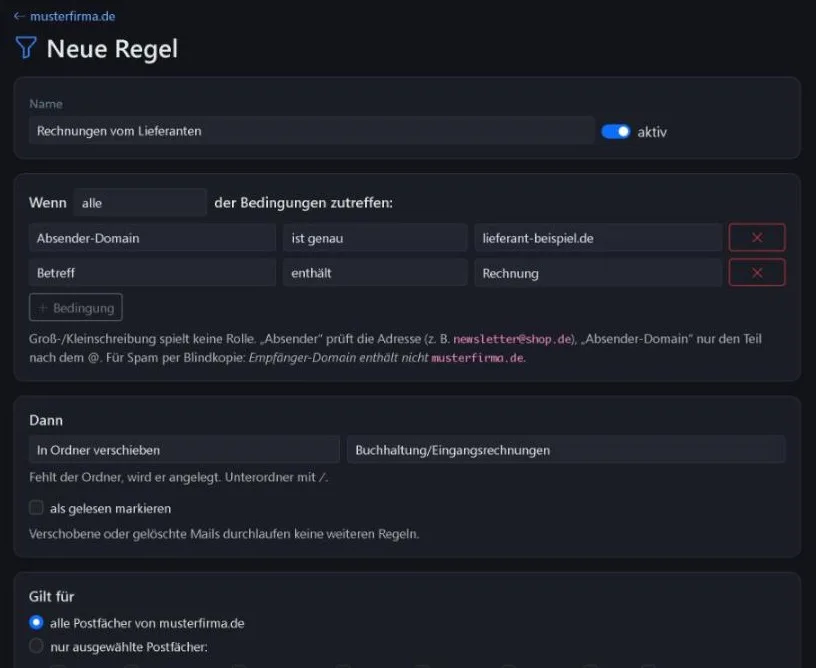
Rules that live only in the Outlook of a single PC stop working when that PC is switched off. Ours run on the server: mail is already sorted, whether you open it at your desk, on your phone or in webmail.
You decide which mailboxes a rule applies to: all of them in the domain or only selected ones.
- Conditions: sender, recipient, subject or text
- Actions: move to a folder, to the bin, delete, mark as read
- Forward, or forward and move at the same time
- Ready-made template against blind-copy spam: “not addressed to us”
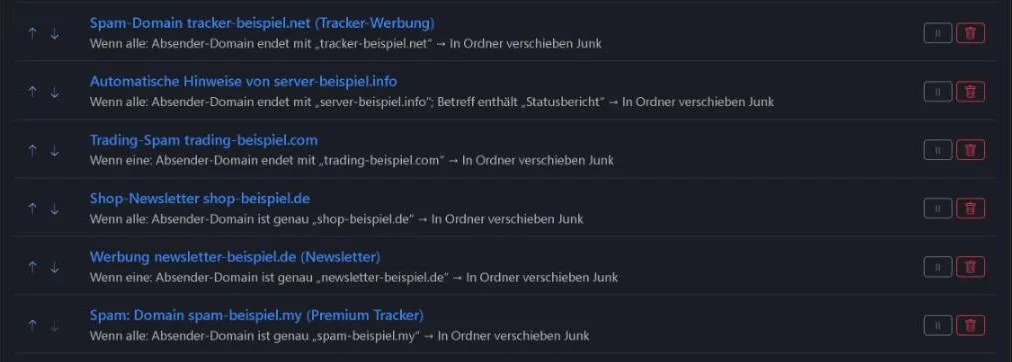
- Rules are checked from top to bottom, reorder with arrows
A spam filter that learns
There is nothing to configure. The filter learns from what you do anyway.
- Moved to junkThe mail is learned as spam. Similar mail goes straight to the junk folder from then on.
- Moved back out of junkThe mail is learned as wanted. The sender reaches the inbox again.
- The same everywhereIt makes no difference whether you move mail in Outlook, on the phone or in webmail. The server remembers it for all devices.
- Quick startExisting mail can be trained once. From about 200 learned mails in each direction the filter decides on its own.
Rule suggestions from reported spam
From the spam your team reports, the WorkOrderAgent suggests suitable rules. You choose how much help you want. A suggestion only takes effect once you accept it.
- Move mail to junkA team member moves an unwanted mail into the junk folder, in Outlook, on the phone or in webmail.
- Filter learnsThe spam filter learns from it at once, whichever level is set.
- Suggestion appearsEvery 5 minutes the WorkOrderAgent evaluates newly reported senders and suggests a rule.
- You acceptYou check the suggestion and accept it with one click. From then on the rule applies to the whole domain.
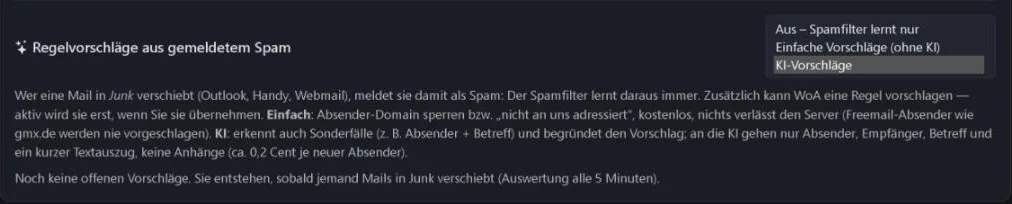
- OffThe spam filter keeps learning, but there are no suggestions. You create rules yourself.
- Simple suggestionsWithout AI: block the sender domain or “not addressed to us”. Free of charge, and nothing leaves the server. Senders using free mail services are never suggested for blocking, so you do not lock out customers with private addresses.
- AI suggestionsAlso spots special cases, such as sender and subject together, and explains every suggestion. The AI only receives sender, recipient, subject and a short text excerpt, never attachments. Cost: about 0.2 cents per new sender. More on the topic: AI in business.
Move completely or keep your provider
Each domain gets its own mode of operation.
- Direct operationOur server receives and sends your mail. You point your domain’s MX record to us.
- Collection modeYour current provider stays in charge of receiving and sending, but the mail is stored with us. Nothing is deleted at the provider until it is stored and backed up here.
Mailboxes, forwarding, out of office
Everything you need day to day, without a detour through your domain provider.
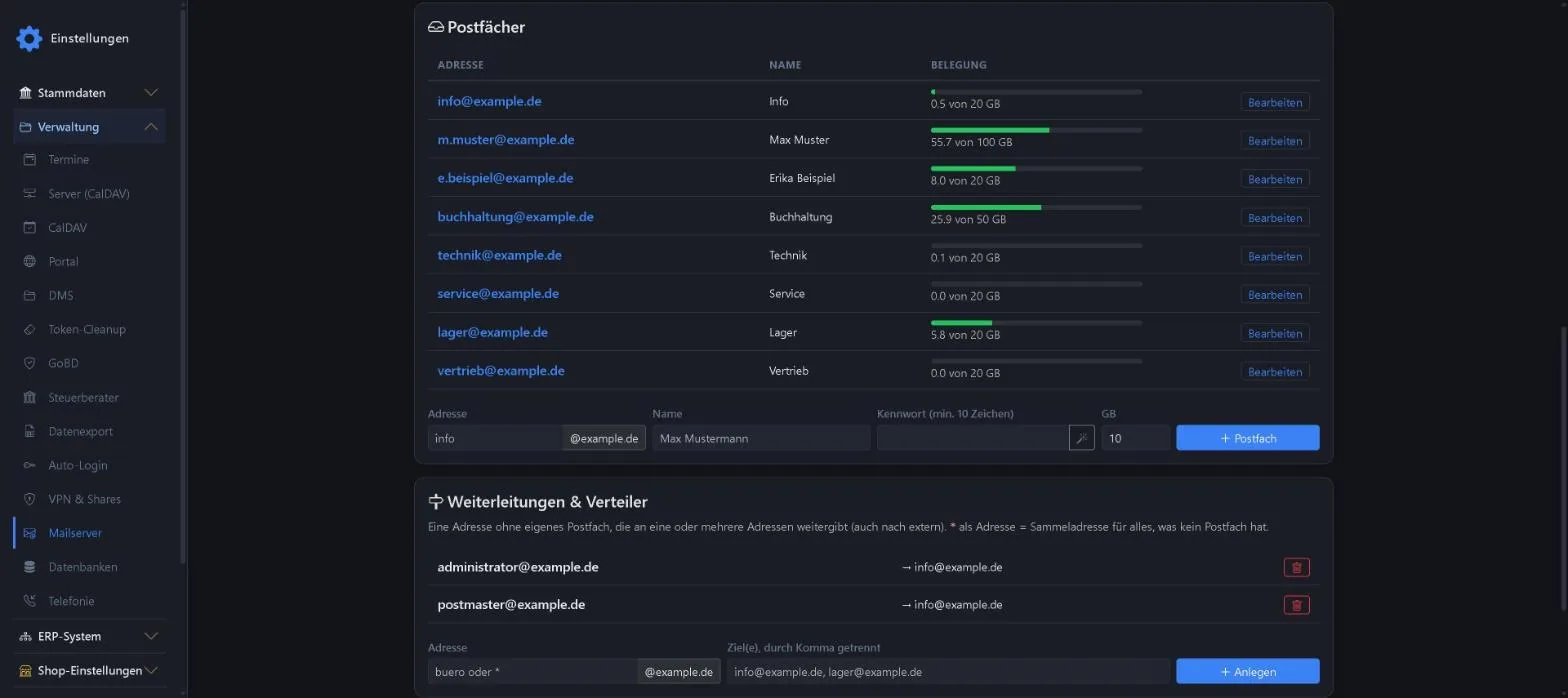
- MailboxesWith storage per mailbox and a usage display. The WorkOrderAgent generates secure passwords at the push of a button.
- Forwarding and distribution listsAddresses without their own mailbox that pass mail on to one or more addresses, external ones included. A catch-all address picks up everything without a mailbox.
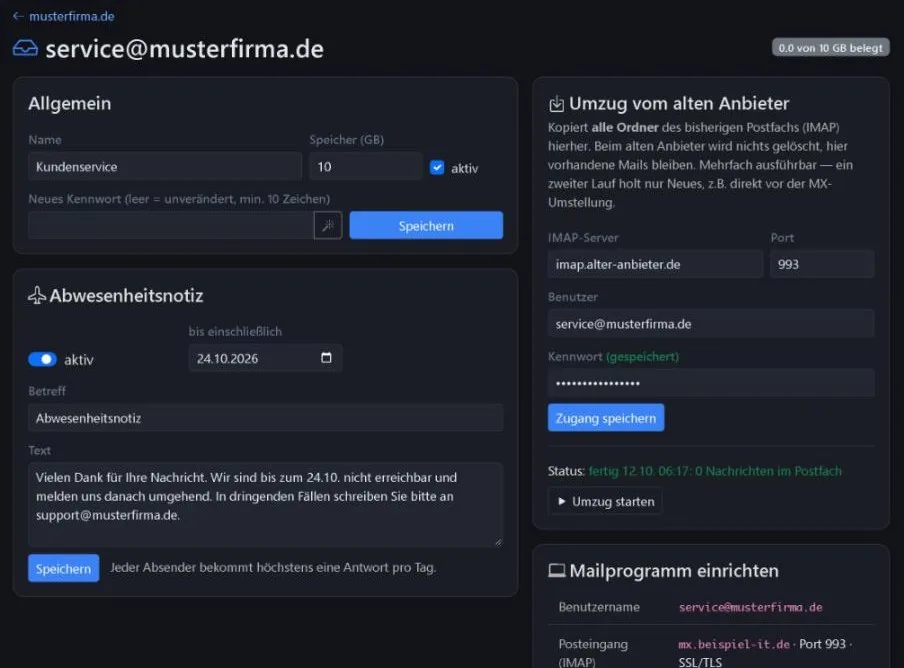
- Out-of-office replyWith an end date. Each sender gets at most one reply per day.
- DNS checkThe WorkOrderAgent shows which records your domain provider needs (MX, SPF, DKIM, DMARC) and checks them at the push of a button. That way your mail also reaches strict recipients.
Secure and quickly set up
- Virus check on receiptEvery incoming mail is checked. If it is infected, the server does not accept it at all. It ends up neither in the mailbox nor in the junk folder.
- Outlook sets itself upEnter the email address and password, and Outlook finds the server and settings automatically. Thunderbird too.
- Old server names keep workingOwn certificates for mail., imap. and smtp. of your domain as well. Existing devices need no changes after the move.
- Migration assistantCopies all folders of the previous mailbox. Nothing is deleted at the old provider. A second run fetches only new mail, for example right before the switch. We see the move through until every mailbox works.
Frequently asked questions
Can I keep using Outlook?
Yes. Outlook, the phone and webmail access the same mailboxes. Rules and the spam filter run on the server and apply equally to all devices.
Are my mails passed on for the AI suggestions?
Only if you choose the “AI suggestions” level, and then only sender, recipient, subject and a short text excerpt of the mails you reported as spam. Never attachments. With “Off” and “Simple suggestions” nothing leaves the server.
How do my old mails get to you?
With the migration assistant. It fetches mailboxes and folders from your previous provider. Because the old server names keep working, you do not have to set up your devices again.
Goes well with
Out of spam, onto your own server
We move your mailboxes, set up rules and the spam filter and remain your point of contact. Tell us how many mailboxes you have.
0173 644 22 17