Office, building site and vehicle in one system. Even without a signal.
Paper for measurements, Excel for job planning, one app for the vehicle log and a folder for receipts: the WorkOrderAgent replaces the separate tools with one system. What your staff record out on site is in the office straight away, even if there was no signal on the way.
Your staff have jobs, building site, measurements and the vehicle log in one app on their Android phone. Everything is saved on the phone and transferred as soon as there is a signal again. Nothing gets lost in the basement or on a new build.
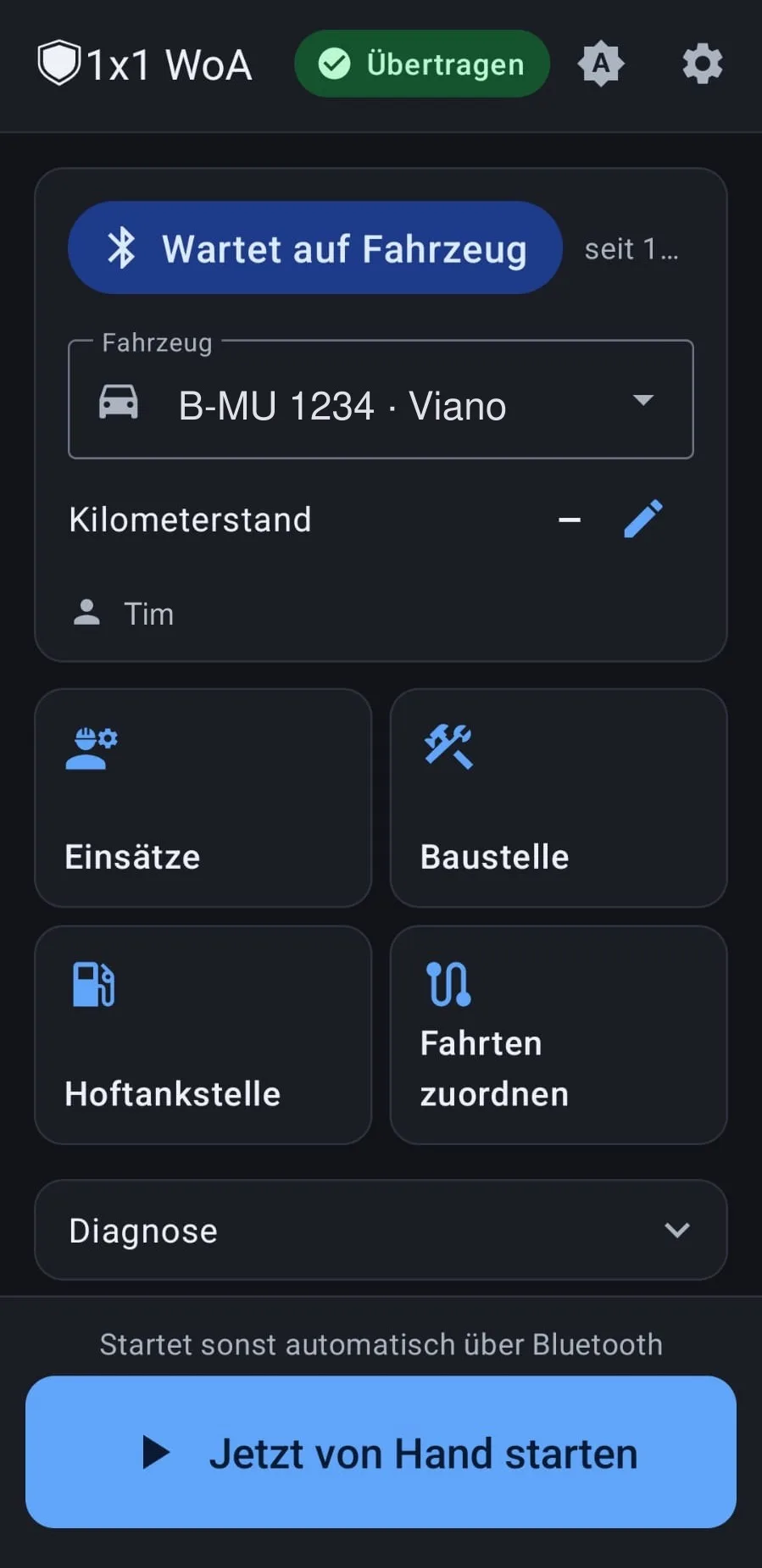
A vehicle log app that starts by itselfThe phone connects to the car radio, the app recognises the vehicle and starts the trip on its own. This also works when one employee drives several vehicles.
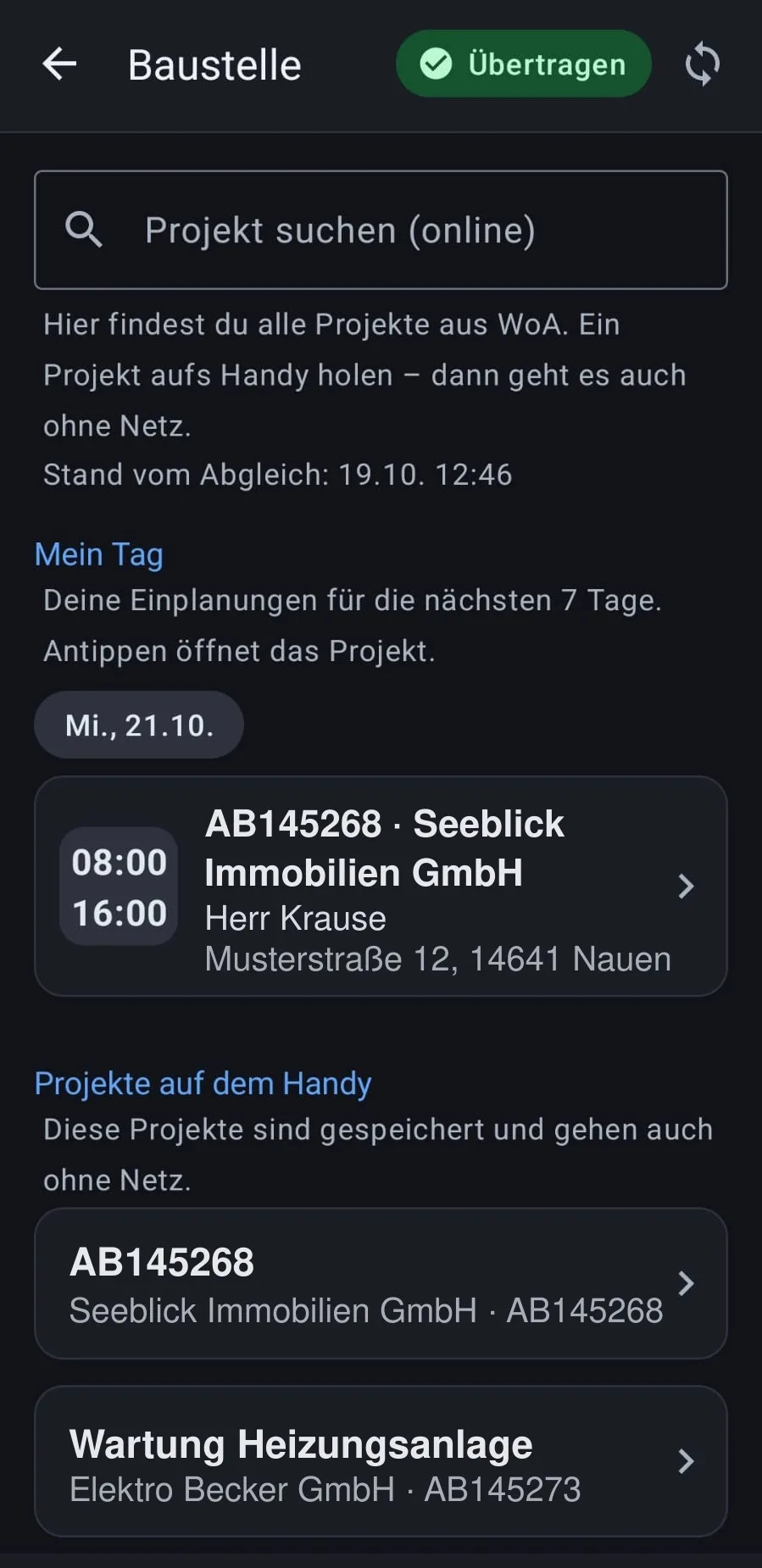
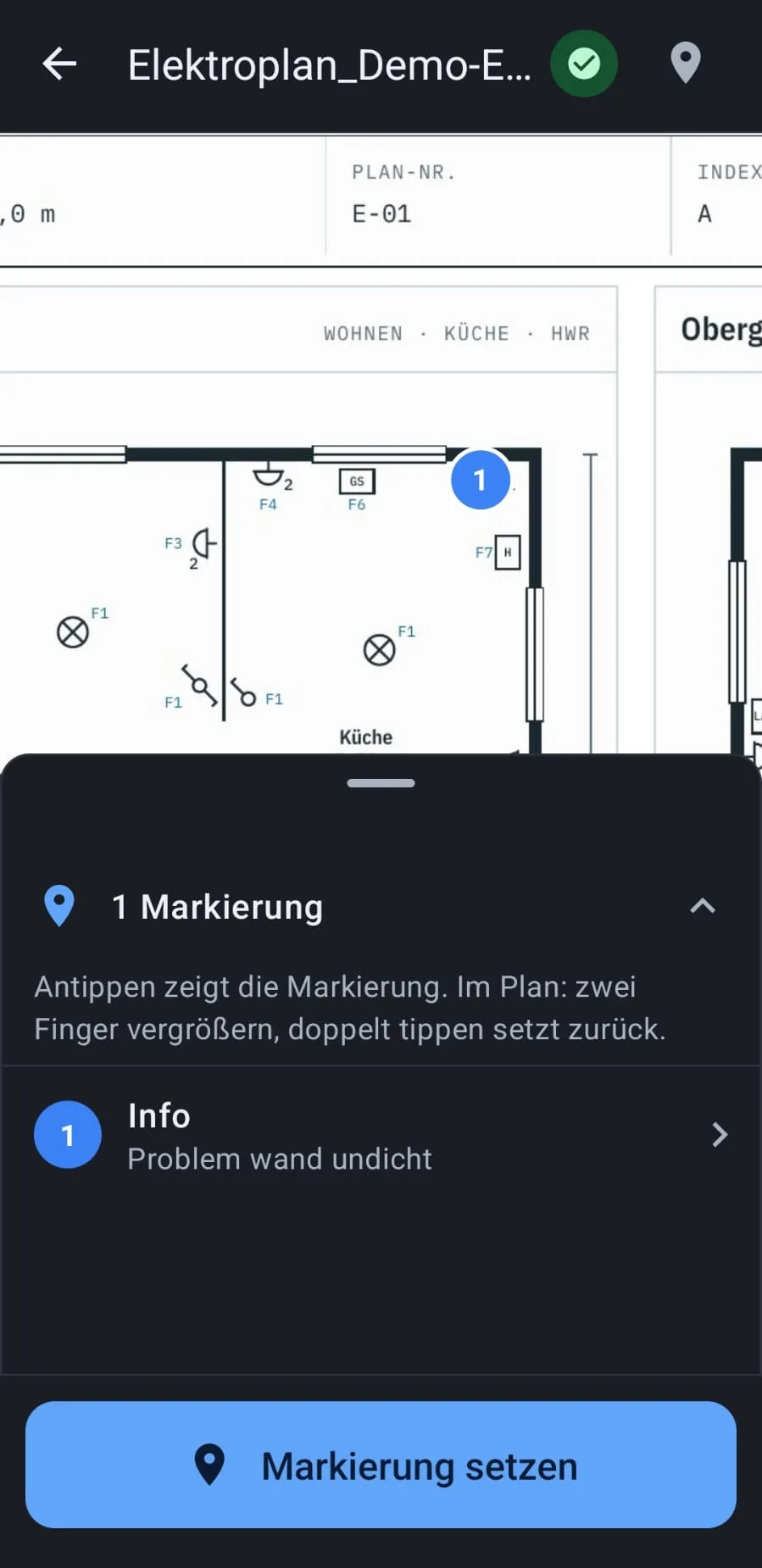
Building site“My day” shows your own scheduled jobs. Plus projects, a chat with photos, forms with signatures and plans you can mark up and add photos to.
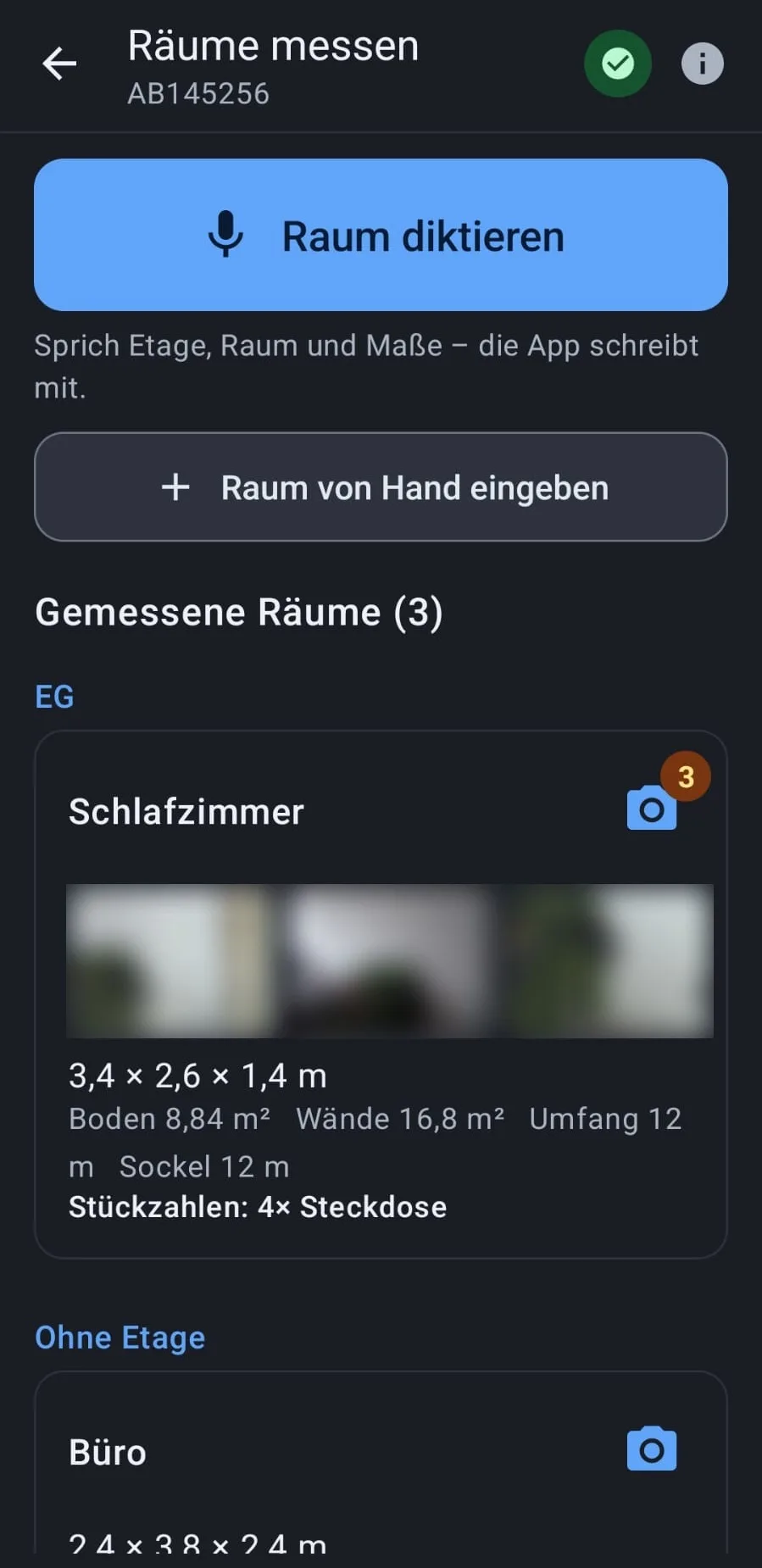
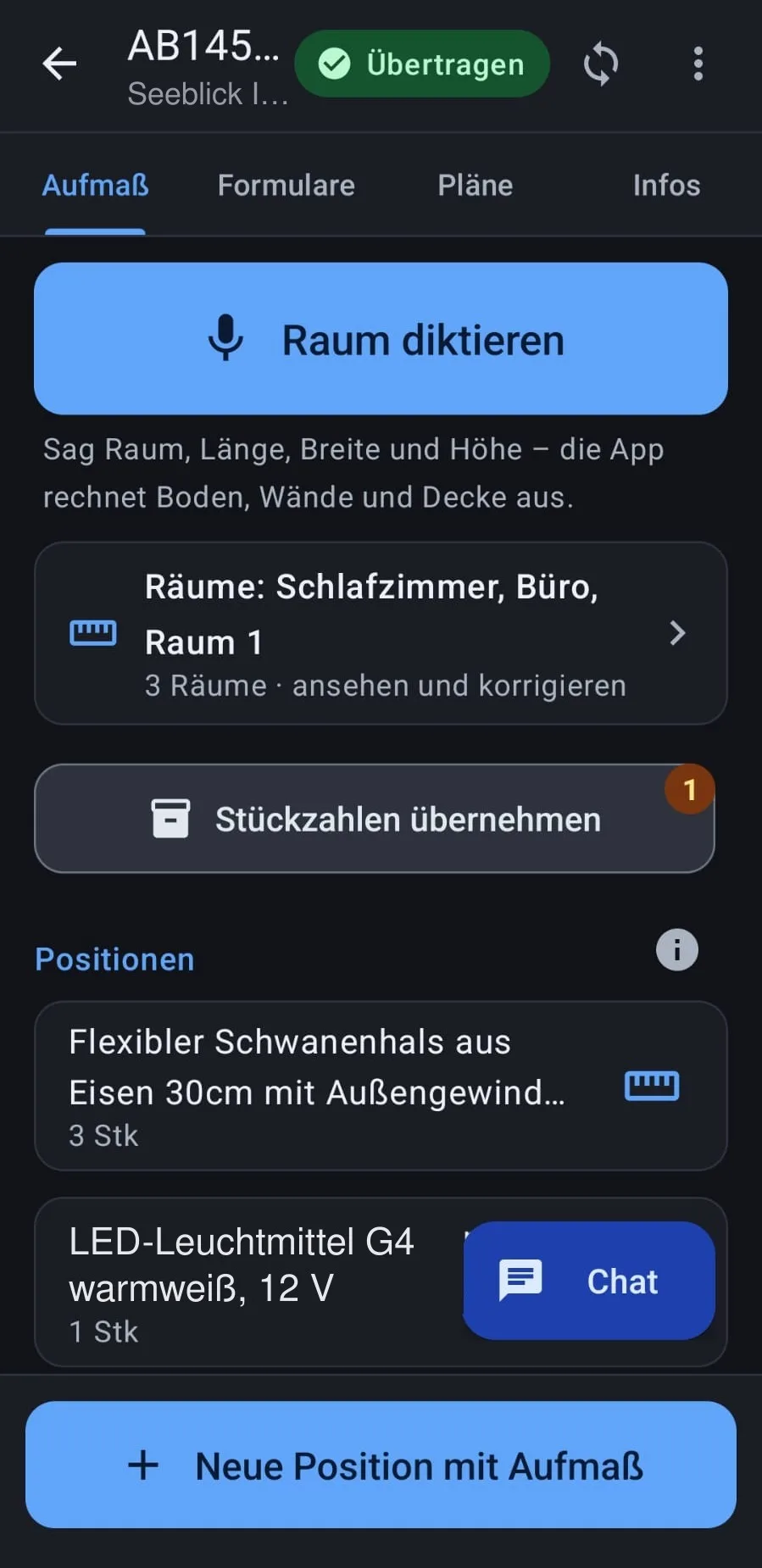
Measurements by voiceSimply dictate the room: “Living room 4.20 by 3.80, height 2.50”. The app calculates floor, walls, ceiling and perimeter, and you attach photos per room. The quantities go straight into the line items.
Jobs at the customer’sRecord activities, material and photos, and finish with acceptance and signature.
Works offlineEverything is saved on the phone and transferred as soon as there is a signal again.
Messages and updates without GooglePush notifications for new chat messages and automatic updates run through your own server, without Google services.
Made for the building siteLarge controls, light and dark mode, German and English.
Set up by QR codeThe employee scans the code, done.
Sample data Click to enlarge.Home screenVehicle log via Bluetooth, jobs, building site.
Sample data Click to enlarge.My dayYour own scheduled jobs and projects, even offline.
Sample data Click to enlarge.Measure roomsDictate the room, photos per room, areas calculated.
Sample data Click to enlarge.MeasurementsQuantities go straight into the line items.
Sample data Click to enlarge.PlansMarkers and photos right in the plan.
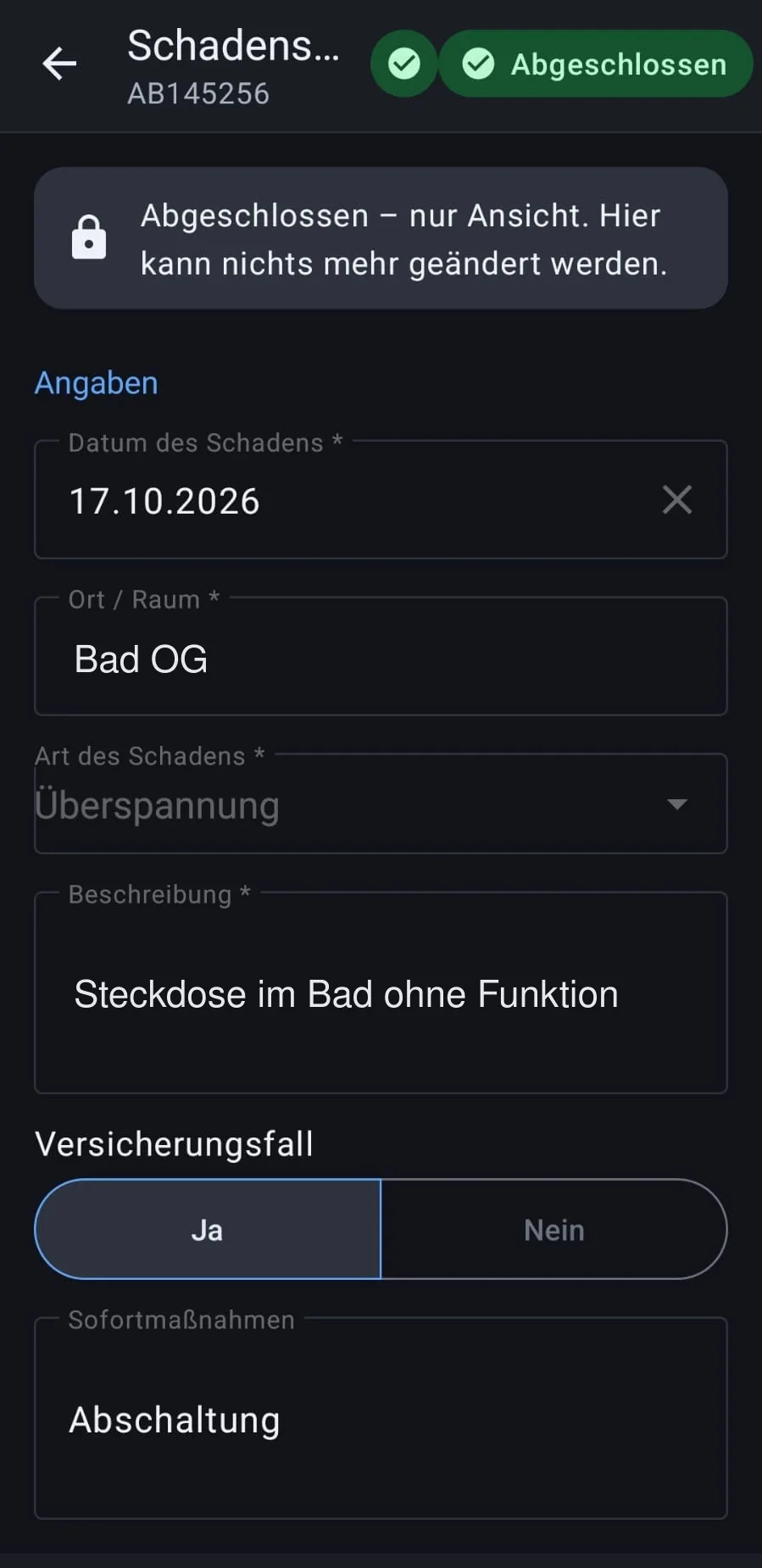
Sample data Click to enlarge.FormsFill in and sign on site.
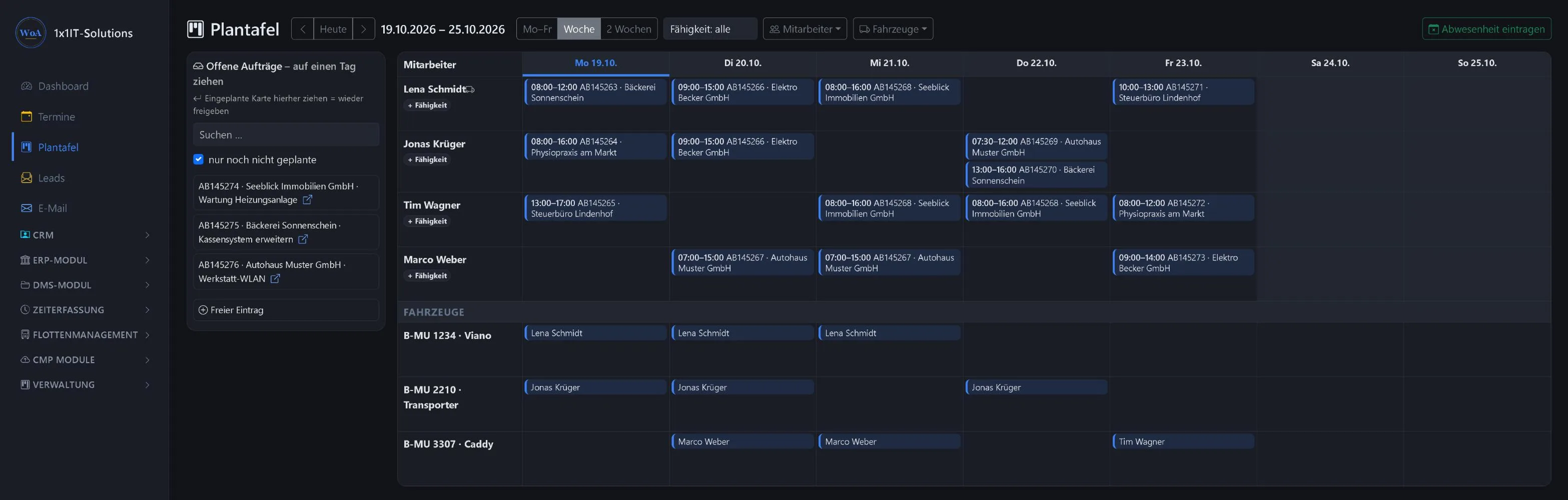
Drag jobs onto staff and days, and the week is planned. Each employee sees their jobs straight away in their own phone calendar, without a phone call and without paper.
Assign jobs to staff and days by drag and drop
One job can be assigned to several employees at once
Filter by staff and vehicles
Each employee automatically gets their scheduled jobs in their own phone calendar (CalDAV), and changes stay in sync
Sample data Click to enlarge.
Trades in the office
Bills of quantities, items from the wholesaler and the measurements go into quotes and invoices without retyping. After the job you see whether the calculation was right.
GAEB import and exportRead in bills of quantities as X83 and return quotes as X84 (GAEB is the German exchange standard for construction tenders).
Text modules and service packagesCreate recurring texts and line items once and reuse them again and again.
Measurement sheet and post-calculationThe measurements as a PDF for the customer, plus a target/actual comparison after the job.
Outgoing invoice registerAll outgoing invoices in one list, with a check for gaps in the number sequence.
Datanorm and wholesalersImport items via Datanorm. The wholesaler connection via IDS-Connect is available as a beta.
Subcontractors and site paperworkA partner login for subcontractors, plus daily site reports and delivery notes.
Receipts and accounting
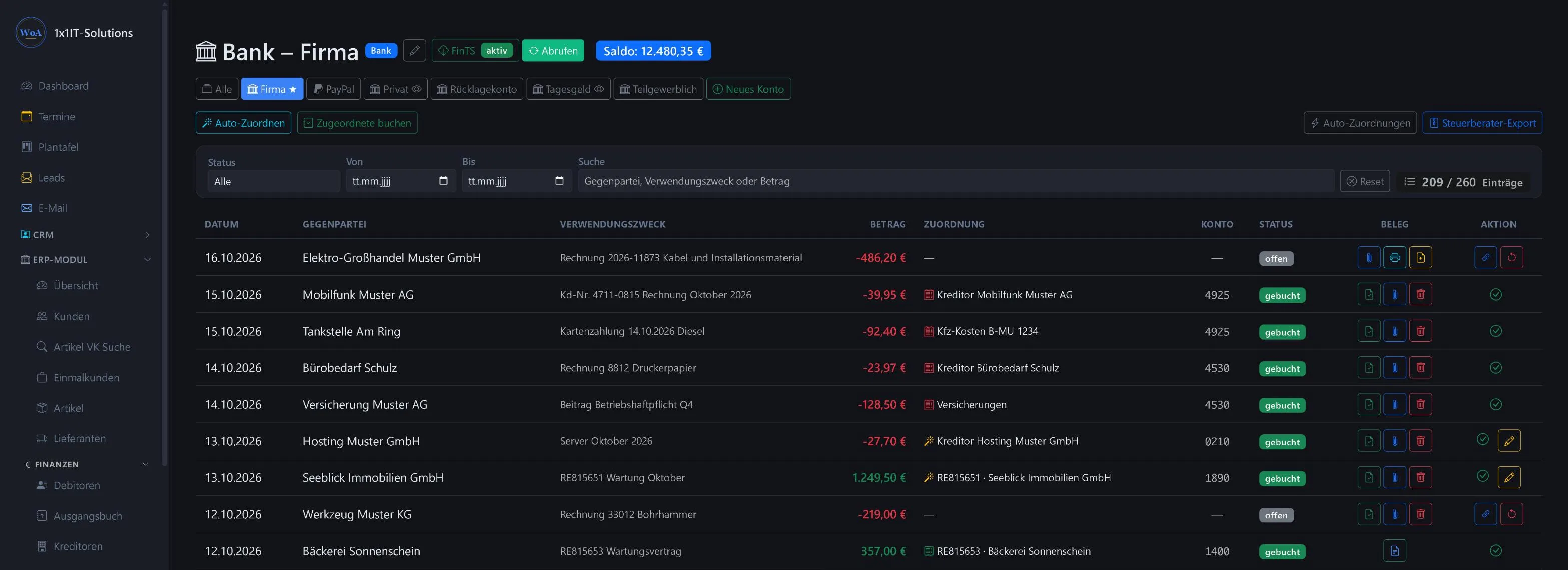
Receipts belong with the transaction, not in a folder. You scan a receipt where it is needed, and within seconds it is in the right place.
Scan at the push of a buttonClick “Scan” in the DMS or directly on the bank transaction and scan on the network scanner. The receipt lands in the right place within seconds.
Several receipts per transactionA bank transaction can have several receipts. If one is missing, create a self-issued receipt with a GoBD justification (GoBD: the German rules for digital bookkeeping).
E-invoices from the mailboxZUGFeRD and XRechnung are fetched from the mailbox automatically.
Edit a PDF, keep the versionEdit a PDF in Edge and drag the new version back into the DMS. The old version stays in the archive.
In the “Beleg” column of every open transaction: attach receipt, scan receipt now, create self-issued receipt.
Sample data Click to enlarge.
One system instead of five programs
Measurements, planning, vehicle log, receipts and invoices use the same customers, jobs and items. Nothing is typed in twice, and nothing gets lost between two programs.
Try it yourself?
Request a free demo and explore the WorkOrderAgent with a sample company.
We do not use cookies and load nothing from third parties. With your consent we enable the map and route planner on the contact page, which run on our own server. Without consent these features are only partly available. If you switch the appearance (light/dark) yourself, your browser remembers that choice. Privacy policy