
Two-factor sign-in: a stolen password alone opens no doors.
The WorkOrderAgent holds invoices, customer data and bank details. With two-factor sign-in you need a code from your phone in addition to your password. On your own office computer you can skip the code for 30 days, so security does not get in the way day to day.
Why a password alone is not enough
Passwords get guessed, stolen from other services or phished by fake emails. Without a second factor, anyone who knows your password would have full access to your accounts.
With two-factor sign-in an attacker lacks the decisive piece: the six-digit code that only the app on your phone generates and that changes every few seconds.
Everything on one page
Set up, renew recovery codes, manage trusted computers: each user manages their two-factor sign-in themselves, clearly on one page.
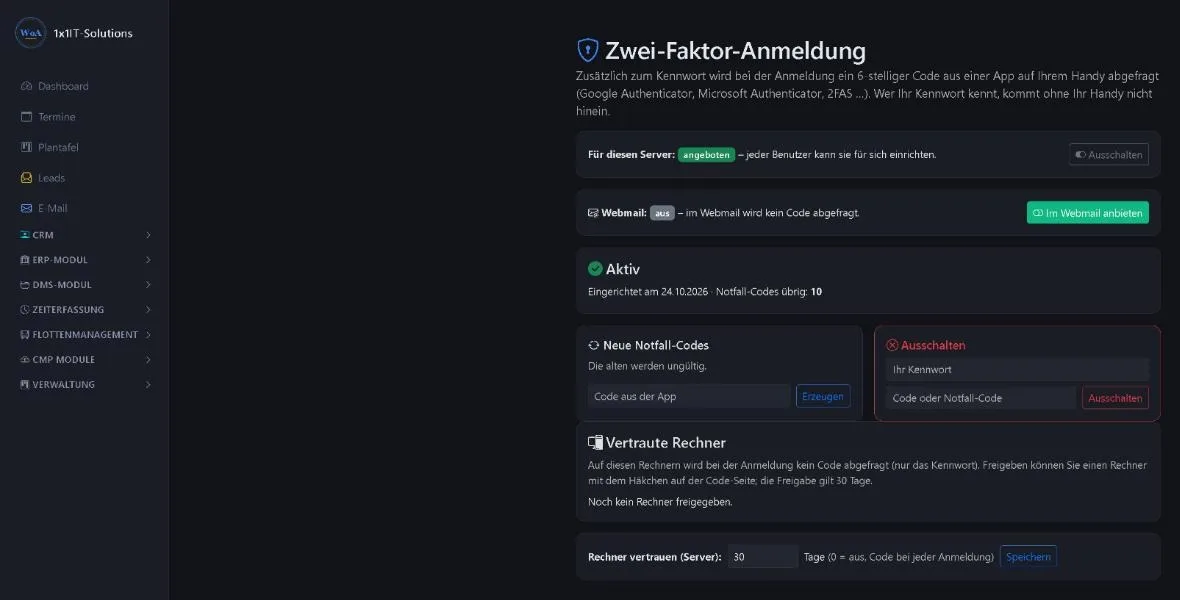
Set up in a few minutes
All you need is your phone and an authenticator app.
- EnableThe administrator offers two-factor sign-in for the server. From then on each user can turn it on for themselves.
- Connect the appYou scan the code shown with an authenticator app such as Google Authenticator, Microsoft Authenticator or 2FAS.
- Keep recovery codesAt the end you receive recovery codes. Keep them safe; they help if your phone is ever missing.
- Trust the computerOn your office computer, tick a box at sign-in. For the set period the password is enough there.
Secure in detail
- Password always required
- The password is requested even on trusted computers. Only the code is skipped.
- No plain text on the server
- For trusted computers the server stores only a check value. The cookie cannot be read by scripts and is only sent encrypted.
- Revoke trust
- Trusted computers can be revoked individually. Turning two-factor sign-in off revokes all of them at once.
- In the webmailer too
- The administrator can also offer two-factor sign-in for the webmailer.
Frequently asked questions
Is two-factor sign-in mandatory?
No. The administrator offers it for the server, and each user turns it on for themselves.
Does the code come by email or SMS?
No, the code comes from an authenticator app on your phone. That is more secure than codes by email or SMS.
How long does “trust this computer” last?
By default 30 days. The administrator can change the period for the server or switch the feature off with 0 days.
What if I lose my phone?
Sign in with one of your recovery codes and set the app up on your new phone.
Related
Better protection for your business?
Request a free demo and see two-factor sign-in in the WorkOrderAgent.
0173 644 22 17