
Feature reference · chapter 1 of 13
Home, appointments and enquiries
What you see after logging in: the daily overview, the appointment planner and the enquiries that come in through your website.
All screenshots show sample data. Names, amounts and addresses are made up. Menu names and screenshots show the German user interface.
Dashboard
Menu Dashboard
The dashboard is the start page after you log in. At the top are four key figures: open transactions, unpaid invoices, active customers and turnover for the current month. Below them you see what needs doing today.
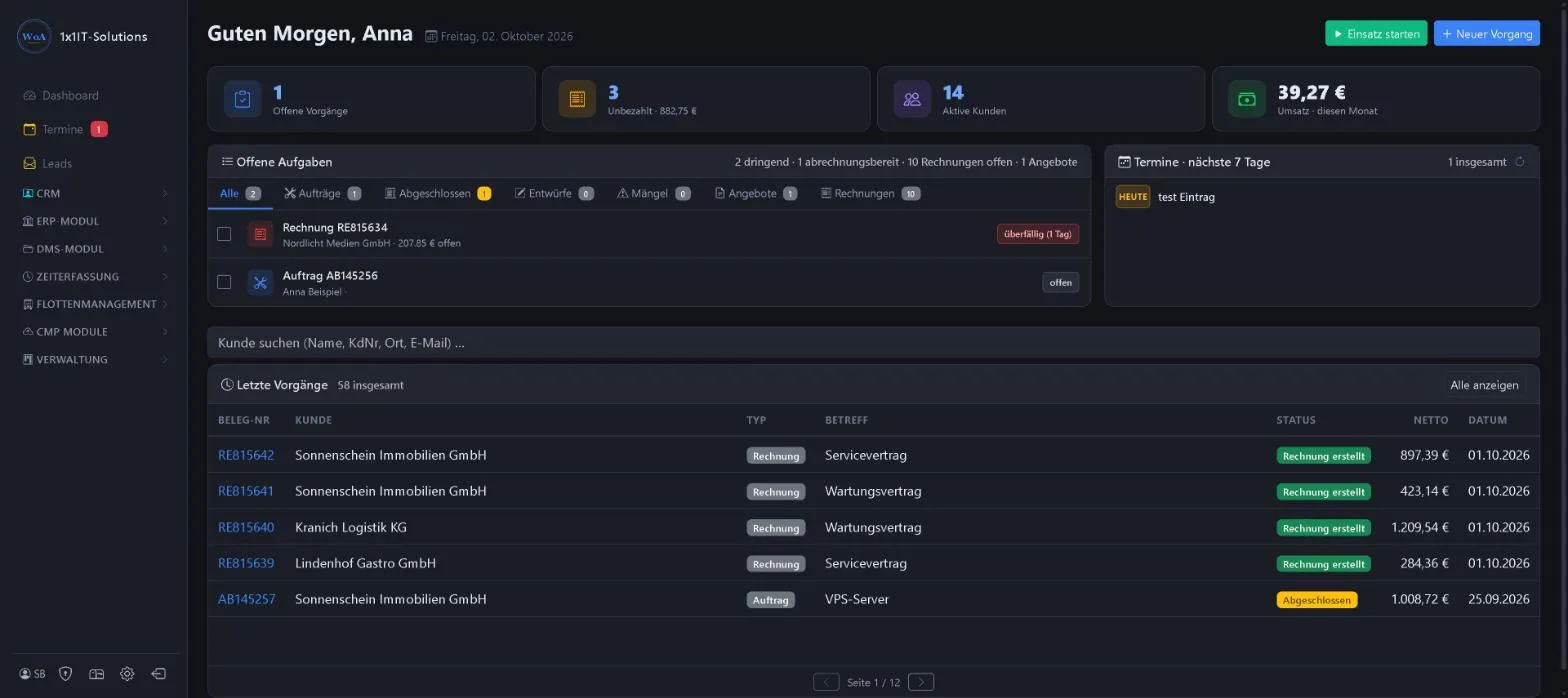
- Open tasks with tabs for orders, drafts, defects, quotes and invoices
- Appointments for the next 7 days
- Customer search by name, customer number, town or email
- Latest transactions with document number, customer, status and net amount
- Buttons “Einsatz starten” (start job) and “Neuer Vorgang” (new transaction)
Keywords Start page Overview Key figures Open transactions Turnover Customer search
Appointments & follow-ups
Menu Termine
The appointment planner shows all appointments as a list or calendar (month, week, day). Appointments can be assigned to a customer, prioritised and set to repeat. With calendar sync they also appear in your phone or Outlook calendar.
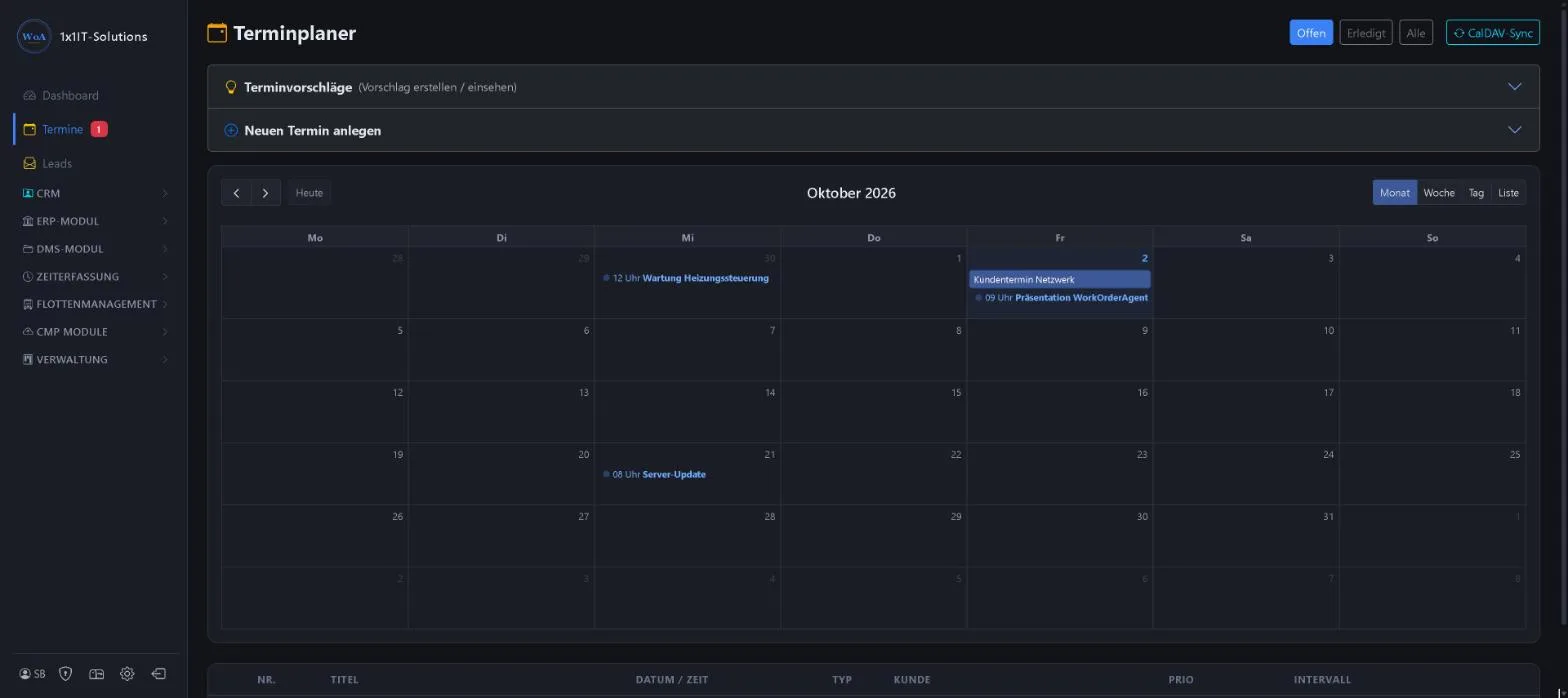
- Filters Open, Done, All
- Recurring appointments with an interval
- Send appointment proposals to customers and view them
- Sync with your calendar via CalDAV
Keywords Calendar Follow-ups Appointment planner Reminder CalDAV Appointment proposal
Leads: enquiries from your website
Menu Leads
Anyone who fills in the contact form on your website lands here as a lead, with topic, contact details and message. Once everything has been dealt with, the page shows “Keine offenen Anfragen” (no open enquiries).
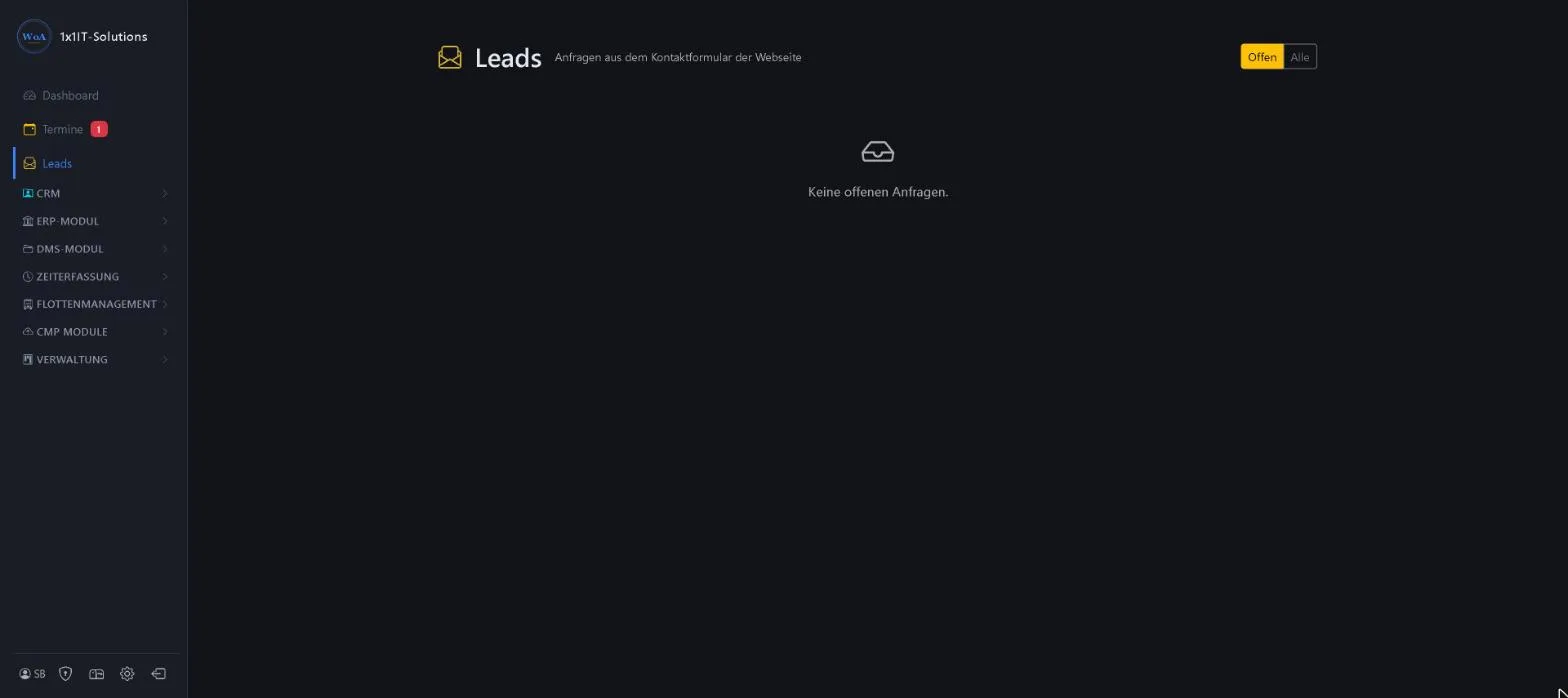
- Filters Open and All
- Email notification for each new enquiry
- Enquiries straight from the form on your website
Keywords Enquiries Contact form Prospects New customers
More about this area on the product page.
Prefer to see it live?
We will show you 1x1-WorkOrderAgent in a demo, using your own workflows. Or try it free for 20 days with all modules.
0173 644 22 17