
Feature reference · chapter 10 of 13
Document management: filing and finding documents
Documents reach document management (DMS) by scanner, email or upload, are read by text recognition and can be searched in full text.
All screenshots show sample data. Names, amounts and addresses are made up. Menu names and screenshots show the German user interface.
Documents and folders
Menu DMS-Modul Dokumente
On the left the category tree, in the middle the documents, on the right the preview. Task filters show what is still missing: uncategorised, text recognition failed, no date, no supplier or duplicate.
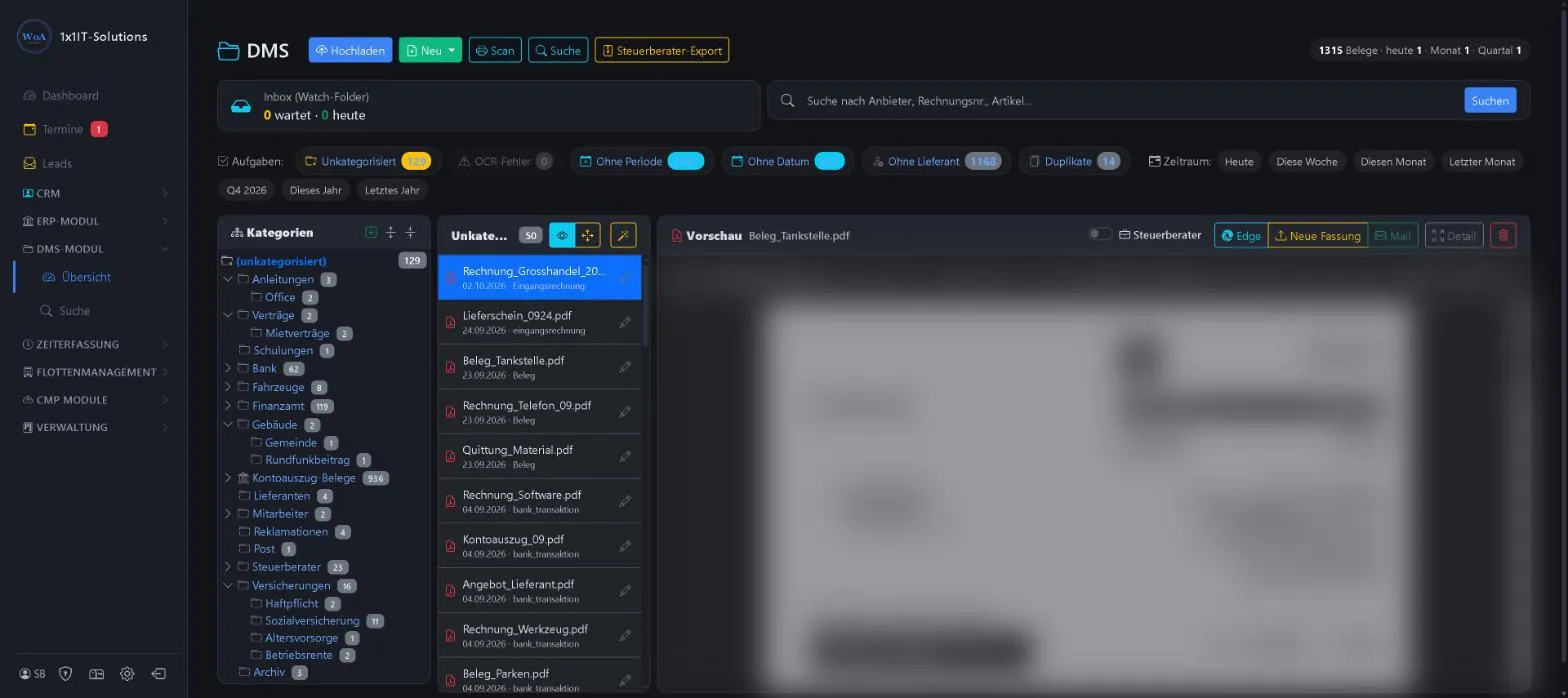
- Upload, scan or create from a template
- Inbox from the watched folder
- Release for the tax adviser package
- New version, send by email, move
Keywords DMS Documents Receipts Filing Scan Text recognition OCR
Full-text search
Menu DMS-Modul Suche
Search for a word from the document, such as “Schraube M5” (M5 screw), or for an invoice number. Filters for category, period, document type and supplier narrow down the results.
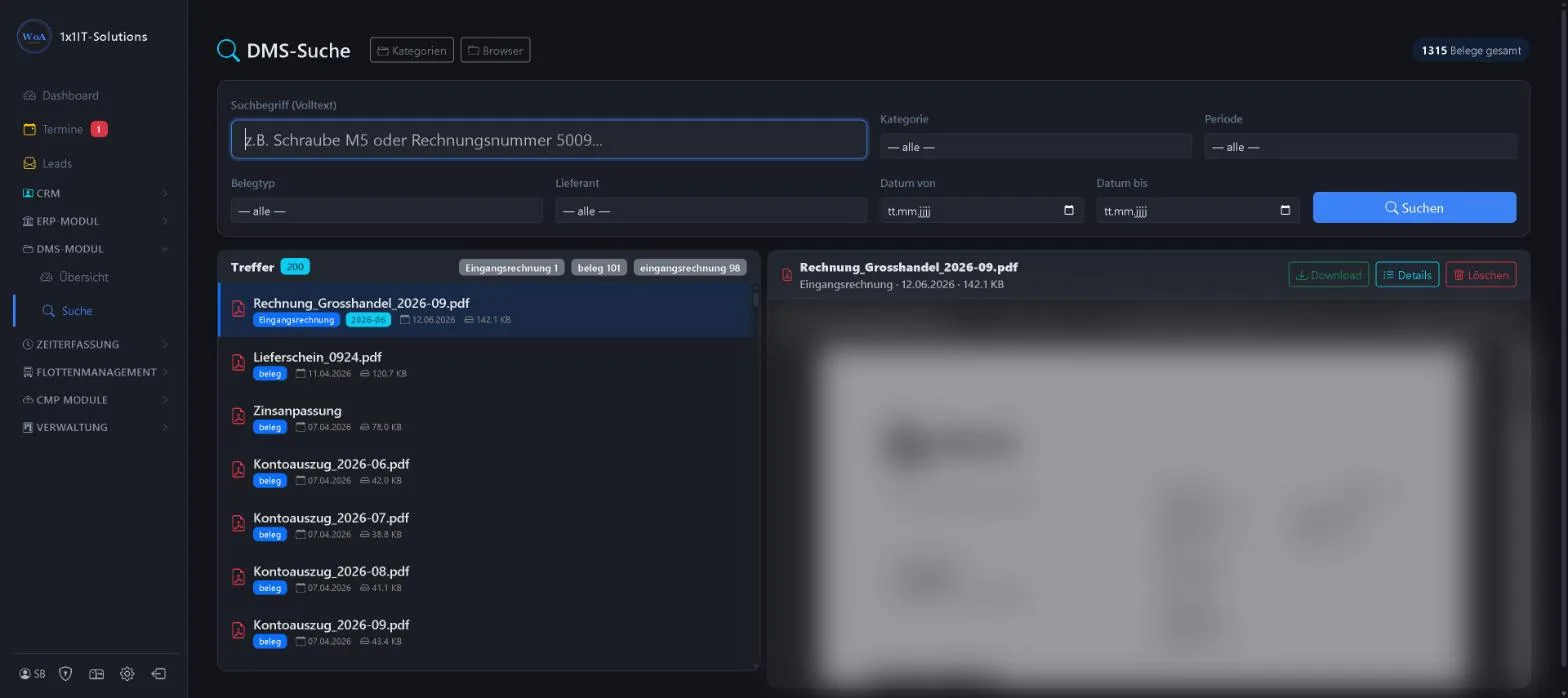
- Full text even in scanned documents
- Results counted by document type
- Preview, download, details
Keywords Full-text search Find a document Search Invoice number
More about this area on the product page.
Prefer to see it live?
We will show you 1x1-WorkOrderAgent in a demo, using your own workflows. Or try it free for 20 days with all modules.
0173 644 22 17