
Feature reference · chapter 6 of 13
Accounting: postings, journal, payroll and fixed assets
Double-entry bookkeeping in WorkOrderAgent. Most postings are created automatically from invoices, bank and cash book. Here you can see them and add to them.
All screenshots show sample data. Names, amounts and addresses are made up. Menu names and screenshots show the German user interface.
Entering a posting
Menu ERP-Modul Buchen
For everything that is not created automatically: document date, posting text, debit and credit account, amount and VAT code. The code controls where the amount appears in the VAT return.
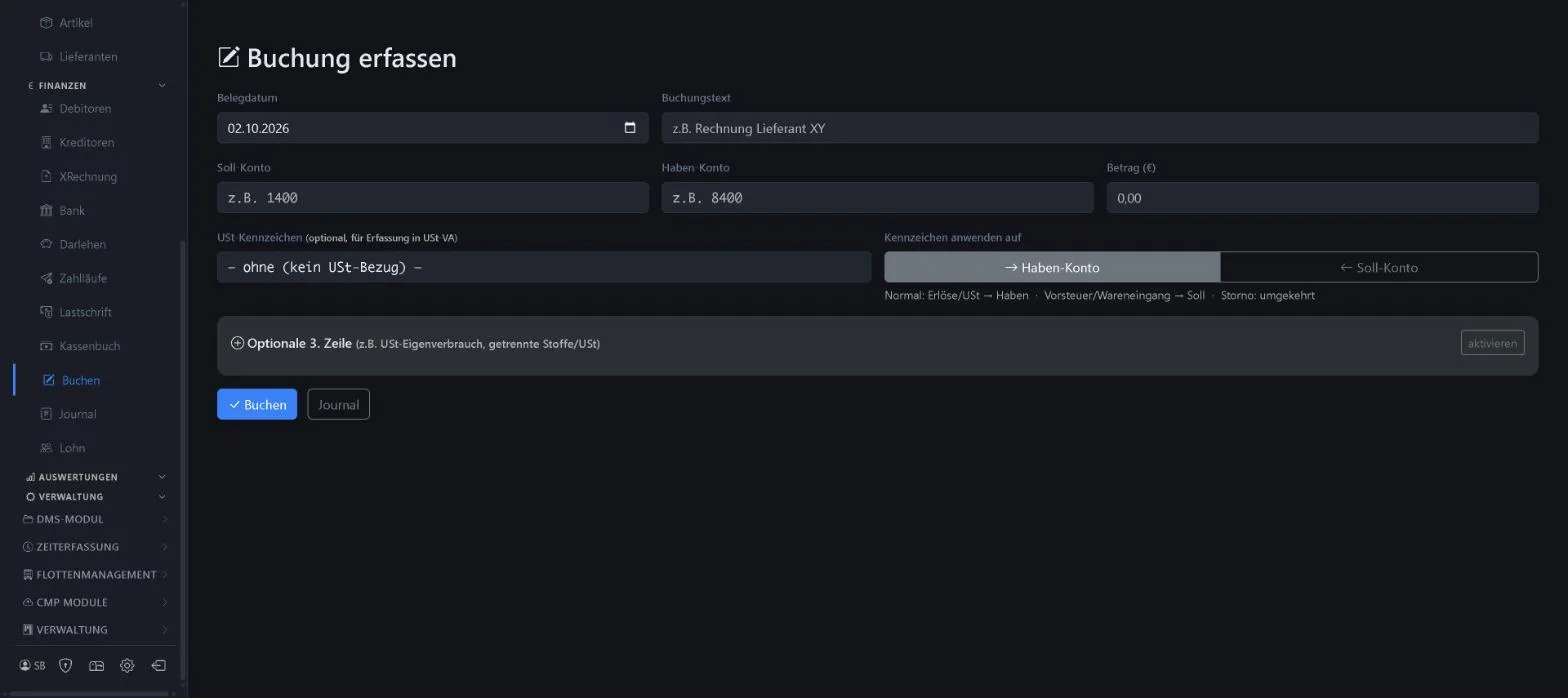
- Codes for 19 %, 7 %, input VAT, small business and tax-exempt
- Optional third line, for example for private use
- Chart of accounts SKR03
Keywords Posting Debit and credit Reclassification Tax code SKR03
Journal
Menu ERP-Modul Journal
All postings in date order with a consecutive document number. Filters by source show where a posting comes from: invoice, bank, cash book, incoming invoice, reversal or manual.
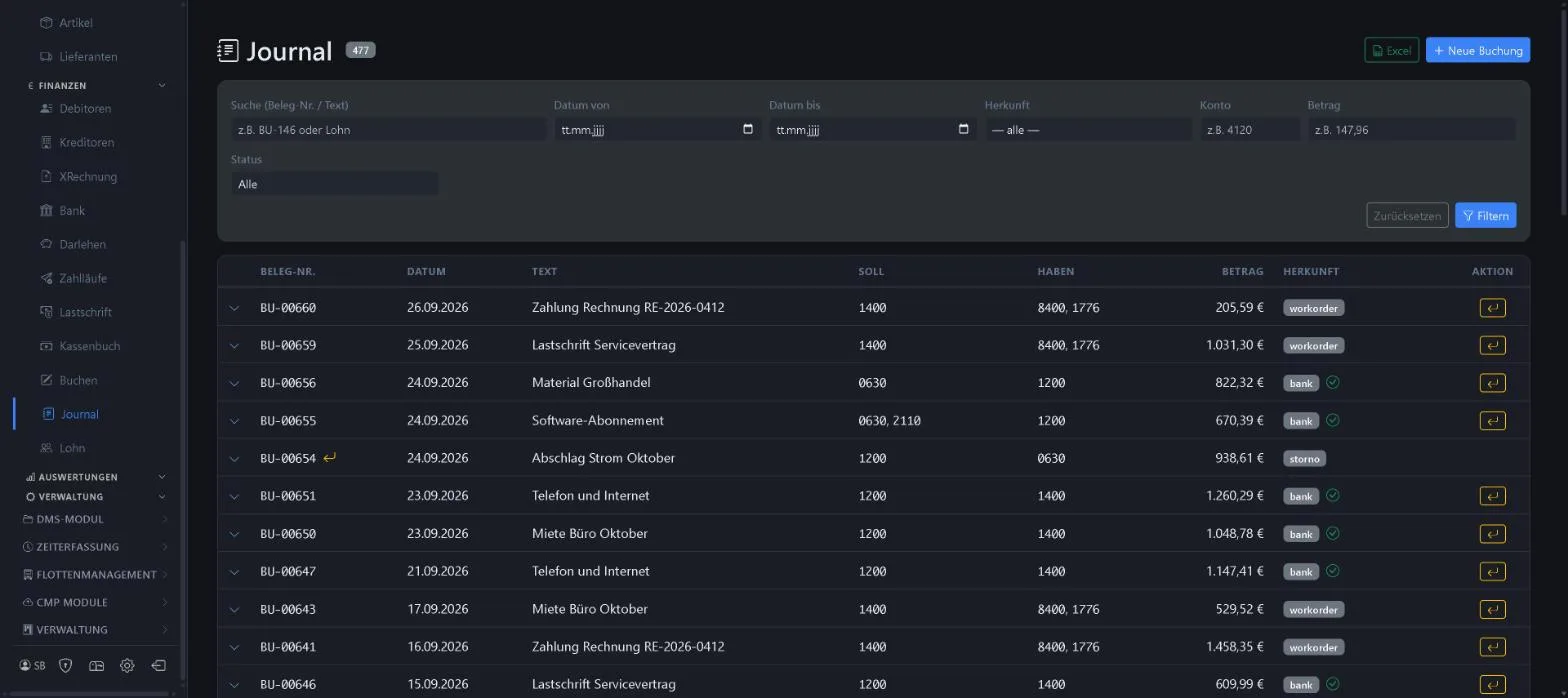
- Search by document number or text
- Filters date, account, amount, status
- Reversal postings visible
- Excel export
Keywords Posting journal Day book Document number Reversal Excel export
Payroll summary posting
Menu ERP-Modul Lohn
The payroll itself stays in your payroll software or with your tax adviser’s office. In WorkOrderAgent you enter four figures per month: gross pay, employer’s and employee’s social security contributions and wage tax. The net payout is calculated.
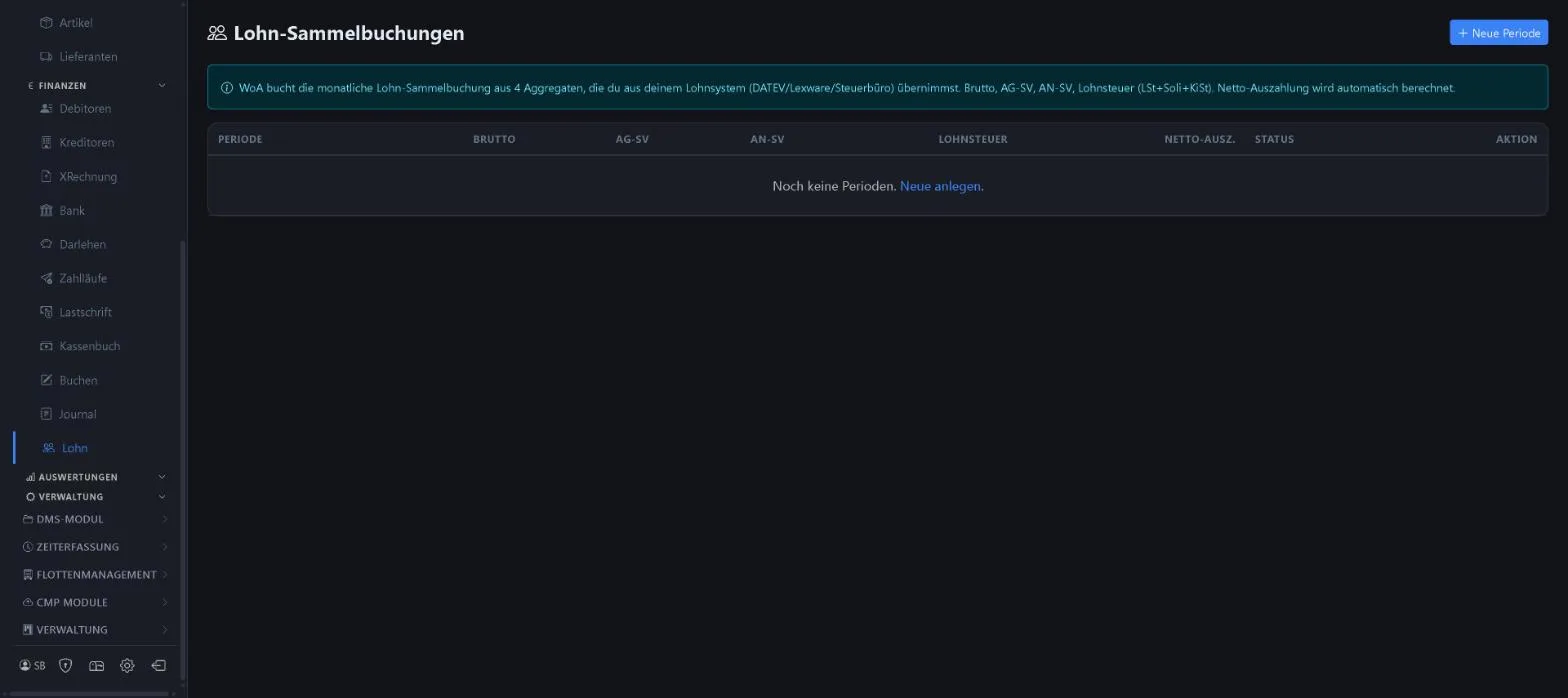
- One summary posting per month
- Net payout is calculated
- Status per period
Keywords Payroll Salaries Payroll posting Social security Wage tax
Fixed asset accounting
Menu ERP-Modul Anlagen
Purchases above the low-value asset (GWG) limit are depreciated here over their useful life. The depreciation run (AfA) posts the depreciation for the year, and the asset schedule shows the current position.
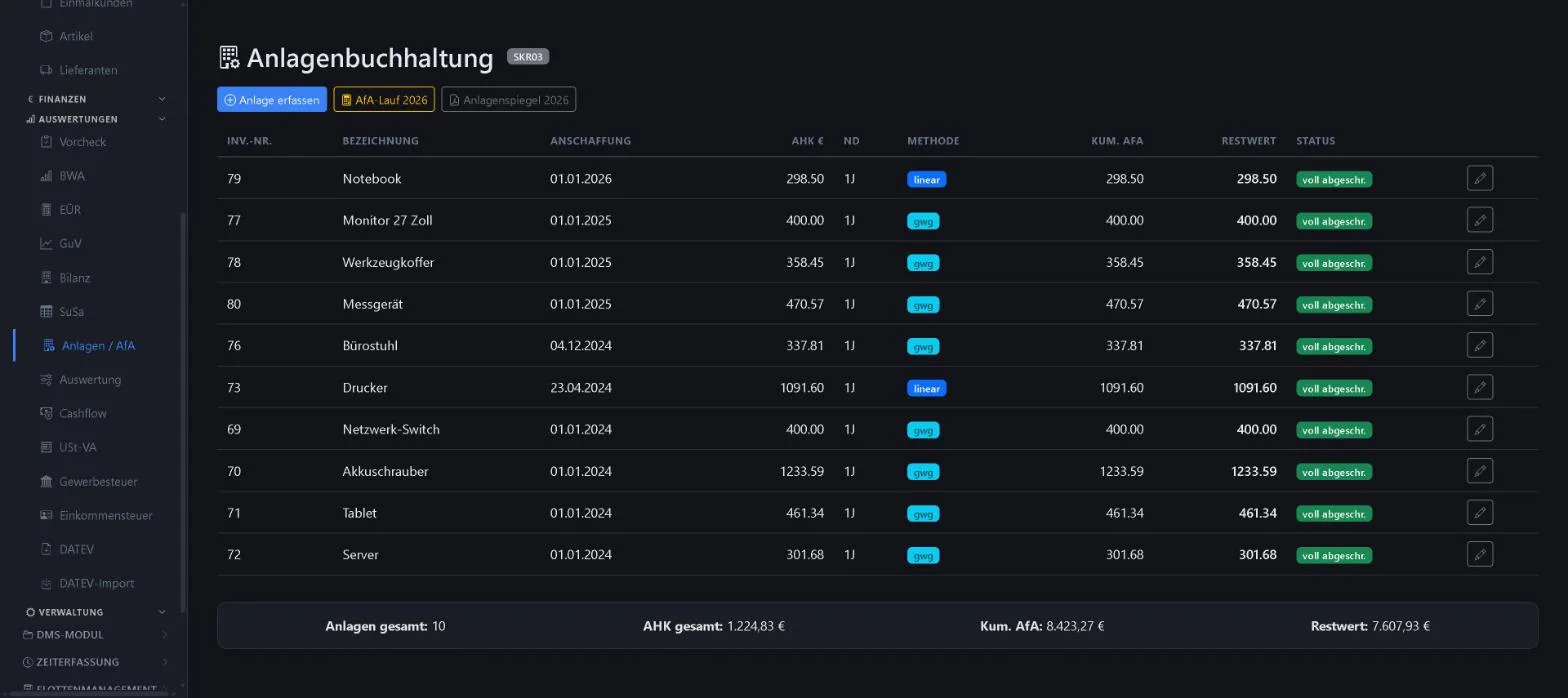
- Inventory number, acquisition cost, useful life
- Straight-line or low-value asset (GWG)
- Depreciation run per year
- Asset schedule
Keywords Depreciation AfA Asset schedule GWG Fixed assets
More about this area on the product page.
Prefer to see it live?
We will show you 1x1-WorkOrderAgent in a demo, using your own workflows. Or try it free for 20 days with all modules.
0173 644 22 17