
Feature reference · chapter 8 of 13
Taxes and working with your tax adviser
VAT return, trade tax and income tax as estimates, plus data exchange with your tax adviser’s office in both directions.
All screenshots show sample data. Names, amounts and addresses are made up. Menu names and screenshots show the German user interface.
VAT return
Menu ERP-Modul USt-VA
The figures for the advance VAT return (USt-VA) per month, with the box numbers from the form: sales at 19 % and 7 %, input VAT and the remaining payment due. With cash accounting for VAT, the date of payment is what counts.
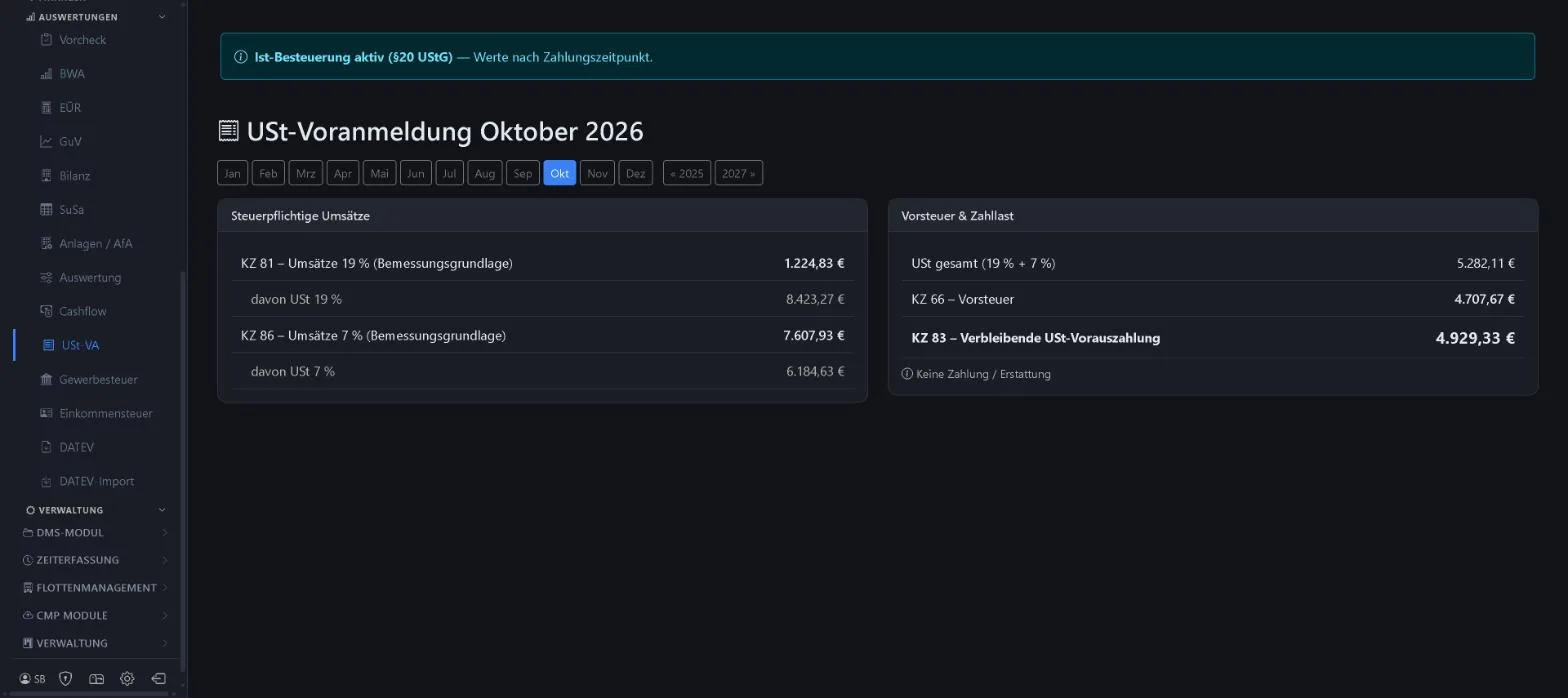
- Boxes 81, 86, 66 and 83
- Note on payment or refund
- Cash accounting under § 20 UStG
Keywords VAT VAT return USt-VA Input VAT VAT payable ELSTER
Trade tax
Menu ERP-Modul Gewerbesteuer
The calculation step by step: profit, add-backs and deductions, allowance, base rate and your municipality’s multiplier. Income and expenses come from the accounts.
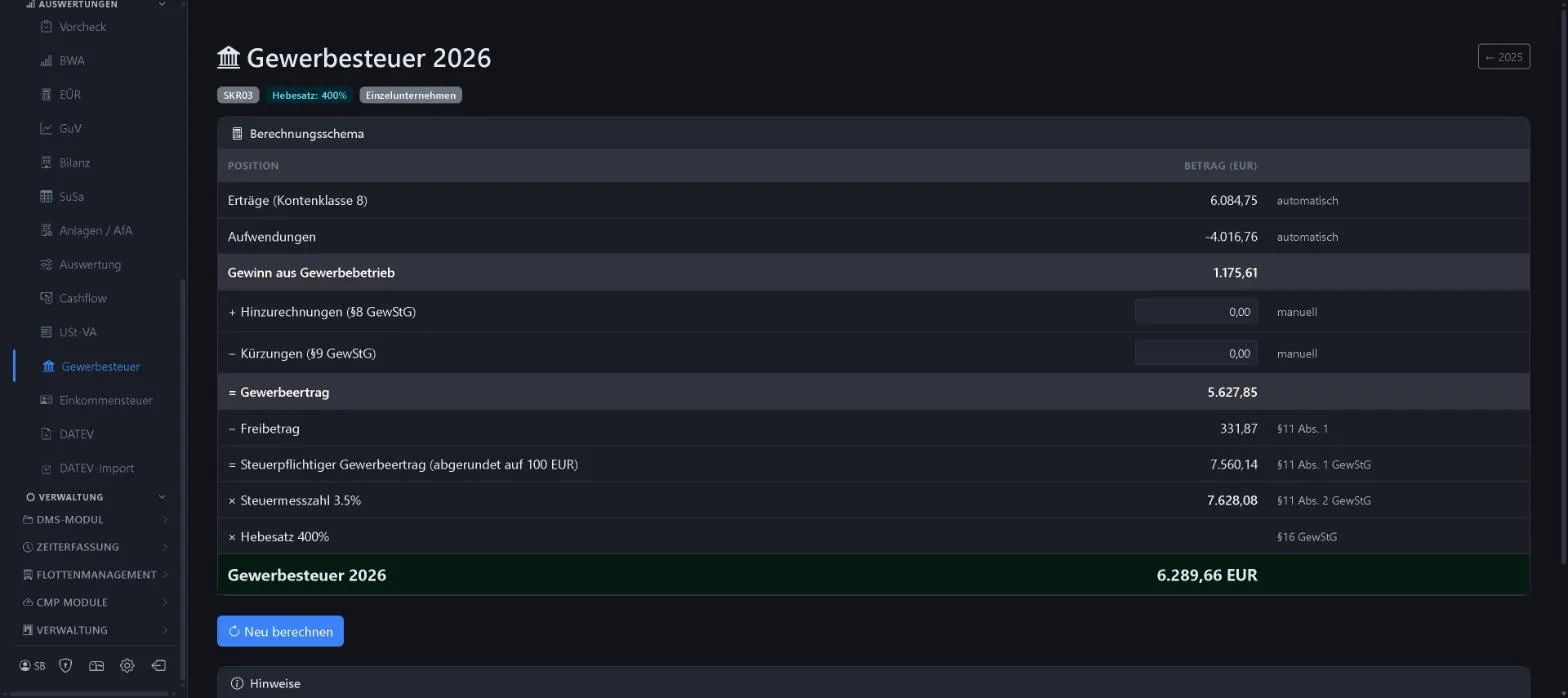
- Multiplier and legal form adjustable
- Add-backs and deductions entered manually
- Recalculate at any time
Keywords Trade tax Municipal multiplier Trade income Allowance Tax estimate
Income tax estimate
Menu ERP-Modul Einkommensteuer
For sole traders: how much income tax is likely to be due? Profit from the accounts, other income and deductions, basic tax scale, trade tax credit and solidarity surcharge.
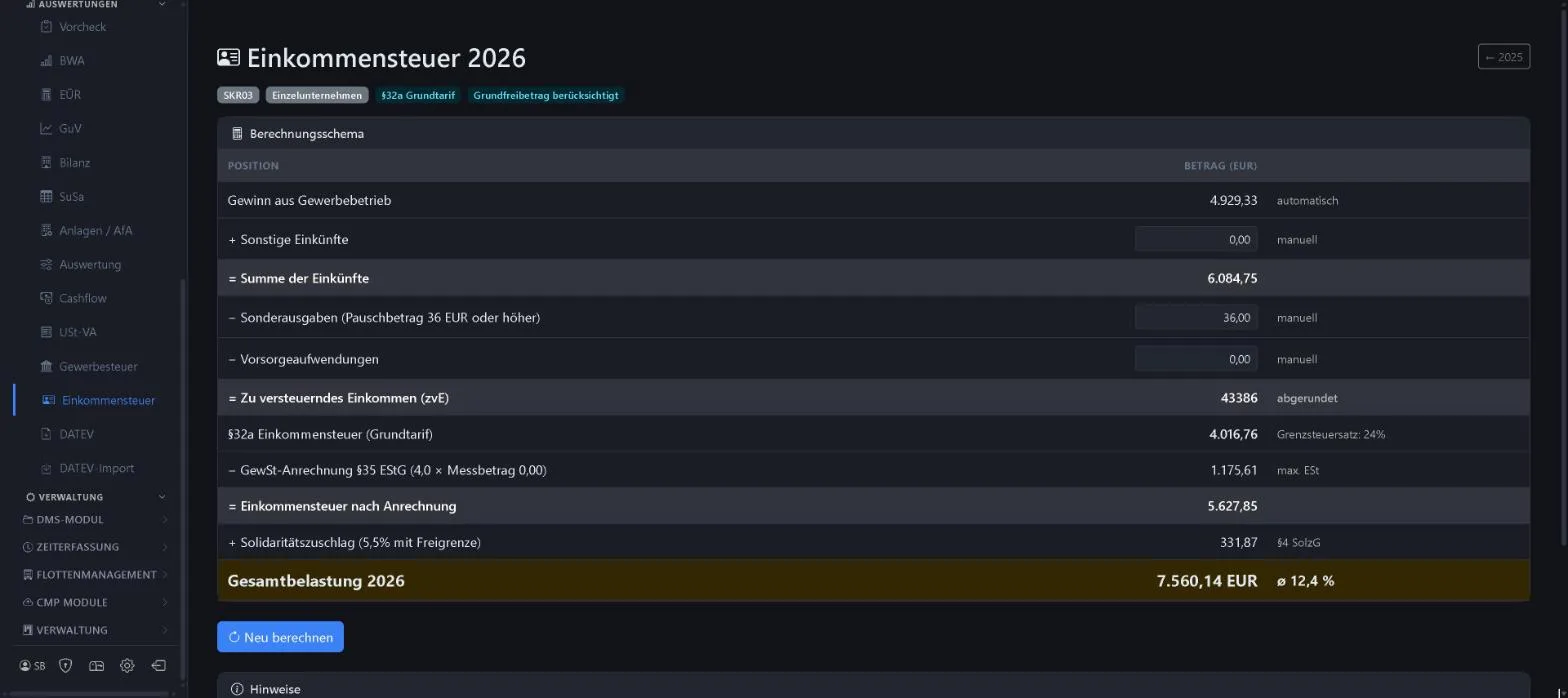
- Taxable income
- Marginal and average tax rate
- Trade tax credit under § 35 EStG
Keywords Income tax Tax estimate Tax reserve Tax rate
Tax adviser package and DATEV export
Menu ERP-Modul DATEV-Export
Each month, one package with bank statements, documents from document management (DMS) and the posting batch. Your tax adviser’s office downloads it themselves. The posting batch can also be exported as a DATEV CSV (EXTF).
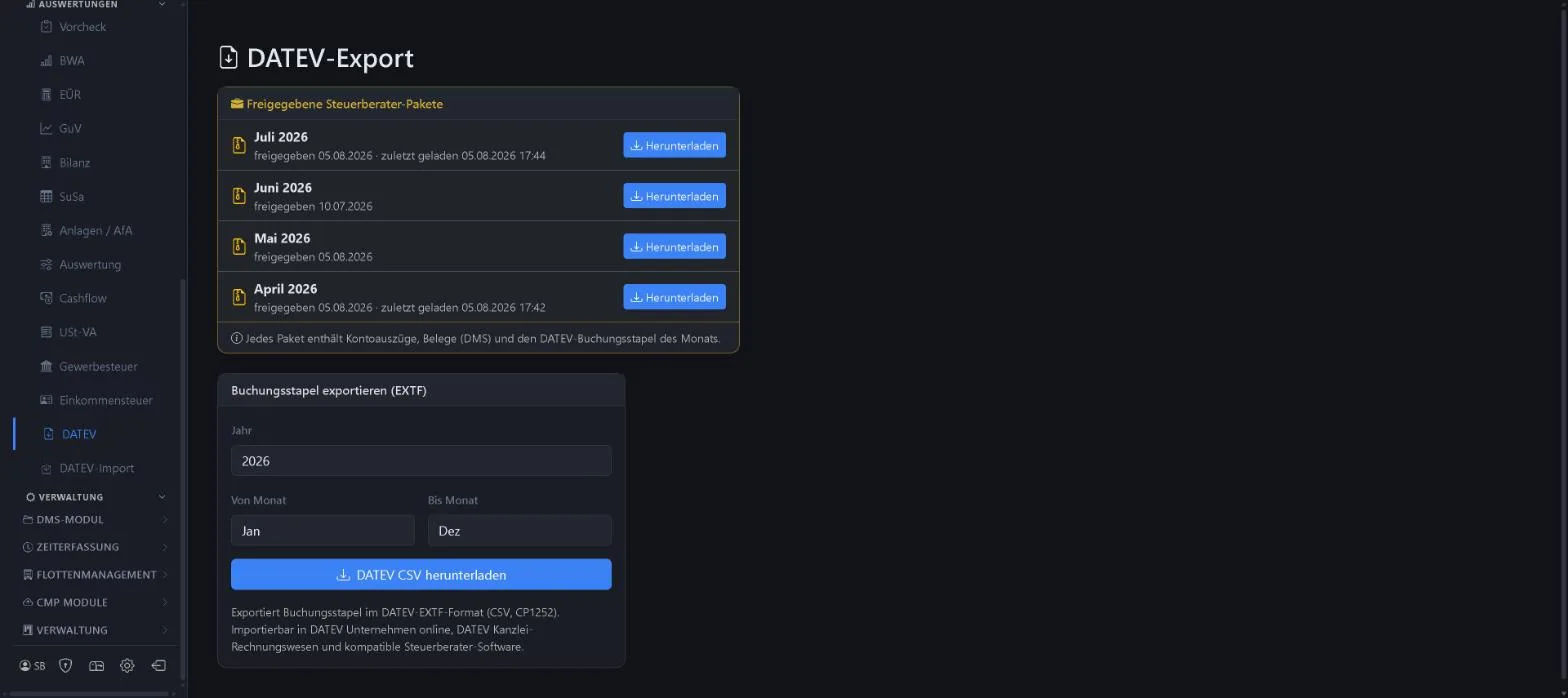
- Release per month
- See when the office downloaded it
- DATEV format EXTF for accounting firm software
Keywords DATEV Tax adviser Posting batch Export Accounting firm
DATEV import from your tax adviser
Menu ERP-Modul DATEV-Import
Your tax adviser has the final say. You upload their posting batch: matching postings are confirmed, and differences are rebooked to the adviser’s accounts once you have confirmed them. That way your reports match the figures held by your tax adviser.
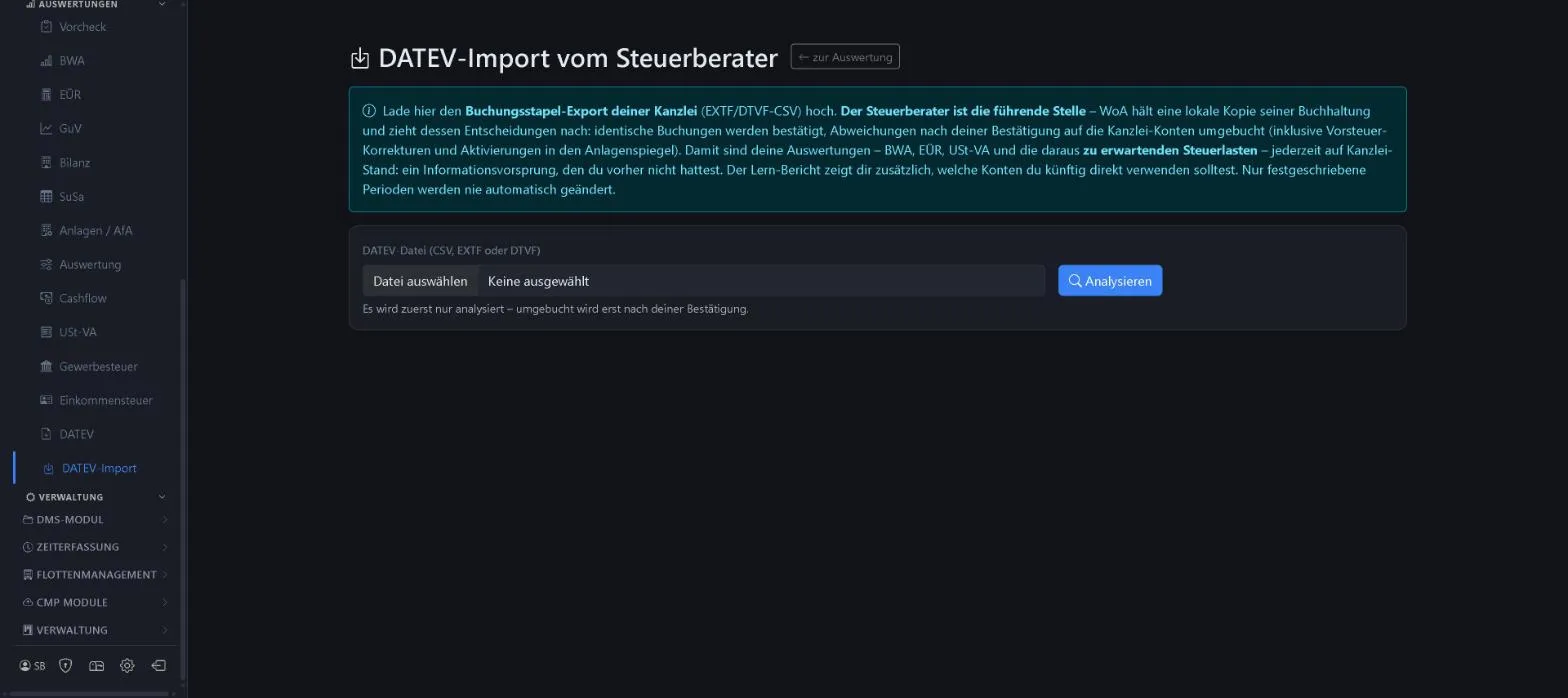
- Analyse first, then confirm
- Learning report: which accounts fit in future
- Locked periods remain unchanged
Keywords DATEV import Reconciliation Accounting firm Rebooking Matching
More about this area on the product page.
Prefer to see it live?
We will show you 1x1-WorkOrderAgent in a demo, using your own workflows. Or try it free for 20 days with all modules.
0173 644 22 17