
Feature reference · chapter 3 of 13
Customers, suppliers and items
The master data in the ERP module: who buys from you, who you buy from and what you sell. Plus the ERP overview with liquidity and open items.
All screenshots show sample data. Names, amounts and addresses are made up. Menu names and screenshots show the German user interface.
ERP overview
Menu ERP-Modul Übersicht
The finance start page: how much money is available in the bank and the cash book, how high are receivables and payables, how did the month go? Each tile leads to the matching list or report.
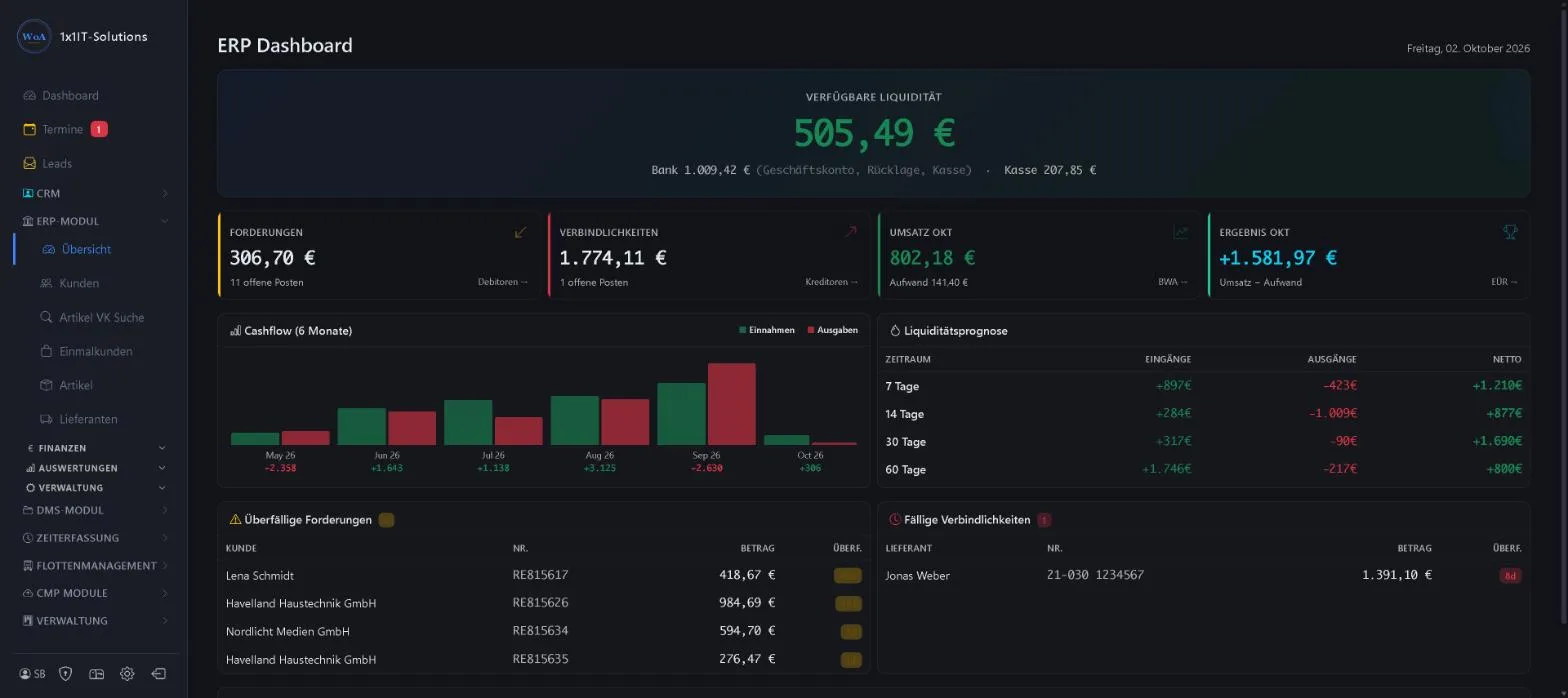
- Available liquidity per account
- Receivables, payables, turnover and result for the month
- Cash flow for the last 6 months
- Liquidity forecast for 7, 14, 30 and 60 days
- Overdue receivables and payables due
Keywords Liquidity Financial overview Liquidity forecast Receivables Payables
Customers
Menu ERP-Modul Kunden
The customer list with annual turnover, last invoice and customer tier. Tiles show how active your customers are: active (under 30 days), dormant (30 to 90 days) or at risk (over 90 days without activity).
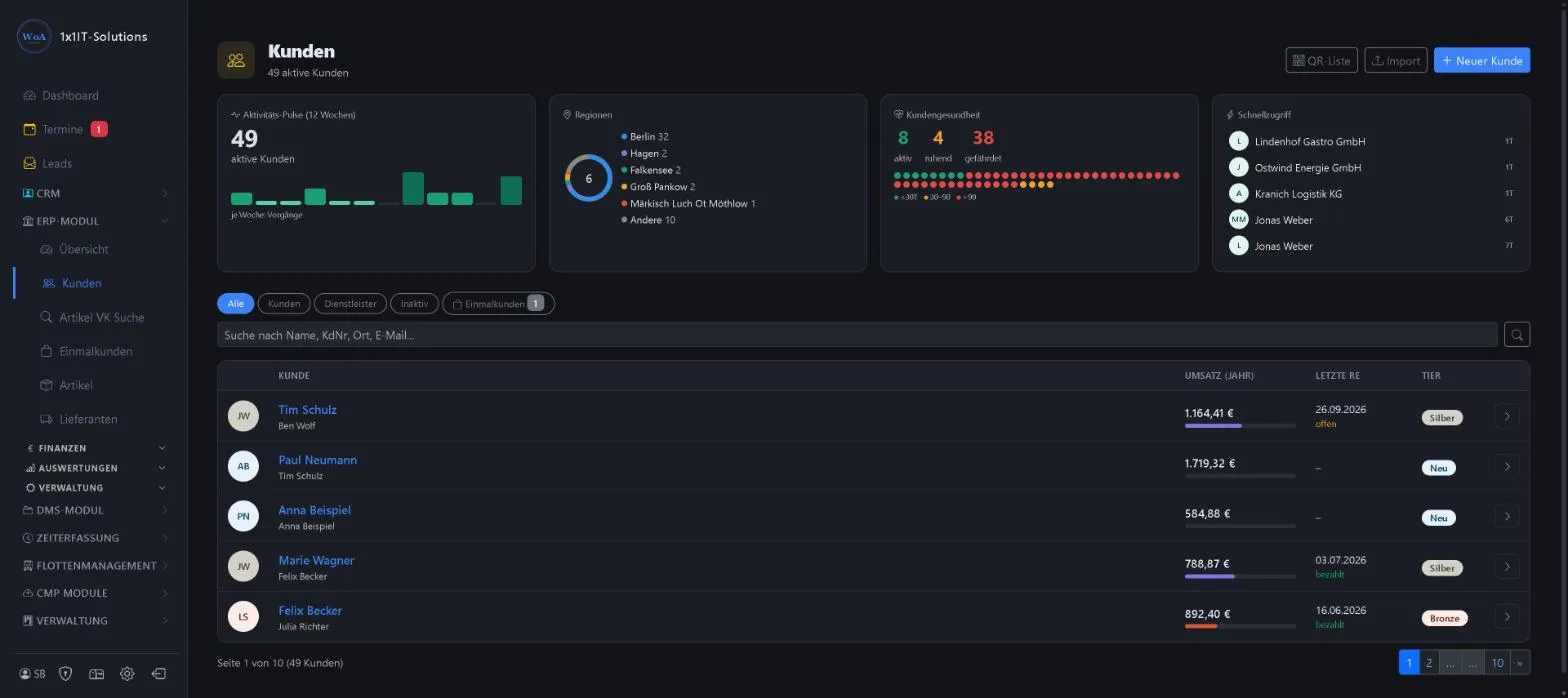
- Filters customers, service providers, inactive, one-off customers
- Activity over the last 12 weeks and regions
- Quick access to recently edited customers
- Import and QR list
Keywords Customer base Customer list Customer health One-off customers Annual turnover
Suppliers
Menu ERP-Modul Lieferanten
Like the customer list, but for purchasing: purchase volume for the year, last incoming invoice and status. The activity shows incoming invoices per week.
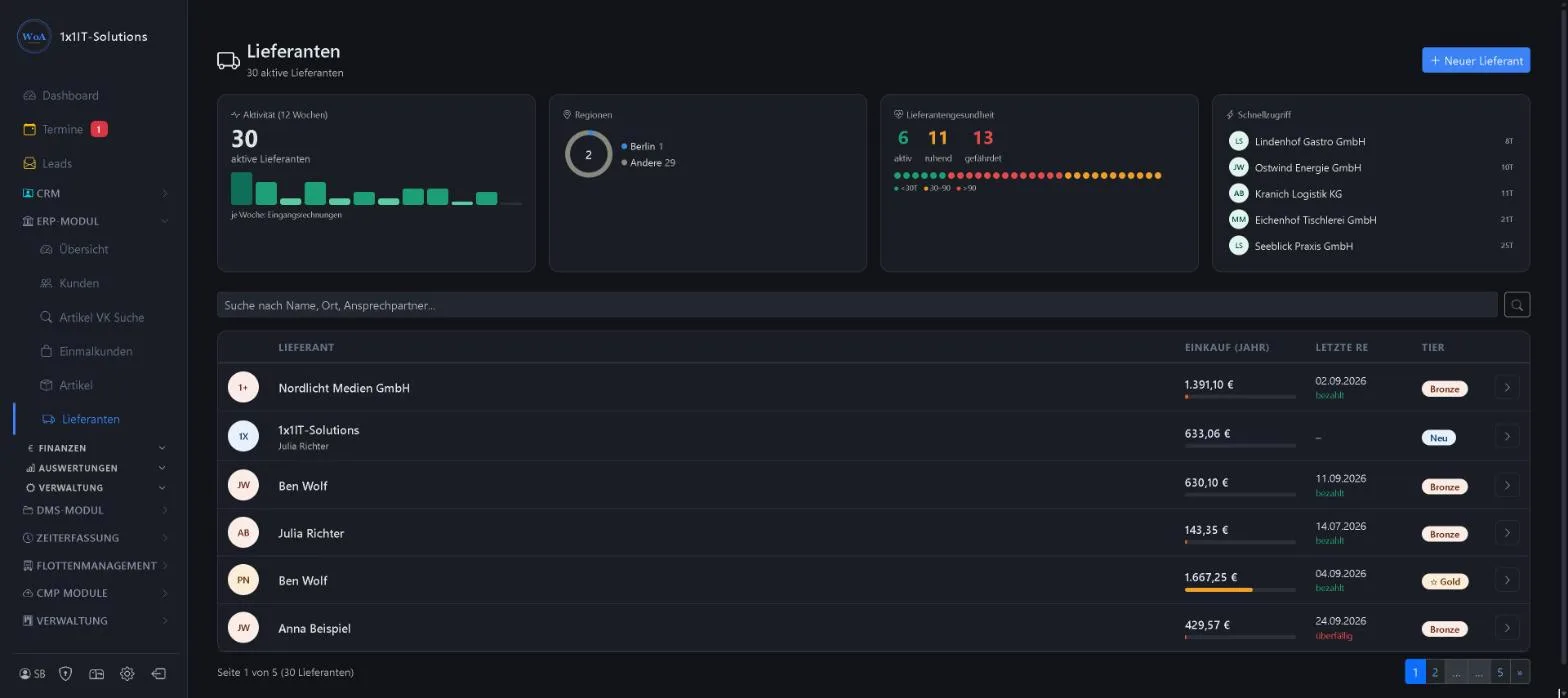
- Search by name, town, contact person
- Last invoice paid or overdue
- Supplier tiers
Keywords Supplier base Purchasing Dealers Wholesalers
Item master
Menu ERP-Modul Artikel
All items with selling and purchase price, margin and stock, arranged in a category tree. Tiles show item types, top categories, margins and stock warnings.
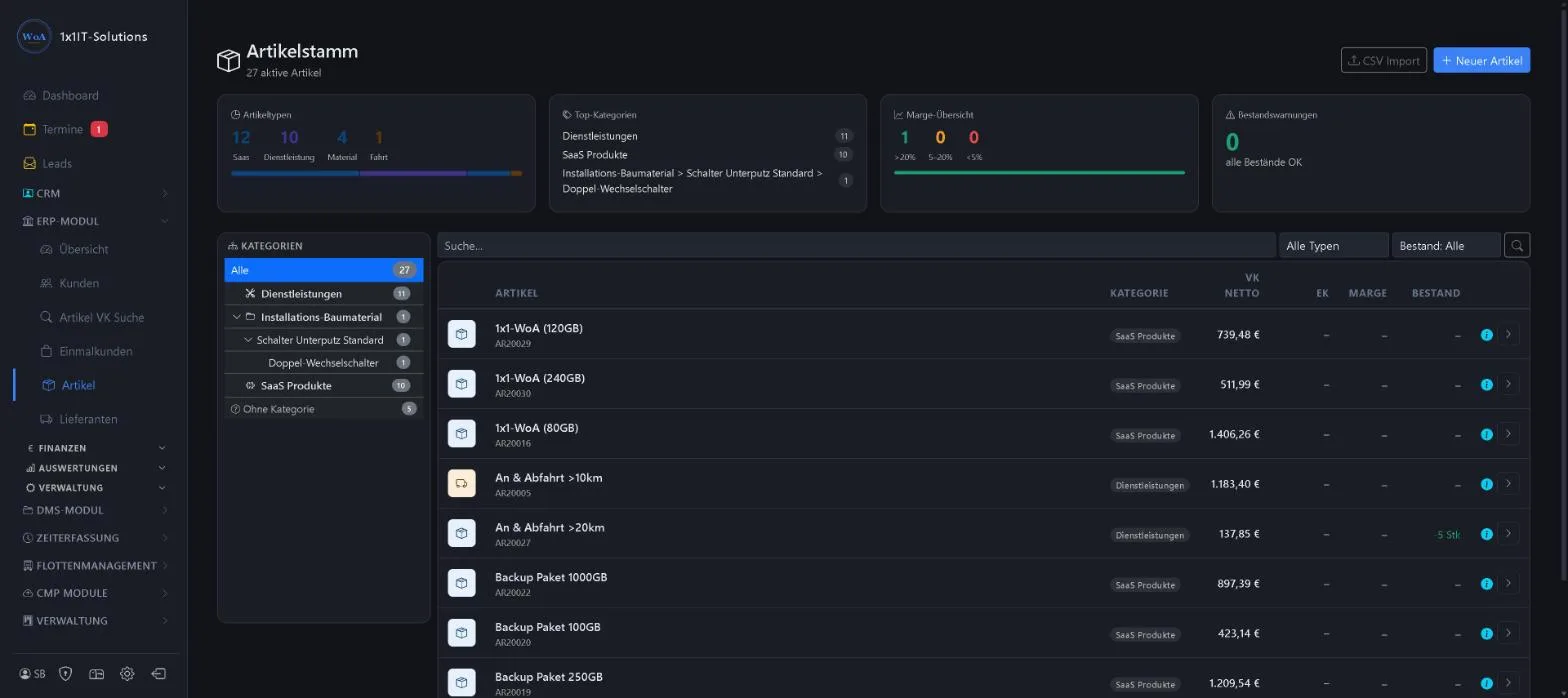
- Item types material, service, travel, subscription
- Margin over 20 %, 5 to 20 % and under 5 %
- Filter by type and stock
- CSV import
Price search: who got what at which price?
Menu ERP-Modul Artikel VK-Suche
The price search (“VK-Suche”) searches the line item texts of all quotes, orders and invoices. That way you also find free-text items that were never set up as items, such as “Kreuzschalter” (intermediate switch) or an order number.
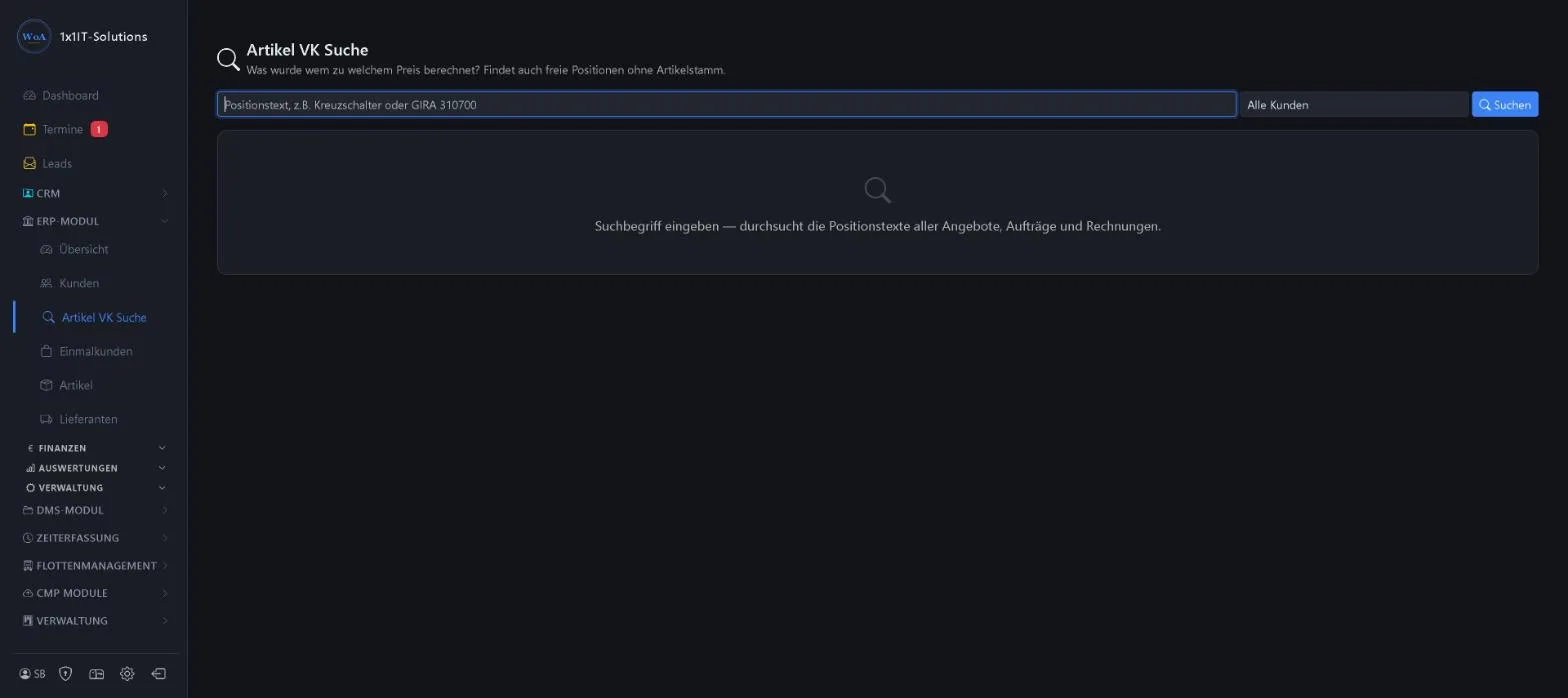
- Search in the line item text
- Filter by customer
- Shows price, date and document
Keywords Price history Selling price Line items Look up a price
More about this area on the product page.
Prefer to see it live?
We will show you 1x1-WorkOrderAgent in a demo, using your own workflows. Or try it free for 20 days with all modules.
0173 644 22 17