
Feature reference · chapter 5 of 13
Bank, payments and cash book
Fetch and match bank transactions, pay suppliers by SEPA, collect from customers by direct debit, keep track of loans and petty cash.
All screenshots show sample data. Names, amounts and addresses are made up. Menu names and screenshots show the German user interface.
Bank accounts and transactions
Menu ERP-Modul Bank
One tab per account with its balance. Transactions come in via online banking (FinTS) or CSV import. Automatic matching links payments to invoices; rules remember recurring bookings.
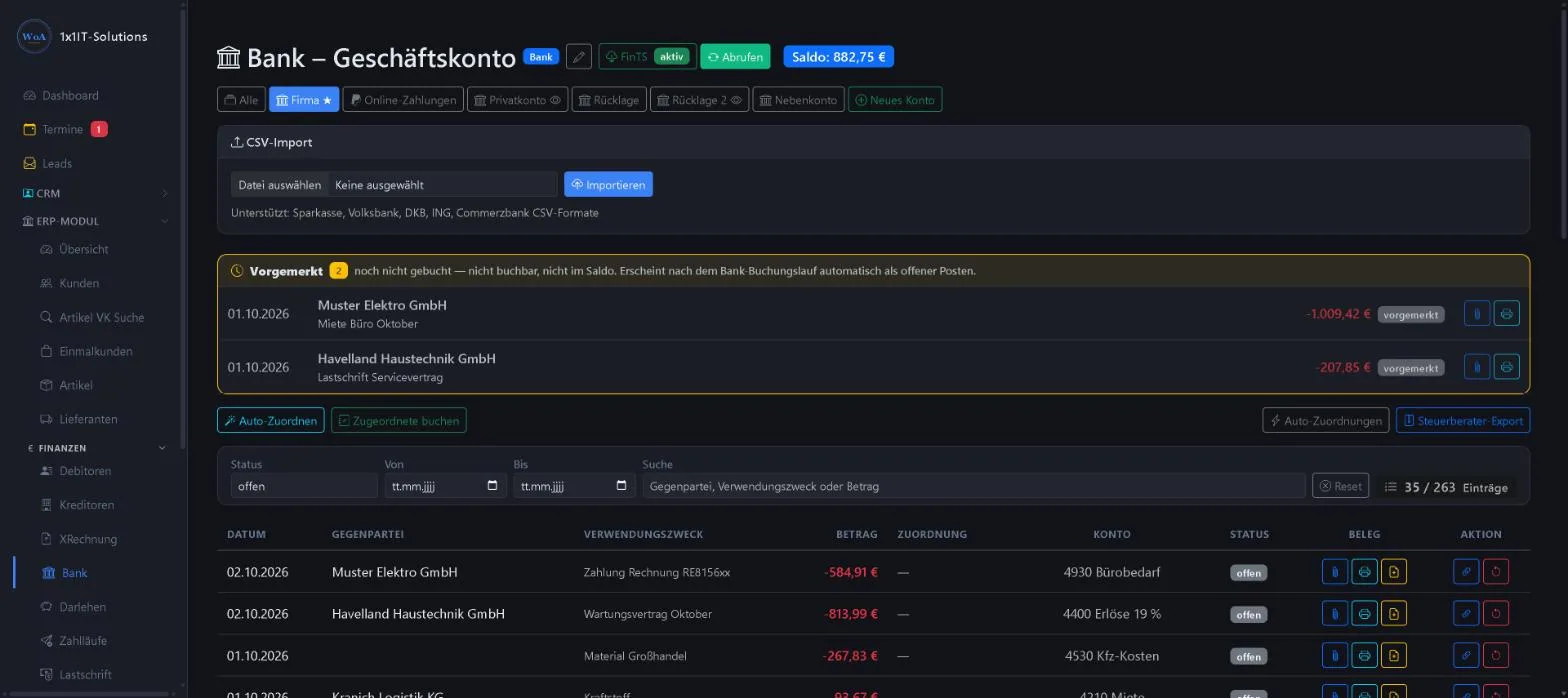
- Fetch via FinTS or CSV from the common banks
- Pending transactions kept separate from the balance
- Auto-match and matching rules
- Attach, scan or create a document
- Export for your tax adviser
Keywords Bank transactions Online banking FinTS Matching Bank statement Bank reconciliation
SEPA payment runs
Menu ERP-Modul Bank Zahlläufe
Tick the invoices that are due, choose the account and execution date: the payment run creates a SEPA file for your bank. That way you pay many suppliers in one step.
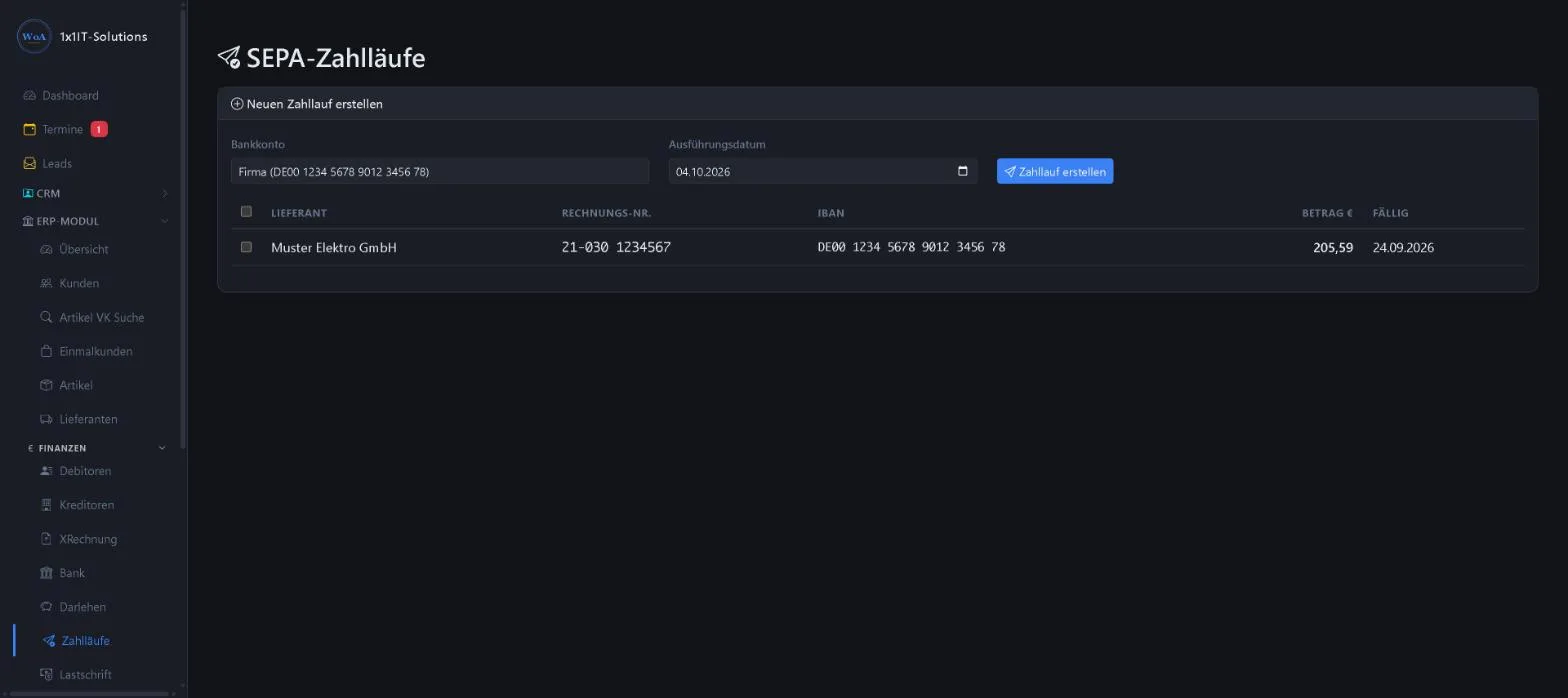
- List of due invoices with IBAN and amount
- Choice of execution date
- SEPA file for online banking
Keywords Bank transfer SEPA Batch transfer Paying suppliers
SEPA direct debit
Menu ERP-Modul Lastschrift
You collect invoices from customers with an active SEPA mandate by batch direct debit. A single pushTAN approves the whole batch. Posting happens automatically as soon as the payment shows up on the bank statement.
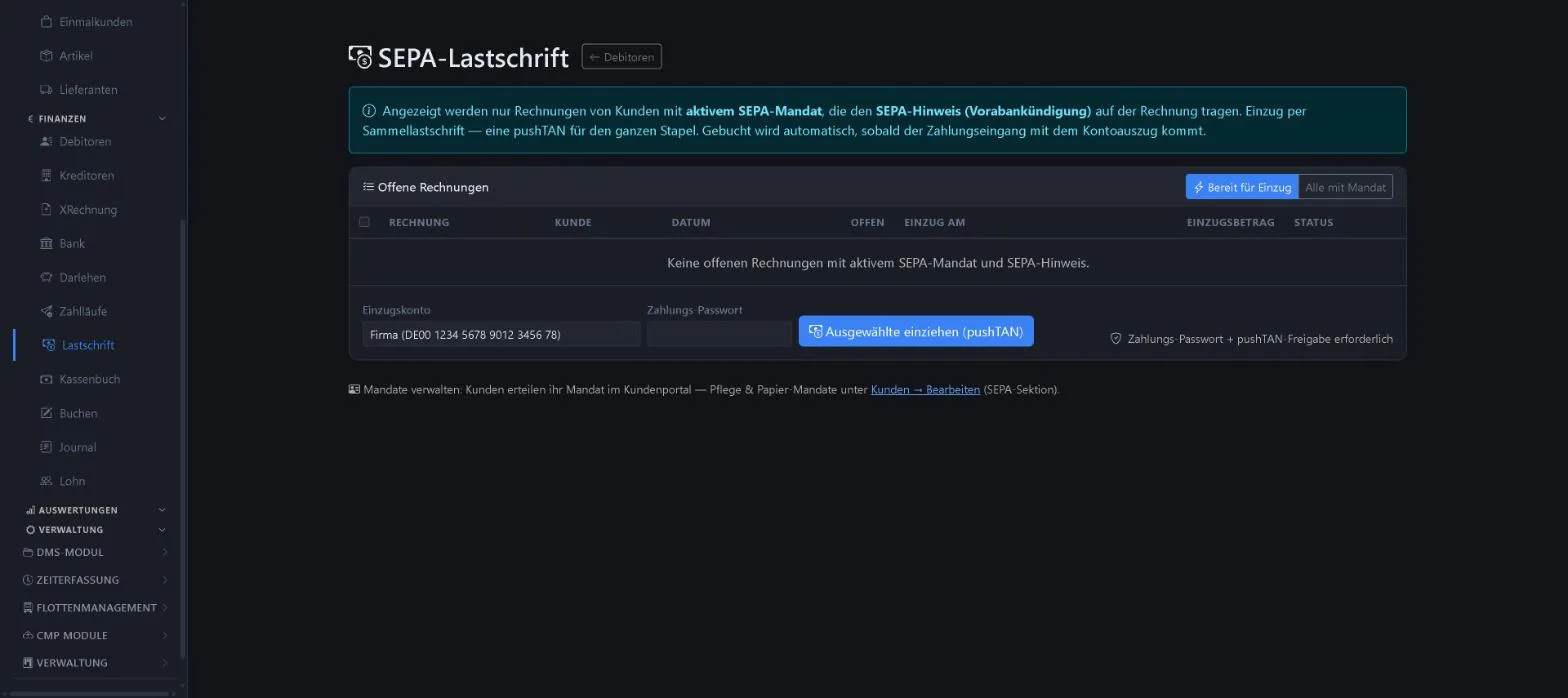
- Only invoices with a mandate and pre-notification
- Filter “Bereit für Einzug” (ready for collection)
- Approval with payment password and pushTAN
- Customers grant mandates in the customer portal
Keywords Direct debit Collection SEPA mandate Batch collection pushTAN
Loans
Menu ERP-Modul Darlehen
Loans with lender, loan number, interest rate, monthly instalment and outstanding balance. The tiles show active loans and the total outstanding balance.
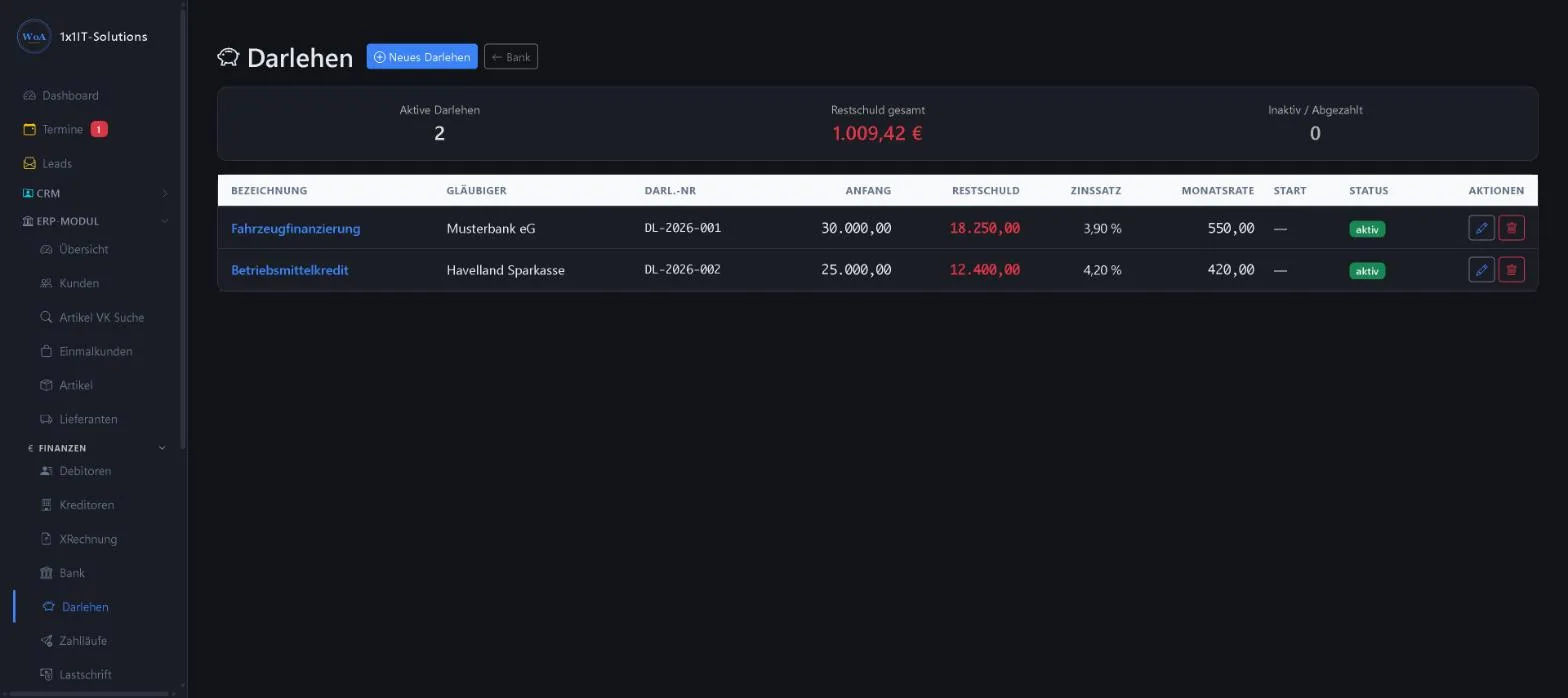
- Outstanding balance per loan and in total
- Status active or repaid
- Set up a new loan
Keywords Loan Outstanding balance Financing Repayment Interest
Cash book
Menu ERP-Modul Kassenbuch
Petty cash with balance, daily closing and nominal account. Entries are income, expense, owner’s contribution or owner’s drawing. Corrections are made by reversal, not by deleting.
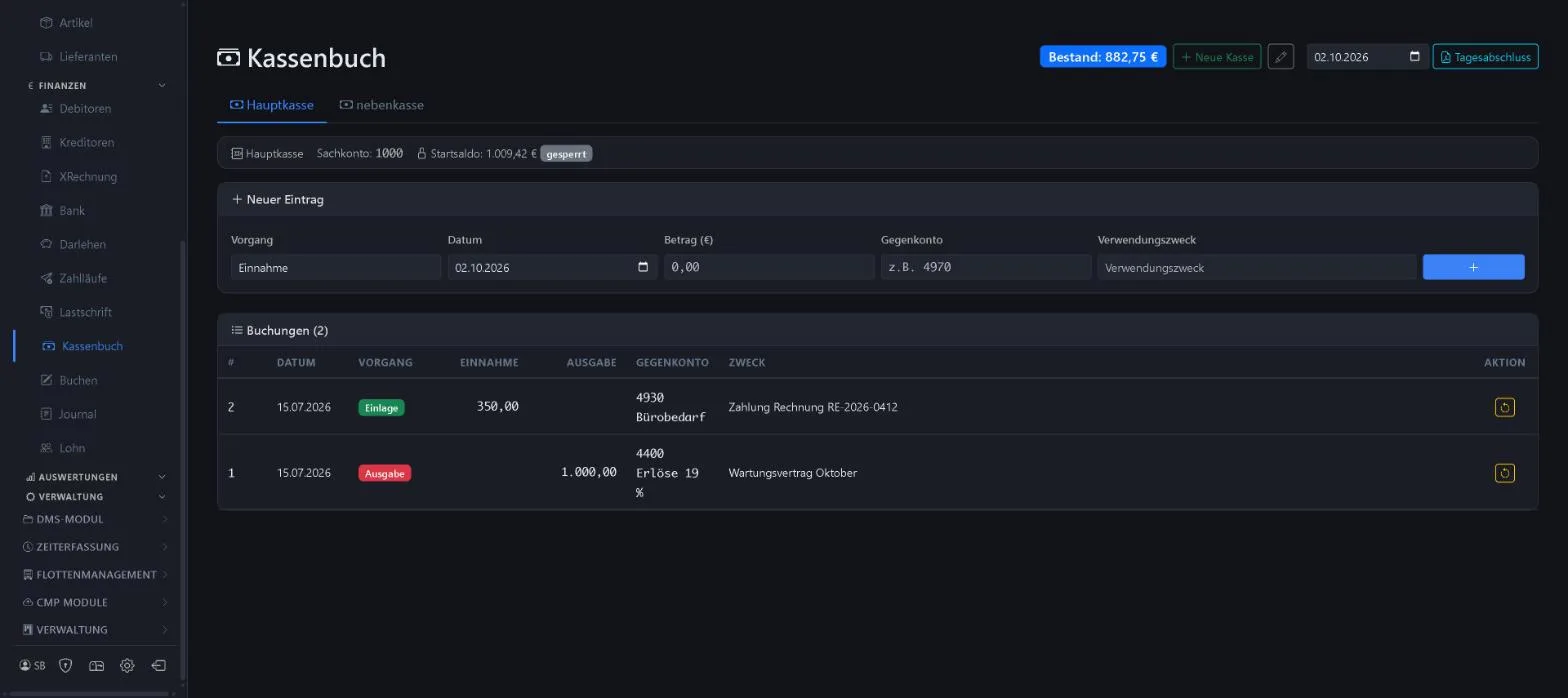
- Several cash books possible
- Opening balance is locked
- Daily closing
- Reversal instead of deleting
Keywords Petty cash Cash book Daily closing Owner’s drawings Cash
More about this area on the product page.
Prefer to see it live?
We will show you 1x1-WorkOrderAgent in a demo, using your own workflows. Or try it free for 20 days with all modules.
0173 644 22 17