
Example · step by step · 6 steps
Update remote support: a new version for all customers in one click
When a new version of the remote support software comes out, the WorkOrderAgent tells you itself. You rebuild the customer package with one click and test it briefly. From then on your customers automatically get the new version via “Fernwartung starten” (start remote support), already set up for your server.
Recorded during the update to version 1.5.0 on 5 October 2026. Internal server paths are hidden in the screenshots.
Part 1: The WorkOrderAgent reports the new version
-
Notice under “Leads”
Menu Leads
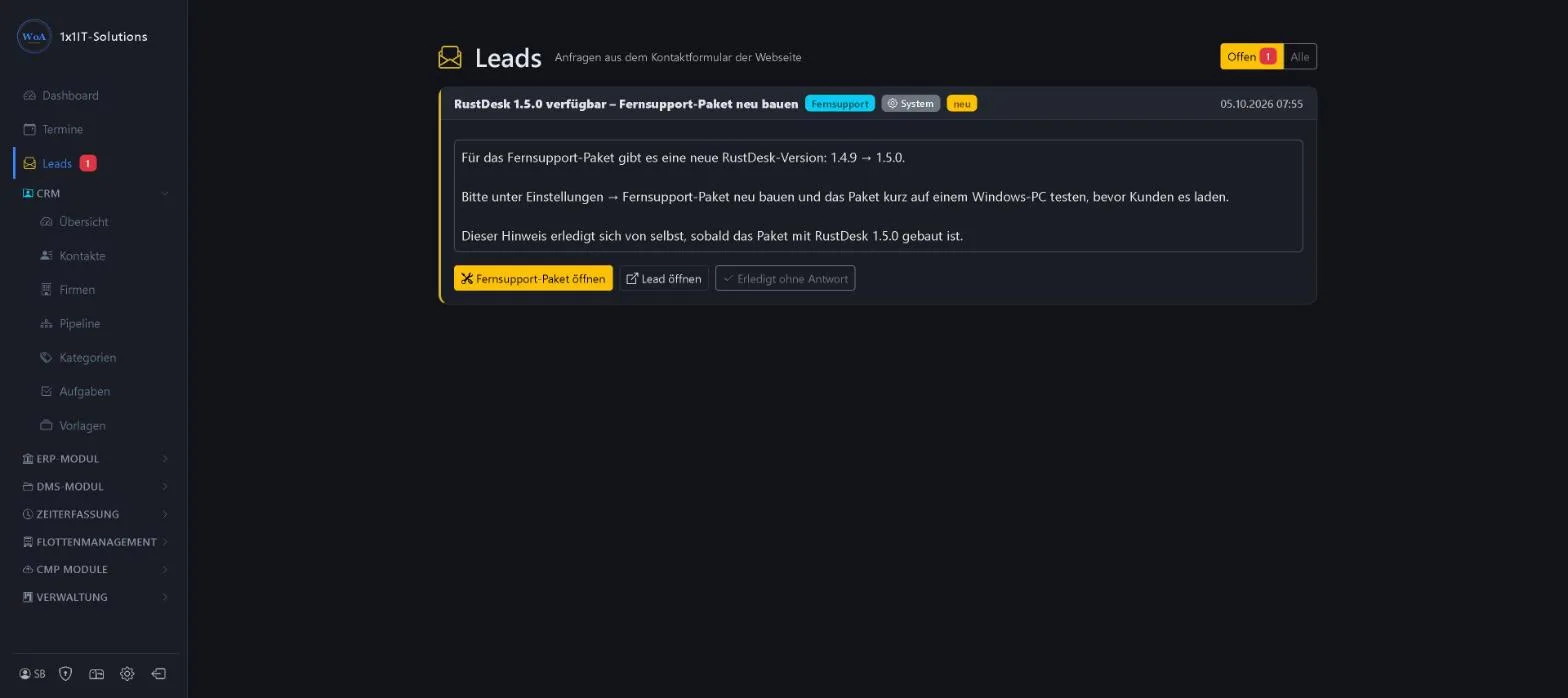
Once a week the WorkOrderAgent checks whether there is a new version of the remote support software. If there is, a system notice appears under “Leads” showing the old and new version numbers. Nothing is ever built automatically, only when you press the button, so no untested package reaches your customers. The notice clears itself as soon as the new package has been built.
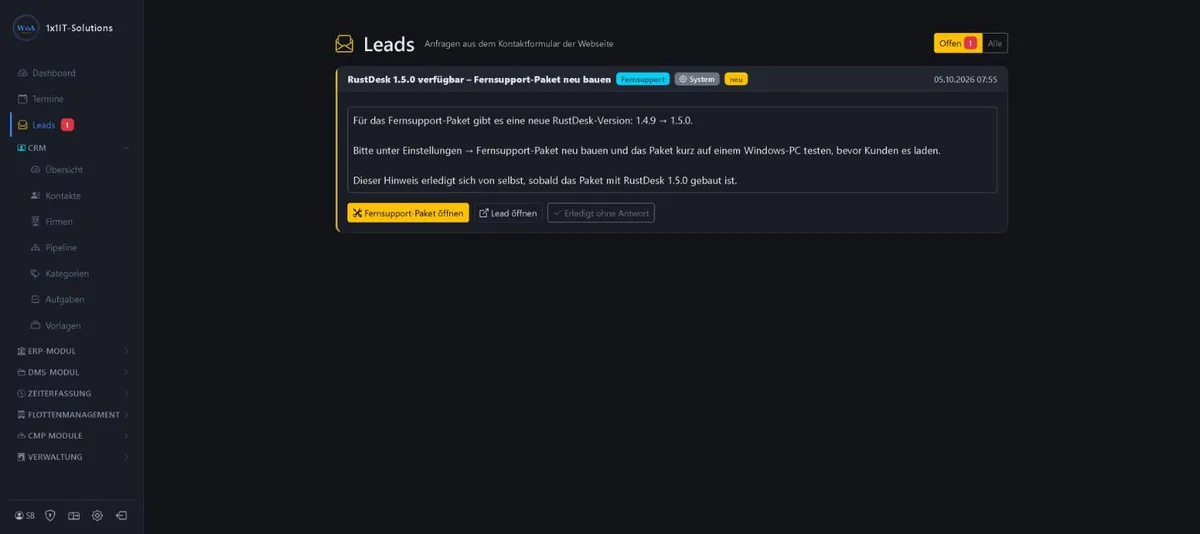
Sample data Click to enlarge.
Part 2: Rebuild the package
-
Open the remote support package
Menu Einstellungen Trigger Fernsupport-Paket
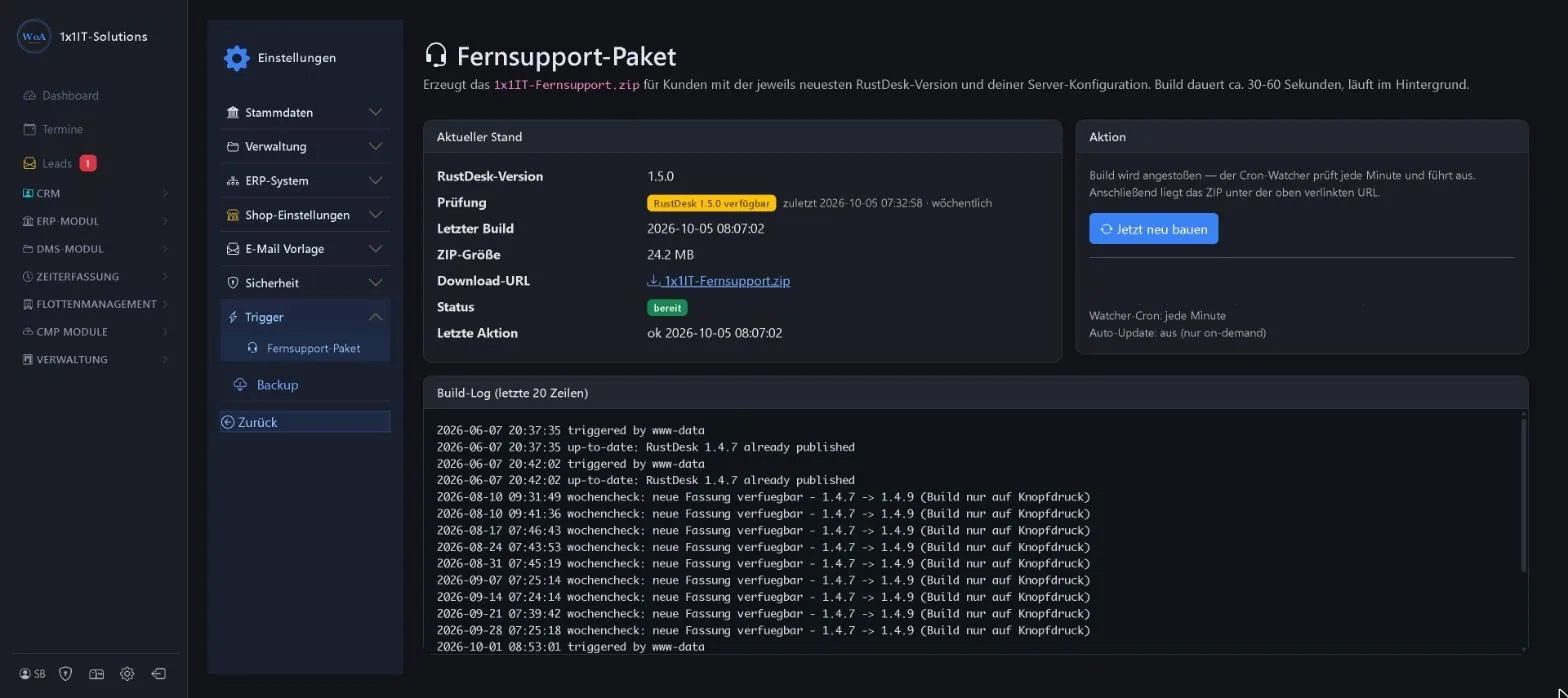
The “Fernsupport-Paket öffnen” (open remote support package) button in the notice takes you straight to the right page. There you see the current state: the version built, the result of the weekly check, when it was last built, the size and download address of the package, and the status.
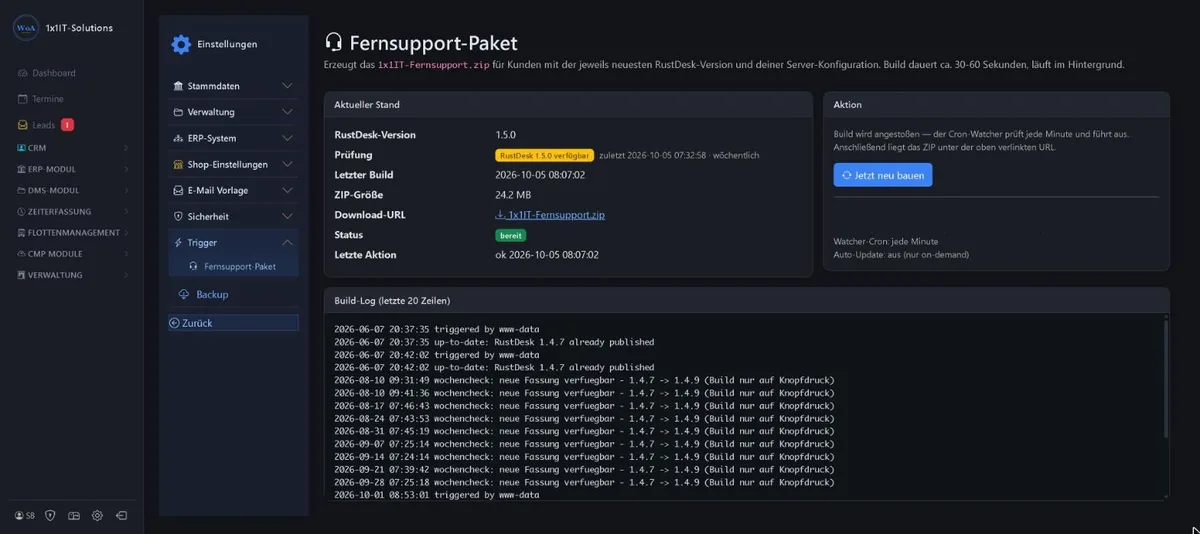
Sample data Click to enlarge. -
“Jetzt neu bauen” (rebuild now)
One click on “Jetzt neu bauen” (rebuild now) starts the build. It runs in the background and takes about 30 to 60 seconds. The package contains the latest version and is already set up for your own server, so your customers don’t have to enter anything.
-
Check the log
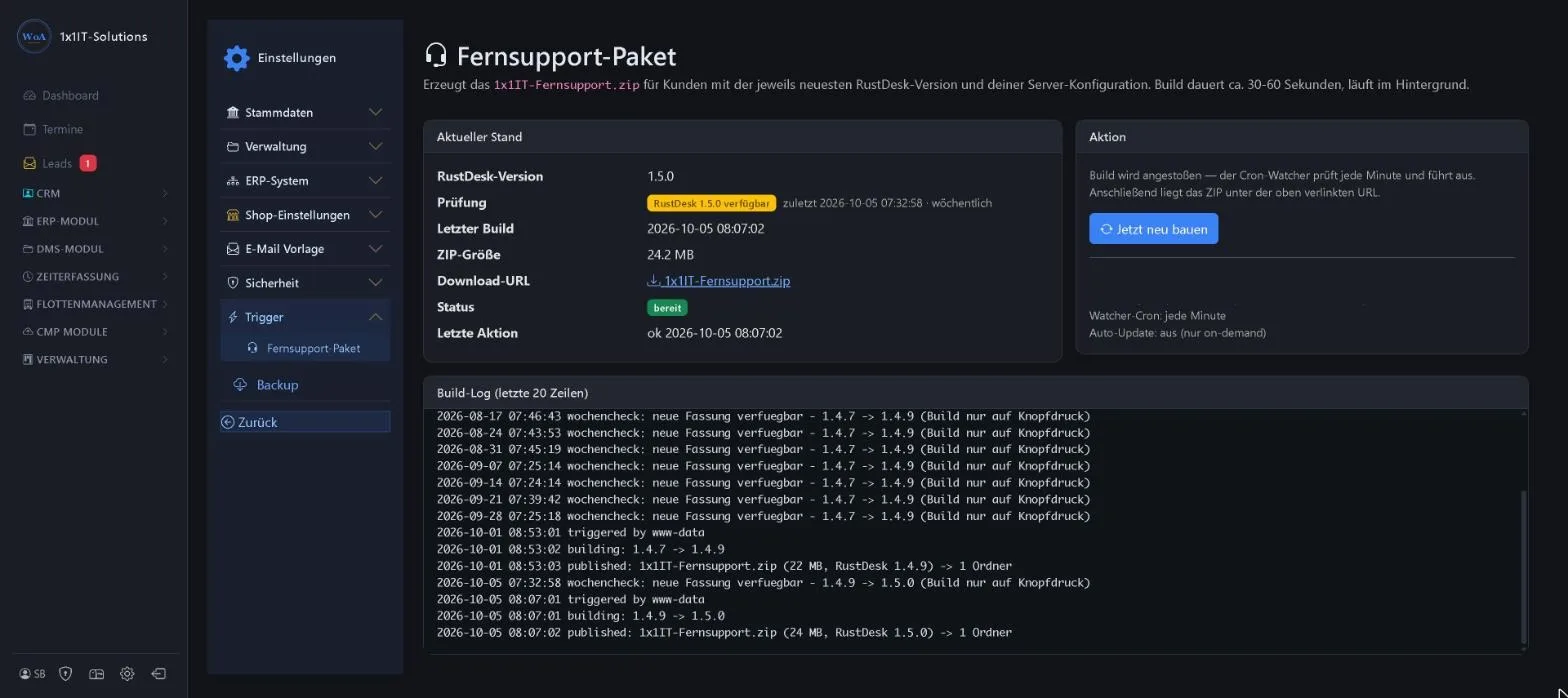
The log at the bottom shows every step: the message from the weekly check, the start of the build, the version change and the publication of the finished package with its size. Once it says “published”, the new package is online.
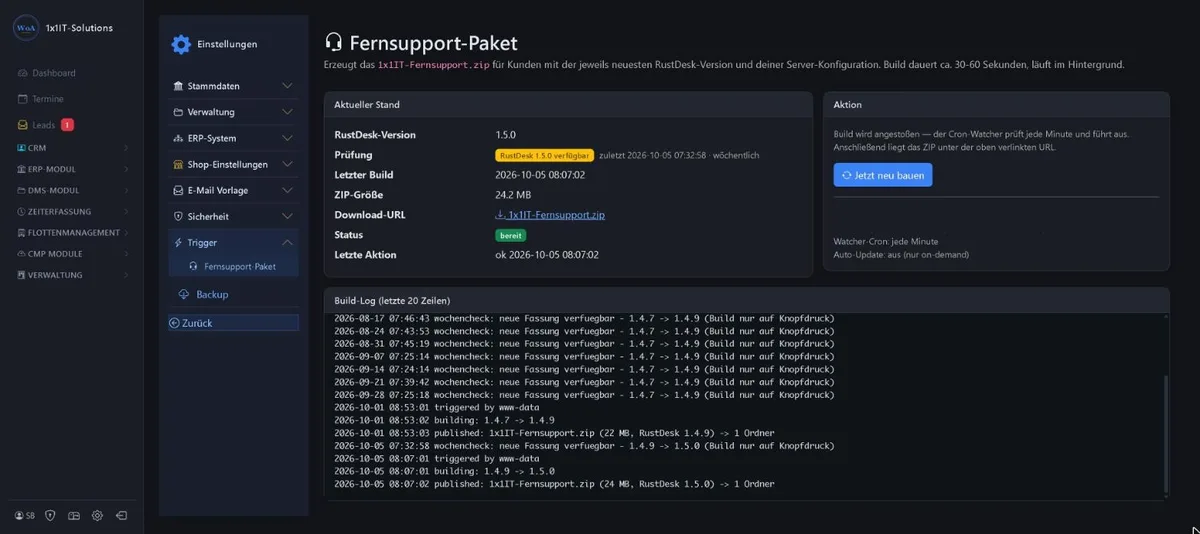
Sample data Click to enlarge.
Part 3: Test and you’re done
-
Quick test on a Windows PC
Download the package once yourself from the download address, unzip it on a Windows PC and start remote support. If the device ID appears and the connection to your server works, everything is fine.
-
Your customers get the new version automatically
The “Fernwartung starten” (start remote support) and “Fernwartung herunterladen” (download remote support) buttons on your website point to exactly this package. Anyone who downloads from now on gets the new version. You don’t need to send anything out or change any links.
Keywords remote support remote support package update new version customer package download
Prefer to see it live?
We will show you 1x1-WorkOrderAgent in a demo, using your own workflows. Or try it free for 20 days with all modules.
0173 644 22 17