
Feature reference · chapter 2 of 13
CRM: contacts, companies and sales
In the CRM you manage contacts and companies, steer sales opportunities through pipelines and share out tasks in the team.
All screenshots show sample data. Names, amounts and addresses are made up. Menu names and screenshots show the German user interface.
Contacts
Menu CRM Kontakte
All contacts with company, position, email, phone and tags. Contacts can be synced with the address book on your phone and PC.
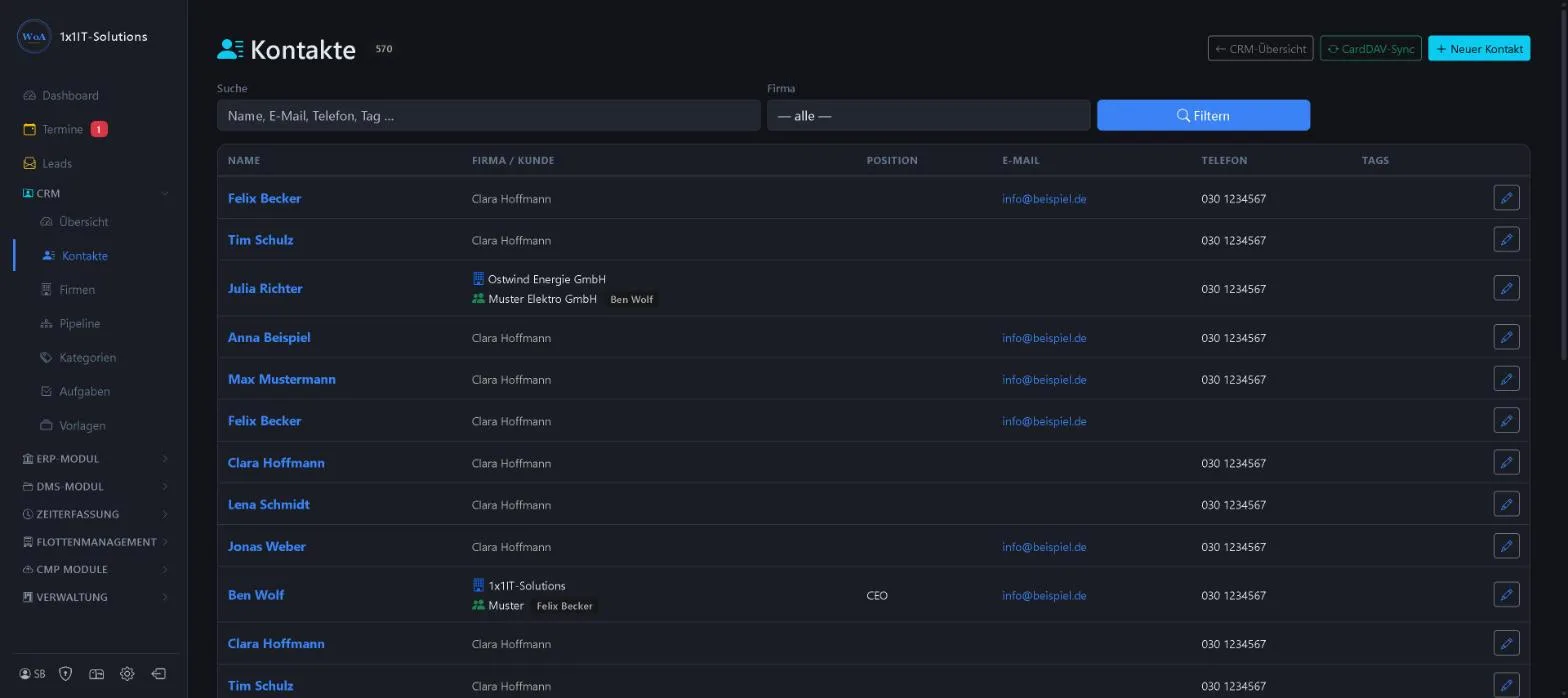
- Search by name, email, phone or tag
- Filter by company
- Address book sync via CardDAV
Keywords Contacts Address book Phone numbers CardDAV Tags
Companies
Menu CRM Firmen
Companies group their contacts together. A tick shows whether the company is already a customer. Existing customers can be taken over as companies with one click.
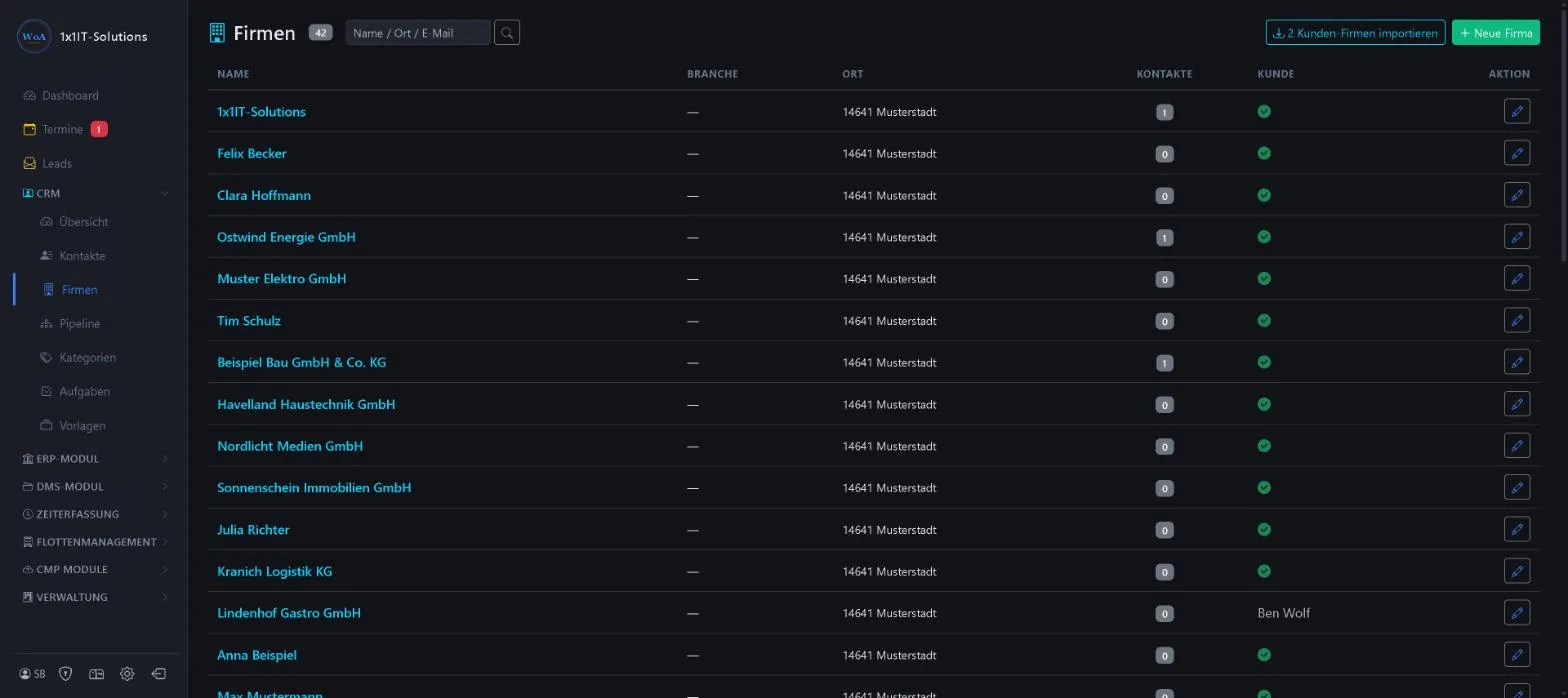
- Name, industry, town and number of contacts
- Import customer companies
- Search by name, town or email
Keywords Companies Organisations Industry Company list
Pipelines
Menu CRM Pipelines
A pipeline maps your sales process, from the first enquiry to the order, in stages you define yourself. The default pipeline is preselected for new leads.
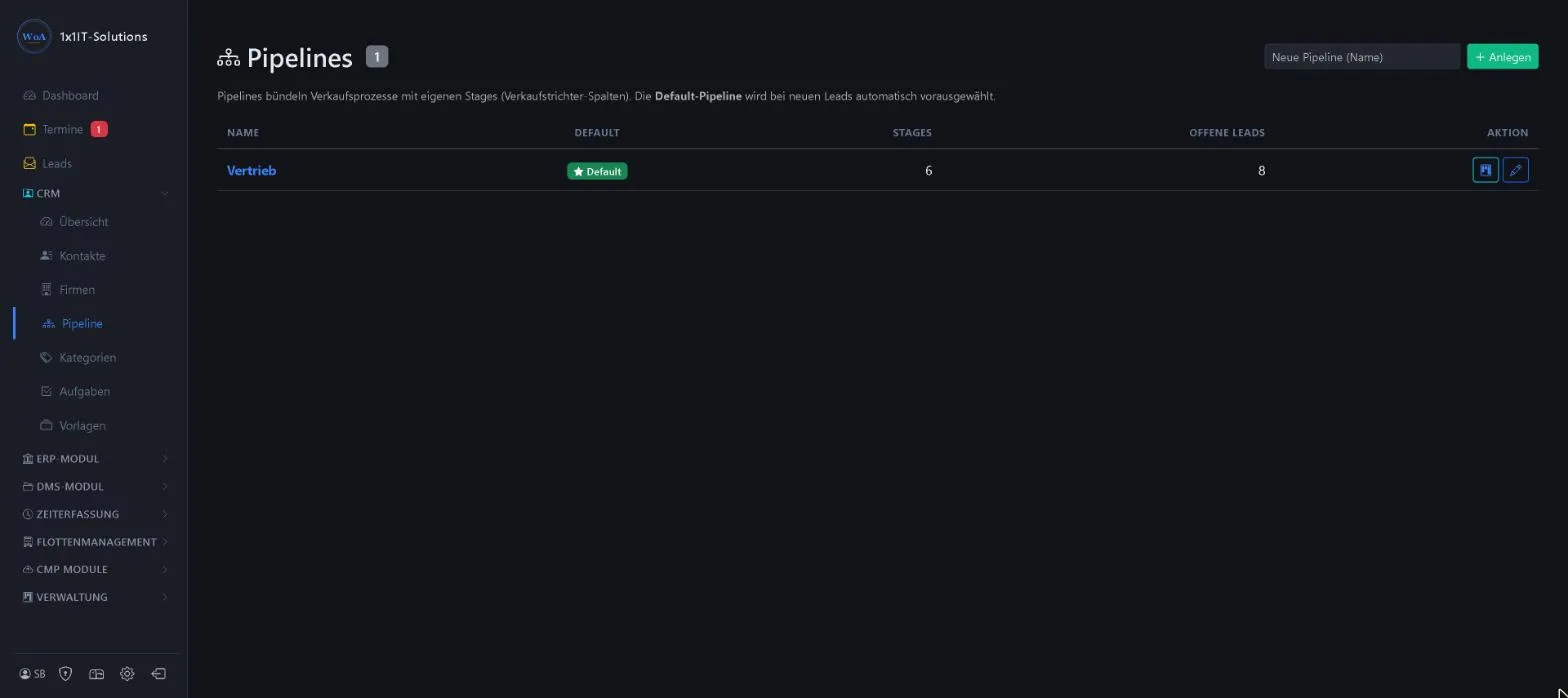
- Several pipelines, for example for sales and service
- Your own stages per pipeline
- Number of open leads per pipeline
Keywords Sales funnel Sales Stages Sales pipeline Opportunities
Categories
Menu CRM Kategorien
With categories you sort leads, and later customers, into your own groups, for example private, trade or key account, by industry or service level. Each category has a colour and a position in the list.

- Freely definable segments
- Colour and sort order
- A separate list per tenant
Keywords Segments Customer groups Grouping Classification
Tasks
Menu CRM Aufgaben
Tasks and to-dos with due date, priority and the responsible employee. Each task can be linked to a customer, lead or transaction.
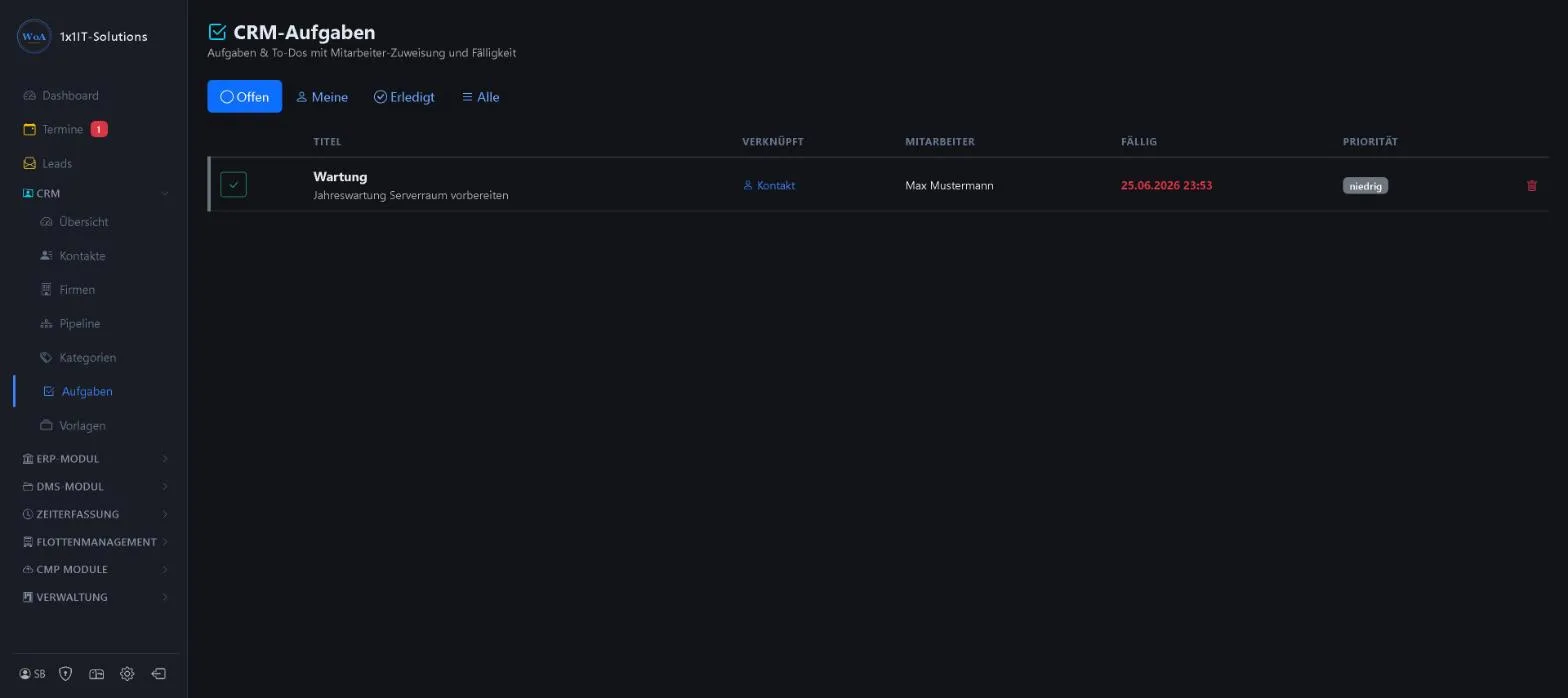
- Filters Open, Mine, Done, All
- Assign to employees
- Due date and priority
Keywords To-do Task list Responsibility Due date Team
Document templates
Menu CRM Vorlagen
Word and Excel templates, such as your business letter, can be picked anywhere from the “Neu” (new) menu. Templates can be opened, edited and downloaded in the browser.
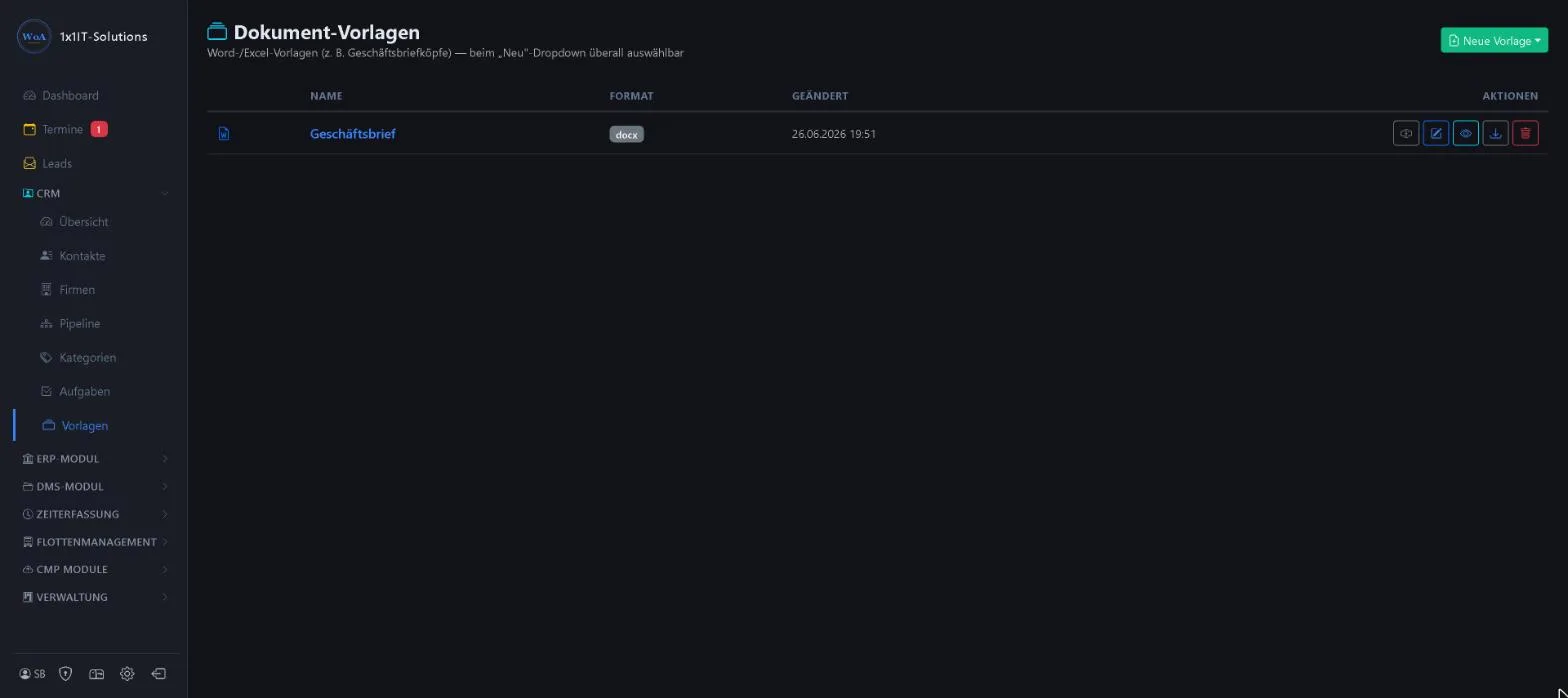
- Formats docx and xlsx
- Preview, edit, download
- Edit in the browser without Office installed
Keywords Letter template Word Excel Business letter Letterhead
More about this area on the product page.
Prefer to see it live?
We will show you 1x1-WorkOrderAgent in a demo, using your own workflows. Or try it free for 20 days with all modules.
0173 644 22 17