
Feature reference · chapter 4 of 13
Open items and e-invoices
Who owes you money, who do you owe money to, and how do e-invoices get into the system? Receivables, payables and the XRechnung import.
All screenshots show sample data. Names, amounts and addresses are made up. Menu names and screenshots show the German user interface.
Receivables: money owed to you
Menu ERP-Modul Debitoren
All unpaid outgoing invoices with due date, days overdue and dunning level. You record payments directly in the row, by bank or cash book, including with an early payment discount or as a part payment.
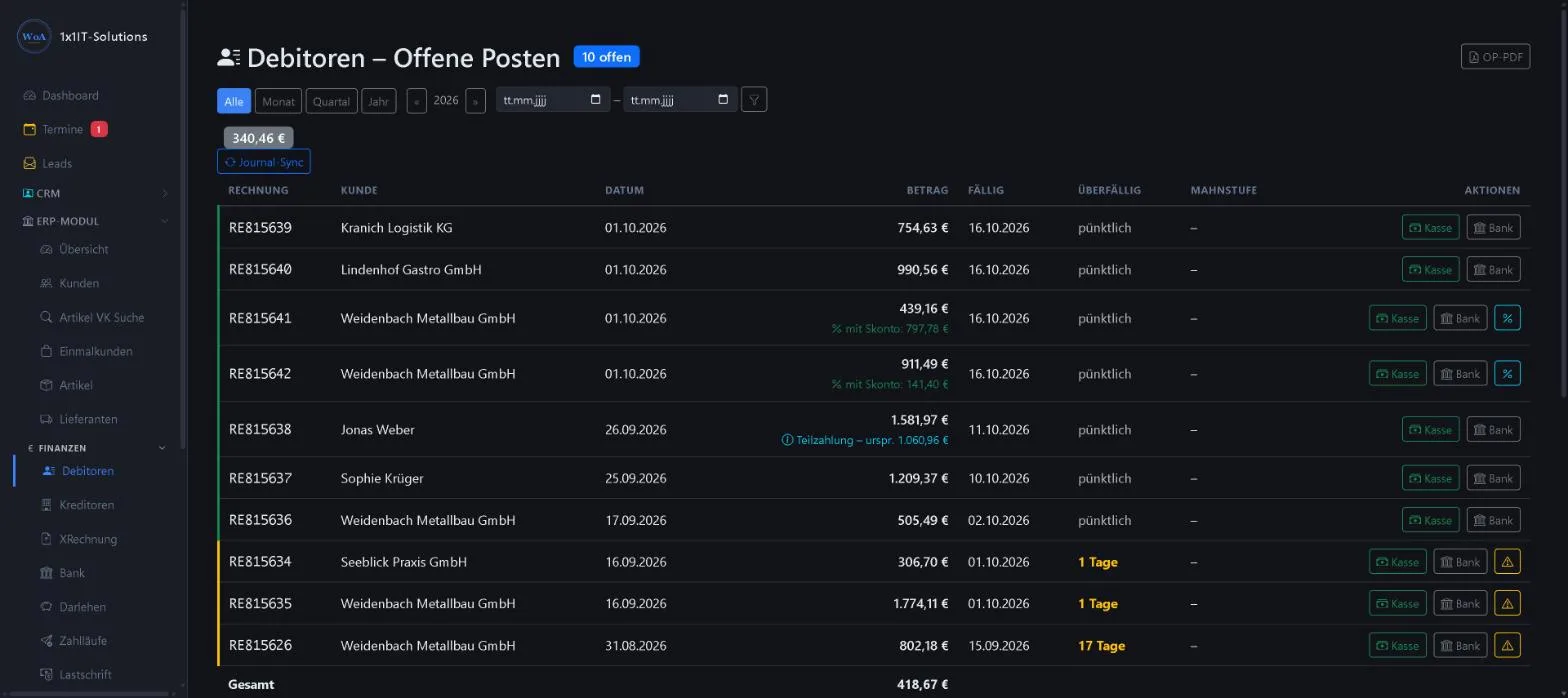
- Period: month, quarter, year or custom
- Payment reminder with one click
- Early payment discount in per cent
- Open items list as a PDF
Keywords Receivables Payment reminder Dunning Unpaid invoices Early payment discount Part payment
Payables: incoming invoices
Menu ERP-Modul Kreditoren
Your open liabilities. Incoming invoices reach the system by scan, email or manual entry and are kept with booking account, due date and early payment discount. Line items from e-invoices can be recharged to a customer.
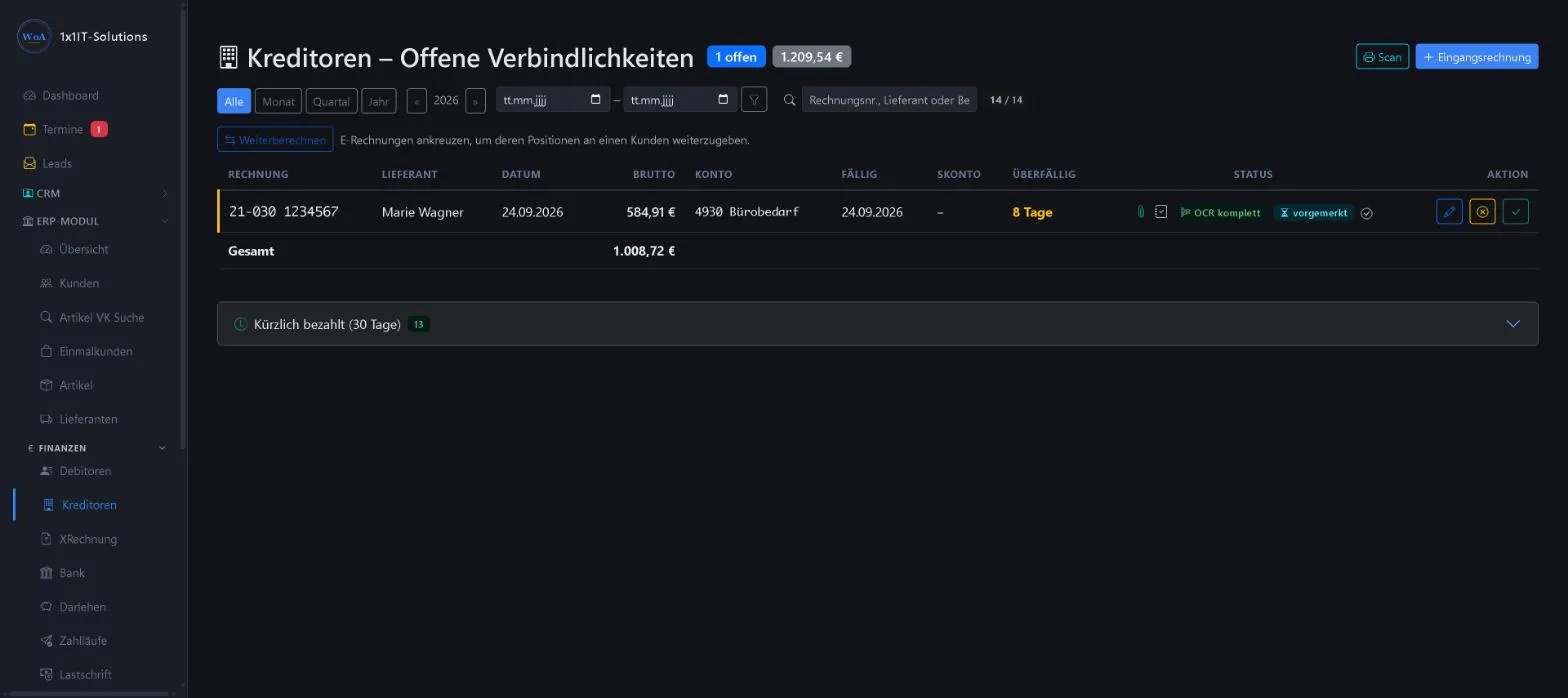
- Status: document attached, text recognition done, pending
- Mark as paid or cancel
- Recently paid (30 days)
- Recharge to customers
Keywords Payables Incoming invoice Supplier invoice Recharging
Importing ZUGFeRD and XRechnung
Menu ERP-Modul E-Rechnung
WorkOrderAgent fetches e-invoices from suppliers from your mailbox, or you upload them. Supplier, invoice number, date and amount are read from the file and posted.
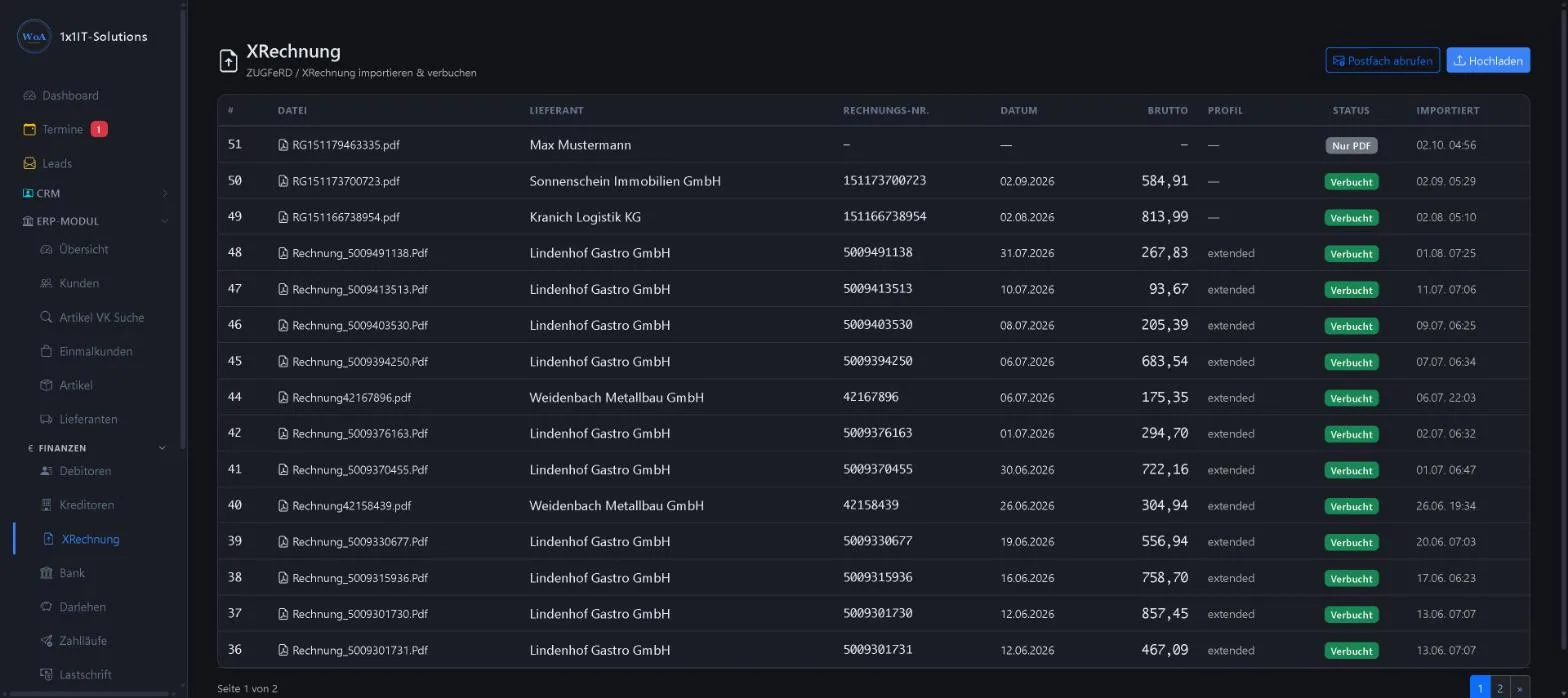
- Fetch from mailbox or upload
- The e-invoice profile is recognised
- Status “Nur PDF” (PDF only) or “Verbucht” (posted)
Keywords E-invoice XRechnung ZUGFeRD Invoice import E-invoicing requirement
More about this area on the product page.
Prefer to see it live?
We will show you 1x1-WorkOrderAgent in a demo, using your own workflows. Or try it free for 20 days with all modules.
0173 644 22 17