
Feature reference · chapter 11 of 13
Timesheets and remote support
Record and bill working time per customer, start remote support sessions and have them logged automatically.
All screenshots show sample data. Names, amounts and addresses are made up. Menu names and screenshots show the German user interface.
Timesheets
Menu Zeiterfassung Stundenzettel
For each customer, the recorded times and how much of it has not yet been billed. Tiles show running timers, open hours with the trend over the last 4 weeks and the customers with the most open time.
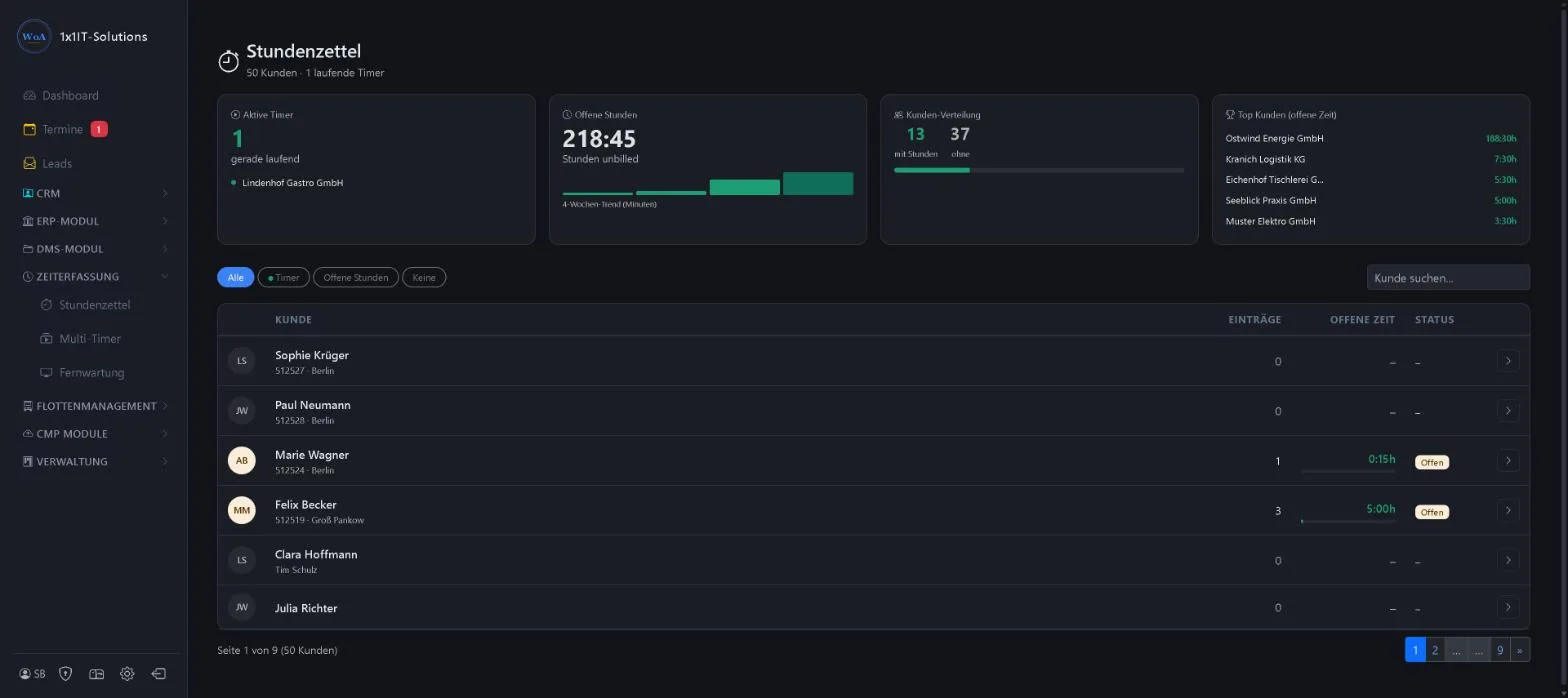
- Filters timers, open hours, none
- Customer search
- A click opens the customer’s timesheet
- Billing of open time
Keywords Time tracking Hours Timer Working time Billing
Multi-timer
Menu Zeiterfassung Multi-Timer
Run several timers at once, for example travel time and on-site work, or two customers side by side. At the top are running and paused timers, the total running time and the activities recorded today. Each running timer is a card where you note activities, pause or stop.
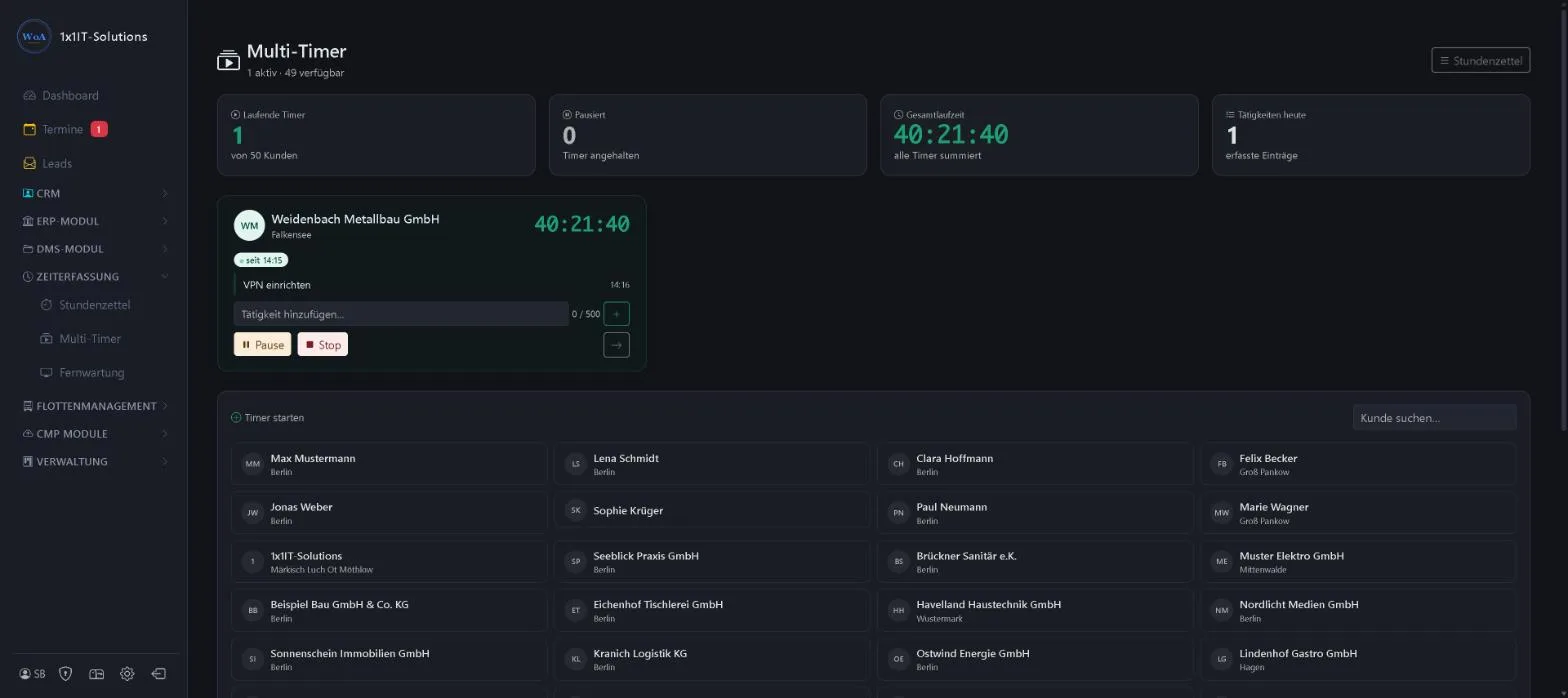
- Start a timer by clicking a customer
- Note activities with the time directly in the timer
- Pause and stop per timer
- Customer search across all customers
Keywords Multi-timer Stopwatch Time tracking Parallel Activities
Remote support
Menu Zeiterfassung Fernwartung
Your customers’ remote support devices, grouped by customer, connected with one click. If a customer gives you an ID on the phone, enter it in the quick connect field. It is saved with the customer and connected straight away. Sessions are added to the timesheet automatically.
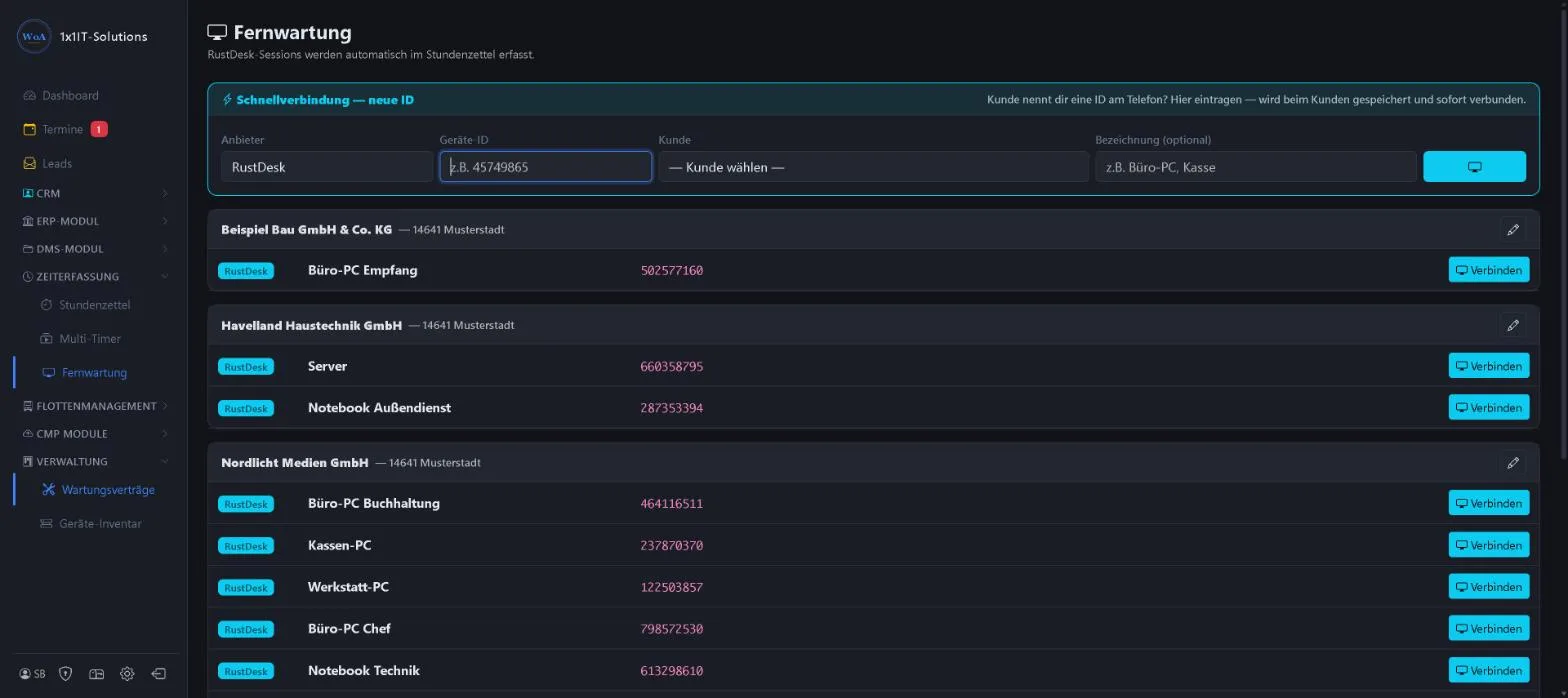
- Several remote support programs
- Quick connect by ID
- Automatic time recording for the session
Keywords Remote support Remote access Remote maintenance Device ID
More about this area on the product page.
Prefer to see it live?
We will show you 1x1-WorkOrderAgent in a demo, using your own workflows. Or try it free for 20 days with all modules.
0173 644 22 17